Snaptube
تازہ کاری
موجودہ ورژن
7.63.0.76330810
پیشکش بذریعہ

اپنے موبائل فون پر Snaptube کا استعمال کرتے وقت زیادہ چارج ہونے کی فکر نہ کریں، خود کو چھوٹی اسکرین سے آزاد کریں اور ایپ کو زیادہ بڑے ڈسپلے پر استعمال کرنے کا لطف اٹھائیں۔ اس کے بعد سے کی بورڈ اور ماؤس کے ساتھ اپنے ایپ کا فل اسکرین کا تجربہ حاصل کریں۔ MEmu آپ کو وہ تمام حیران کن خصوصیات پیش کرتا ہے جن کی آپ کو توقع کرتے ہیں: فوری انسٹال اور آسان سیٹ اپ، وجدانی کنٹرول، مزید بیٹری، موبائل ڈیٹا کی کوئی حد نہیں اور اب مزید پریشان کن کالز نہیں۔ نئے برانڈ کا MEmu 9 آپ کے کمپیوٹر پر Snaptube استعمال کرنے کے لیے بہترین اختیار ہے۔ MEmu کثیر نظیری منیجر بیک وقت 2 یا اس سے زیادہ اکاؤنٹس کھولنا ممکن بناتا ہے۔ اور سب اہم بات، ہمارا خصوصی ایمولیشن انجن آپ کے پی سی کی پوری طاقت ریلیز کرتے ہوئے ہر چیز ہموار اور قابل تفریح بناتا ہے۔
مزید دکھائیں
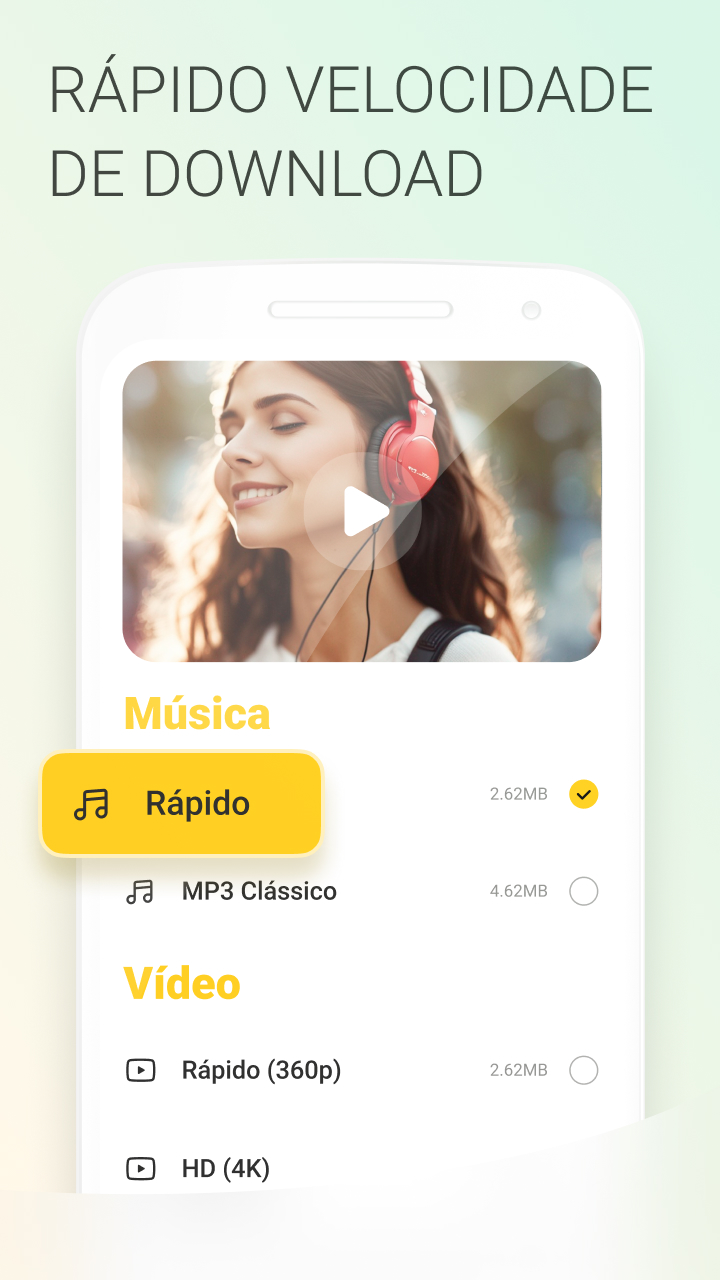
MEmu Play کے ساتھ PC پر Snaptube استعمال کرنے کے شاندار تجربے سے لطف اٹھائیں۔ یہ ایک طاقتور مفت اینڈرائیڈ ایمولیٹر ہے جو آپ کو ان کے ڈیسک ٹاپ ورژن کے لیے ہزاروں اینڈرائیڈ ایپس فراہم کرتا ہے۔ دوستوں کے ساتھ جڑنے اور اعلی کارکردگی کے ساتھ اپنے کام کو چمکانے کا لطف اٹھائیں! SnapTube YouTube downloader & MP3 converter allows you to download free videos from YouTube, Facebook, Instagram, Twitter, Vimeo, Tiktok and many other social media platforms, so you can watch these videos offline whenever and wherever you want.
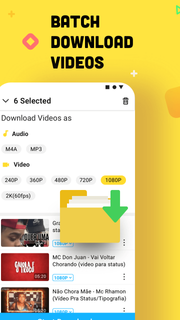



SnapTube YouTube downloader & MP3 converter allows you to download free videos from YouTube, Facebook, Instagram, Twitter, Vimeo, Tiktok and many other social media platforms, so you can watch these videos offline whenever and wherever you want.Save videos in any resolution you needYou can choose different resolutions for the videos you downloaded in 144p, 720p, 1080p HD, 2k HD, 4K HD, and audio formats in MP3 or M4A. You can choose a lower resolution to help you save the storage space on your phone.Support 50+ social media sitesIn addition to downloading videos and music from YouTube, SnapTube also supports many other popular sites like Twitter, TikTok, Vevo, WhatsApp and more. You can download any free video or music from these sites without any hassle.User-friendly interfaceSnapTube features clear interface to help users get access to any function easily. You can browse popular videos with the most views, or explore daily recommendations, or just type the artists or songs to search anything you are interested in.If you are fed up with skipping boring ads on YouTube, switch to SnapTube and get a flawless entertainment experience.===* How to Use Snaptube*===1. Open SnapTube and search for any video that you want to download.2. With every video, you will see a downloading button or yellow floating sign. Tap on it.3. Choose the video / audio format and resolution.4. Select your desired option and tap on the download button. Your video with the expected resolution will be downloaded on the phone.Watch downloaded videos any time in offline mode or forward them to your loved ones through apps like WhatsApp and Messenger.===* Further Service *===Homepage:https://www.Snaptube.com/https://www.Snaptubeapp.com/Common questions: https://www.Snaptube.com/faqNeed Help? Please send us at hello@snaptubeapp.com
مزید دکھائیں

1. MEmu انسٹالر ڈاؤن لوڈ کریں اور سیٹ اپ مکمل کریں

2. MEmu شروع کریں اسکے بعد ڈیسکٹاپ پر Google Play کھولیں

3. Google Play میں Snaptube تلاش کریں
Install
4. Snaptube ڈاؤن لوڈ کریں اور انسٹال کریں
5. انسٹال مکمل ہونے کے بعد سٹارٹ کرنے کے لیے آئیکن پر کلک کریں

6. MEmu کے ساتھ پی سی پر Snaptube کھیلنے کا لطف لیں
MEmu پلے بہترین اینڈرائڈ ایمولیٹر ہے اور 100 ملین لوگ اس کے زبردست اینڈرائڈ گیمنگ تجربہ سے لطف اندوز ہو رہے ہیں۔ MEmu کی ورچولائزیشن ٹیکنالوجی آپ کو اپنے PC پر ہزاروں اینڈرائڈ گیمز یہاں تک کہ انتہائی گرافک والے گیمز باسہولت کھیلنے کی طاقت دیتی ہے۔
بہتر گرافکس کے ساتھ بڑی اسکرین؛ طویل دورانیہ، بیٹری یا لامحدود موبائل ڈیٹا کے بغیر۔
کی بورڈ اور ماؤس یا گیم پیڈ کے عین مطابق کنٹرول کے لیے کی میپنگ کا پورا سپورٹ۔
کثیر مثالی منیجر کے ساتھ بیک وقت ایک پی سی پر متعدد گیم اکاؤنٹس یا ٹاسکس۔
پی سی پر درج ذیل مراحل پر عمل کرتے ہوئے پر Snaptube استعمال کریں: u003c/p>