
Snaptube
Aktualizováno
Aktuální verze
7.63.0.76330810
Od vývojáře

Přestaňte se obávat přebíjení při používání Snaptube na mobilním telefonu, uvolněte se z malé obrazovky a užívejte si aplikace na mnohem větším displeji. „Společnost MEmu vám nabízí všechny překvapivé funkce, které jste očekávali: rychlá instalace a snadné nastavení, intuitivní ovládání, žádná omezení baterií, mobilní data a rušivá volání. Zcela nový přístroj MEmu 9 je nejlepší volbou použití Snaptube ve vašem počítači. díky naší absorpci umožňuje správce více instancí otevření 2 nebo více účtů současně. A co je nejdůležitější, náš exkluzivní emulační modul může uvolnit plný potenciál vašeho počítače, učinit vše plynulým a příjemným.
Show more
Užijte si skvělý zážitek z používání Snaptube u na PC s MEmu Play. Je to výkonný bezplatný emulátor Androidu, který vám nabízí tisíce aplikací pro Android ve verzi pro stolní počítače. Užívejte si spojení s přáteli a vylepšujte svou práci s vyšší efektivitou! Snaptube helps when you want to keep clips and songs ready without relying on a connection.
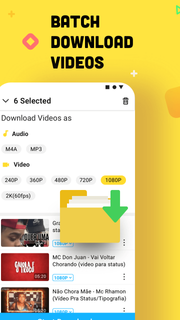



Snaptube helps when you want to keep clips and songs ready without relying on a connection. It brings a simple way to collect content from popular platforms, then store it in formats that match your device and data plan. As a result, you can build a personal library that works on the go and at home. For users searching for Snaptube APK, this overview explains the purpose clearly and keeps the focus on everyday use.Key features of SnaptubeDownload from many sourcesSnaptube supports 50 plus platforms including YouTube, Facebook, Twitter, TikTok, Vevo, and WhatsApp. You paste a link or use the built in search to find the video or music you need. The app keeps everything in one place so you do not switch between apps while gathering content.Flexible quality and format choicesYou choose how files are saved, from 144p up to 4K for video. If you only want audio, Snaptube can extract tracks in MP3 or M4A to help manage storage and data use. This lets you match each download to your phone and connection, then keep playback smooth.Clean interface with quick actionsSnaptube offers a simple layout with search, trends, and daily recommendations to help you find content faster. When you are ready, an in app floating button gives you one tap downloads that feel natural. This reduces extra steps and keeps the process clear from start to finish.Fast, stable, and unlimited downloadsSnaptube handles multiple files without slowing down, so you can queue videos and songs together. Everything is managed in a single Library where you see what is complete and what is in progress. This setup keeps your downloads organized and easy to review.Offline playback, sharing, and no root neededOnce a file is saved, you watch or listen offline directly in Snaptube. You also share through apps like WhatsApp and Messenger with a few taps. The app is 100 percent free and secure, and it works without root, which keeps setup simple and device friendly.How to use Snaptube on AndroidThe steps below show a straightforward process for saving media on a phone. For first time users who plan to download Snaptube, the flow is simple and direct. Everything happens inside the app.Open Snaptube and search for a video or song, or paste a link from YouTube, Facebook, Twitter, TikTok, Vevo, or WhatsApp.Tap the floating button to view format and quality options, then choose video resolution from 144p up to 4K or select MP3 or M4A for audio only.Confirm the download and check progress in the Library, where you can manage multiple files at once.After completion, open the file for offline playback directly in Snaptube.Use the share option to send the file through apps like WhatsApp or Messenger.Get started with SnaptubeSnaptube lets you collect videos and music from many sources and keep them ready offline. Pick formats and qualities that fit your device and data plan, then manage everything in one Library. To stay current, check the Snaptube latest version before installing.
Show more

1. Stáhněte si instalační program MEmu a dokončete instalaci

2. Spusťte MEmu a poté otevřete Google Play na ploše

3. Vyhledejte Snaptube v Google Play
Install
4. Stáhněte a nainstalujte Snaptube
5. Po dokončení instalace klikněte na ikonu pro spuštění

6. Užívejte si používání Snaptube na PC s MEmu
MEmu je bezplatný a vynikající emulátor Androidu s 50 miliony uživatelů, který poskytuje vynikající zážitek z aplikací. Virtualizační technologie MEmu 9 vám umožňuje plynule spouštět aplikace pro Android na vašem počítači, a to i ty nejnáročnější.
Větší obrazovka s lepší grafikou; Dlouhá výdrž bez omezení baterie nebo mobilních dat.
Plná podpora mapování kláves pro přesné ovládání klávesnice a myši nebo gamepadu.
Více herních účtů nebo úkolů na jednom počítači najednou s Multi-Instance Managerem.
Use Snaptube on PC by following steps: