Total Chess Endgames 1600-2400
Đã cập nhật
Phiên bản hiện tại
3.4.0
Cung cấp bởi

Với tất cả niềm đam mê chơi Total Chess Endgames 1600-2400, đôi tay của bạn sẽ không còn bị giới hạn trên một màn hình nhỏ của điện thoại. Trải nghiệm chơi như một người chuyên nghiệp và kiểm soát hoàn toàn trò chơi của bạn bằng bàn phím và chuột. MEmu cung cấp cho bạn tất cả những điều mà bạn đang mong đợi. Tải xuống và chơi Total Chess Endgames 1600-2400 trên PC. Miễn là bạn muốn chơi, bởi nó không còn giới hạn về pin, dữ liệu di động và các cuộc gọi làm phiền. MEmu 9 hoàn toàn là sự lựa chọn tốt nhất để chơi Total Chess Endgames 1600-2400 trên PC. Với sự chuẩn bị về chuyên môn của chúng tôi, hệ thống sơ đồ bàn phím tinh tế làm cho Total Chess Endgames 1600-2400 trở thành một trò chơi thực sự trên PC. Trình Quản lý đa năng, đã được chăm chút bởi sự tiếp thu của chúng tôi, có thể phát 2 hoặc nhiều tài khoản trên cùng một thiết bị. Và điều quan trọng nhất, công cụ mô phỏng độc quyền của chúng tôi có thể phát huy toàn bộ tiềm năng PC của bạn, giúp mọi thứ hoạt động trơn tru nhất có thể. Chúng tôi biết rằng quá trình tận hưởng hạnh phúc ở mỗi trò chơi cũng là mong muốn của mỗi game thủ, vì vậy các bạn chỉ cần chơi thôi hãy để chúng tôi quan tâm đến tất cả trải nghiệm đó.
Nhiều hơn
Tải Total Chess Endgames 1600-2400 trên PC với Trình giả lập Android MEmu. Tận hưởng trải nghiệm chơi game trên màn hình lớn Total Chess Endings course composed by GM Alexander Panchenko.
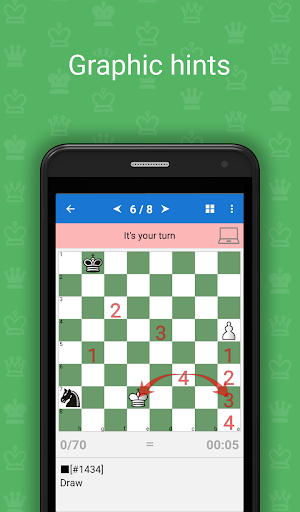
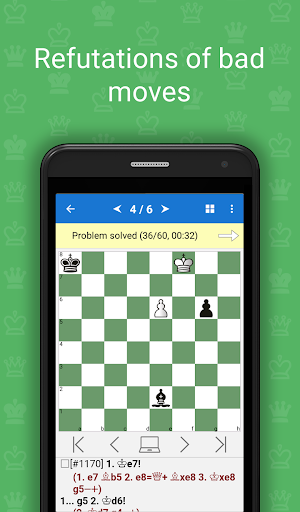
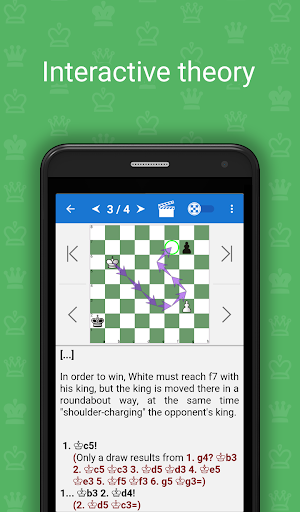
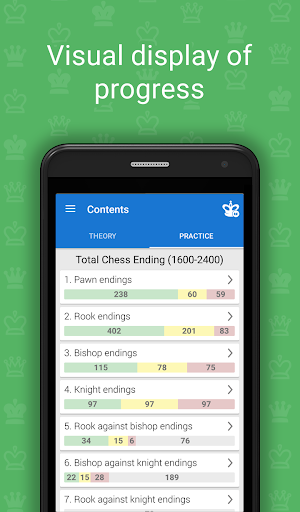
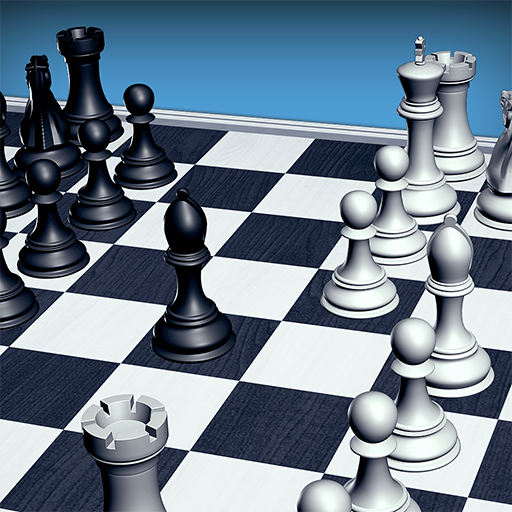
Total Chess Endings course composed by GM Alexander Panchenko. It's aim is to teach a student the intricacies of the endgame through a theoretical section, which includes over 600 games/lectures, each of them illustrating theoretical and practical endgame methods, and training section, with more than 2400 endgame exercises, classified according to 500 endgame themes. The material written by IM ICCF Alexander Alpert.
This course is in the series Chess King Learn (https://learn.chessking.com/), which is an unprecedented chess teaching method. In the series are included courses in tactics, strategy, openings, middlegame, and endgame, split by levels from beginners to experienced players, and even professional players.
With the help of this course, you can improve your chess knowledge, learn new tactical tricks and combinations, and consolidate the acquired knowledge into practice.
The program acts as a coach who gives tasks to solve and helps to solve them if you get stuck. It will give you hints, explanations and show you even striking refutation of the mistakes you might make.
The program also contains a theoretical section, which explains the methods of the game in a certain stage of the game, based on actual examples. The theory is presented in an interactive way, which means you can not only read the text of the lessons, but also to make moves on the board and work out unclear moves on the board.
Advantages of the program:
♔ High quality examples, all double-checked for correctness
♔ You need to enter all key moves, required by the teacher
♔ Different levels of complexity of the tasks
♔ Various goals, which need to be reached in the problems
♔ The program gives hint if an error is made
♔ For typical mistaken moves, the refutation is shown
♔ You can play out any position of the tasks against the computer
♔ Interactive theoretical lessons
♔ Structured table of contents
♔ The program monitors the change in the rating (ELO) of the player during the learning process
♔ Test mode with flexible settings
♔ Possibility to bookmark favorite exercises
♔ The application is adapted to the bigger screen of a tablet
♔ The application does not require an internet connection
♔ You can link the app to a free Chess King account and solve one course from several devices on Android, iOS and Web at the same time
The course includes a free part, in which you can test the program. Lessons offered in the free version are fully functional. They allow you to test the application in real world conditions before releasing the following topics:
1.1. King and pawn against king
1.2. King and two pawns against king
1.3. Pawn against pawn
1.4. Two pawns against one
1.5. Two pawns against two
1.6. Three pawns against two or three pawns
1.7. Endings with several pawns (material advantage)
1.8. Endings with several pawns (positional advantage)
1.9. Transition to the pawn endgame
2.1. Rook against pawn
2.2. Rook against two pawns
2.3. Rook against three or more pawns
2.4. Rook and pawns against pawns
2.5. Rook and pawn against rook
2.6. Rook and two pawns against rook
2.7. Rook and three pawns against rook
2.8. Rook and pawn against rook and pawn
3. Bishop endings
4. Knight endings
5. Rook against bishop endings
6. Bishop against knight endings
7. Rook against knight endings
8. Queen against pawns
9. Queen endings
10. Queen against rook endings
11. Queen against knight endings
12. Queen against bishop endings
13. Pawn endings
15. Bishops of opposite color
16. Opposite colored bishops with rooks or queens on the board
17. Bishops of the same color
18. Bishop against knight
19. Bishop pair in the endgame
20. Extra exchange
21. Rook versus pawns
22. Rook endings
23. Endings with four rooks
24. Queen endgames
25. Queen against two rooks
26. Multi-piece endings
Nhiều hơn

1. Tải trình cài đặt MEmu và hoàn tất cài đặt

2. Khởi động MEmu, sau đó mở Google Play trên trang chủ

3. Tìm kiếm Total Chess Endgames 1600-2400 trong Google Play
Install
4. Tải và Cài Đặt Total Chess Endgames 1600-2400
5. Khi cài đặt hoàn tất, nhấp vào biểu tượng để bắt đầu

6. Tận hưởng chơi Total Chess Endgames 1600-2400 trên PC với MEmu
MEmu App Player là trình mô phỏng Android miễn phí tốt nhất và 50 triệu người đã tận hưởng trải nghiệm chơi trò chơi tuyệt vời trên Android của mình. Công nghệ ảo hóa MEmu trao quyền cho bạn để chơi hàng ngàn trò chơi Android mượt mà trên PC của bạn, ngay cả những trò chơi chuyên sâu nhất.
Màn hình lớn hơn cùng với đồ hoạ tốt hơn; thời lượng dài, không giới hạn về pin hoặc dữ liệu di động
Hỗ trợ đầy đủ Keymapping cho việc kiểm soát chính xác bàn phím và chuột hoặc gamepad
Nhiều tài khoản trò chơi hoặc tác vụ cùng lúc trên một PC với Quản lý Đa năng
Play Total Chess Endgames 1600-2400 on PC by following steps: