iArtbook Painting Digital App
Đã cập nhật
Phiên bản hiện tại
2.0
Cung cấp bởi

Bạn không cần phải lo lắng về việc sạc quá mức khi sử dụng iArtbook Painting Digital App trên điện thoại của bạn, không phải sử dụng trên màn hình nhỏ bé và tận hưởng ứng dụng trên màn hình lớn hơn rất nhiều. Từ bây giờ, bạn hãy trải nghiệm ứng dụng của bạn toàn màn hình bằng bàn phím và chuột. MEmu cung cấp cho bạn tất cả các tính năng đáng ngạc nhiên mà bạn mong đợi: cài đặt nhanh, cài đặt dễ dàng, điều khiển trực quan, không còn giới hạn về pin, dữ liệu di động và các cuộc gọi làm phiền. MEmu 9 hoàn toàn mới là sự lựa chọn tốt nhất để sử dụng iArtbook Painting Digital App trên máy tính của bạn. Được mã hóa với sự hợp nhất của chúng tôi, trình quản lý multi-instance giúp mở 2 tài khoản trở lên cùng một lúc. Và điều quan trọng nhất là, công cụ mô phỏng độc quyền của chúng tôi có thể tận dụng hết toàn bộ tiềm năng trên PC của bạn, giúp mọi thứ vận hành trơn tru và thú vị.
Nhiều hơn
Tải iArtbook Painting Digital App trên PC với Trình giả lập Android MEmu. Tận hưởng trải nghiệm chơi game trên màn hình lớn Professional painting app, based on Unlimited Layers with Blend Modes and Masks.
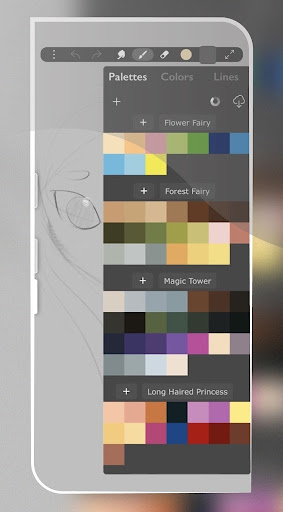

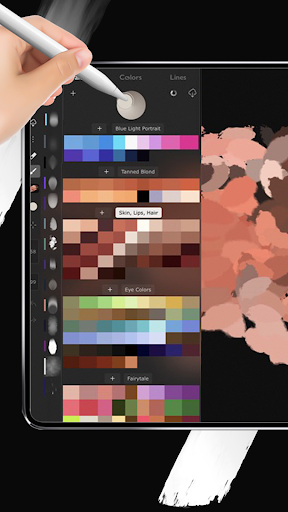
Professional painting app, based on Unlimited Layers with Blend Modes and Masks
Any brush can be used with 3 professional-level realtime technologies of calligraphy: Line Delay, Rope Stabilization and Correction, combine it for best results.
With 100% calligraphy the line will be very smooth even if you are drawing with your finger.
Ask a critic to define the art of painting. He or she will iArtbook for artists on the question of form.
In art, a medium, such as musical composition, can be broken down into smaller categories based on form, such as a song or an opera.
In this example, the musical composition is the medium, and the pro create is the artistic expression's particular form.
But also consider how the meaning pro create in a song might have come across if the artist had chosen a different form, like a written poem, for example.
iArtbook Brushes can be Dry, Glossy and Wet. There are 3 types of Wet brushes: Without Pull, With Pull and Super-Precise.
Any brush can instantly became Smudge-brush with Finger instrument. Textured brushes are also supported
If you like to draw with simple round brush, there are quick settings for Hardness, Ovality & Rotation of your brush shape. Or, if you prefer realistic brushes, large Pro-Library of shapes (>1000 textures) can be used to create new brushes of any type
Apple Pencil is fully supported, including Touch Force, Tilt, Azimuth and Predicted Points. There are settings for each Pencil ability. You also can disable finger-painting, if you never use it
There are a variety of types of paints often used, like tempera, acrylic, watercolor and fresco.
The possibilities of what medium to apply paint to range from paper, to wood, to leather and more
DISCLAIMER
This app not officeil app it s made just for fun
Nhiều hơn

1. Tải trình cài đặt MEmu và hoàn tất cài đặt

2. Khởi động MEmu, sau đó mở Google Play trên trang chủ

3. Tìm kiếm iArtbook Painting Digital App trong Google Play
Install
4. Tải và Cài Đặt iArtbook Painting Digital App
5. Khi cài đặt hoàn tất, nhấp vào biểu tượng để bắt đầu

6. Trải nghiệm iArtbook Painting Digital App trên PC của bạn bằng MEmu
MEmu Play là trình giả lập Android miễn phí tốt nhất, với 50 triệu người dùng trải nghiệm ứng dụng Android tuyệt vời. Công nghệ ảo hóa của MEmu cho phép bạn chạy mượt mà hàng ngàn ứng dụng Android trên máy tính, ngay cả những ứng dụng đòi hỏi cấu hình cao nhất.
Màn hình lớn hơn cùng với đồ hoạ tốt hơn; thời lượng dài, không giới hạn về pin hoặc dữ liệu di động
Hỗ trợ đầy đủ Keymapping cho việc kiểm soát chính xác bàn phím và chuột hoặc gamepad
Nhiều tài khoản trò chơi hoặc tác vụ cùng lúc trên một PC với Quản lý Đa năng
Use iArtbook Painting Digital App on PC by following steps: