Epay Wallet
Đã cập nhật
Phiên bản hiện tại
5.6.22.20241204_release
Cung cấp bởi

Bạn không cần phải lo lắng về việc sạc quá mức khi sử dụng Epay Wallet trên điện thoại của bạn, không phải sử dụng trên màn hình nhỏ bé và tận hưởng ứng dụng trên màn hình lớn hơn rất nhiều. Từ bây giờ, bạn hãy trải nghiệm ứng dụng của bạn toàn màn hình bằng bàn phím và chuột. MEmu cung cấp cho bạn tất cả các tính năng đáng ngạc nhiên mà bạn mong đợi: cài đặt nhanh, cài đặt dễ dàng, điều khiển trực quan, không còn giới hạn về pin, dữ liệu di động và các cuộc gọi làm phiền. MEmu 9 hoàn toàn mới là sự lựa chọn tốt nhất để sử dụng Epay Wallet trên máy tính của bạn. Được mã hóa với sự hợp nhất của chúng tôi, trình quản lý multi-instance giúp mở 2 tài khoản trở lên cùng một lúc. Và điều quan trọng nhất là, công cụ mô phỏng độc quyền của chúng tôi có thể tận dụng hết toàn bộ tiềm năng trên PC của bạn, giúp mọi thứ vận hành trơn tru và thú vị.
Nhiều hơn
Tải Epay Wallet trên PC với Trình giả lập Android MEmu. Tận hưởng trải nghiệm chơi game trên màn hình lớn Epay wallet is an international money transfer service that provides the most convenient, fast, secure and convenient remittance service by integrating global bank and remittance agency resources.
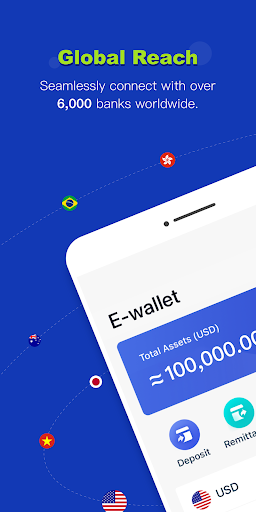
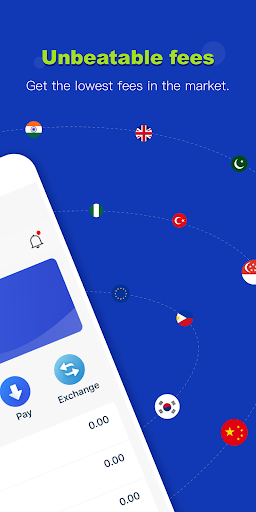
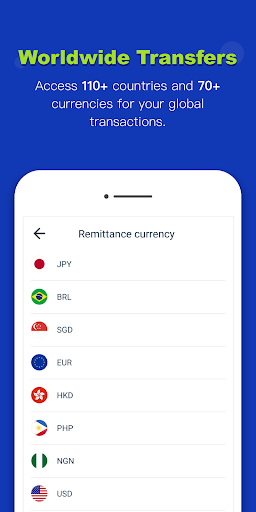
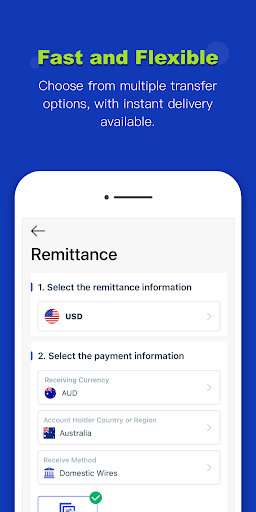
Epay wallet is an international money transfer service that provides the most convenient, fast, secure and convenient remittance service by integrating global bank and remittance agency resources. Enabling you to resolve remittance, payment and exchange requirements on your mobile phone or computer anytime, anywhere!
About Epay Wallet
To provide the most favorable and convenient remittance service for migrant workers who work far away from home, such as Filipino domestic workers and southeast Asian workers, the payee can receive money by Epay wallet, bank account, or receive cash directly from offline outlets.
To provide the most convenient currency exchange service for users traveling abroad or shopping overseas. Users can withdraw cash through Epay offline outlets all over the world without opening bank cards in the destination country so that to ensure the security of funds.
The advantage of Epay
1.Faster speed, higher exchange rate, lower handling fee: Provide real-time exchange rates based on the market price, and match the remittance merchant who provides the lowest fee for you according to the Epay remittance network system; funds can arrive within 1 hour.
2.Convenient and multi-currency exchange! Exchange 70 currencies online easily, both fiats and e-currencies can be deposited to the Epay wallet and can be freely exchanged at a very low cost, and withdrawn at any time through bank account or receive cash in offline outlets.
3. Remittance services cover all over the world! Its remittance business covers more than 70 countries and regions such as Australia, Japan, Hong Kong, and the Philippines. Easily remit to worldwide. Balance remittance is now supported, the remittance service is faster and more convenient.
4.Easy price comparison and efficient service: Funds will arrive within 1 hour, all transaction records is real-time and transparent. You can also use the built-in price comparison tool to compare the price and timeliness of the leading global remittance platforms such as Western union, TNG and Moneygram, Exclusive customer service to supervise and protect your transactions!
Follow Epay official social media page to know the latest news in time
Facebook: https://www.facebook.com/epayglobal/
Twitter: https://twitter.com/EpayGlobal
Exclusive customer service to protectour transaction
International Tel : +0755 2224 8883
Official website:https://www.epay.com/
Nhiều hơn

1. Tải trình cài đặt MEmu và hoàn tất cài đặt

2. Khởi động MEmu, sau đó mở Google Play trên trang chủ

3. Tìm kiếm Epay Wallet trong Google Play
Install
4. Tải và Cài Đặt Epay Wallet
5. Khi cài đặt hoàn tất, nhấp vào biểu tượng để bắt đầu

6. Trải nghiệm Epay Wallet trên PC của bạn bằng MEmu
MEmu Play là trình giả lập Android miễn phí tốt nhất, với 50 triệu người dùng trải nghiệm ứng dụng Android tuyệt vời. Công nghệ ảo hóa của MEmu cho phép bạn chạy mượt mà hàng ngàn ứng dụng Android trên máy tính, ngay cả những ứng dụng đòi hỏi cấu hình cao nhất.
Màn hình lớn hơn cùng với đồ hoạ tốt hơn; thời lượng dài, không giới hạn về pin hoặc dữ liệu di động
Hỗ trợ đầy đủ Keymapping cho việc kiểm soát chính xác bàn phím và chuột hoặc gamepad
Nhiều tài khoản trò chơi hoặc tác vụ cùng lúc trên một PC với Quản lý Đa năng
Use Epay Wallet on PC by following steps: