Epay Wallet
Actualizada
Versión actual
5.6.22.20241204_release
Ofrecida por

Deje de preocuparse por los recargos cuando use Epay Wallet en su teléfono celular, libérese de la pequeña pantalla y disfrute usando la aplicación en una pantalla mucho más grande. A partir de ahora, obtenga una experiencia de pantalla completa de su aplicación con teclado y mouse. MEmu le ofrece todas las características sorprendentes que esperaba: instalación rápida y configuración fácil, controles intuitivos, no más limitaciones de batería, datos móviles y llamadas molestas. El nuevo MEmu 9 es la mejor opción para usar Epay Wallet en su computadora. Codificado con nuestra absorción, el administrador de instancias múltiples hace posible abrir 2 o más cuentas al mismo tiempo. Y lo más importante, nuestro exclusivo motor de emulación puede liberar todo el potencial de su PC, hacer que todo sea fluido y agradable.
Más detalles
Descargar Epay Wallet en PC con MEmu Android Emulador. Disfruta jugando en la pentalla grande. Epay wallet is an international money transfer service that provides the most convenient, fast, secure and convenient remittance service by integrating global bank and remittance agency resources.
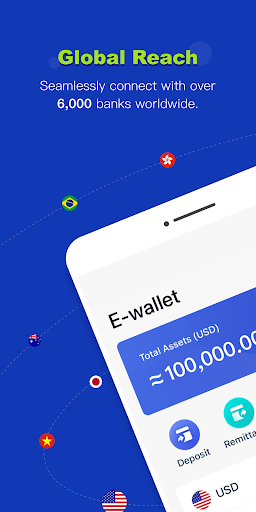
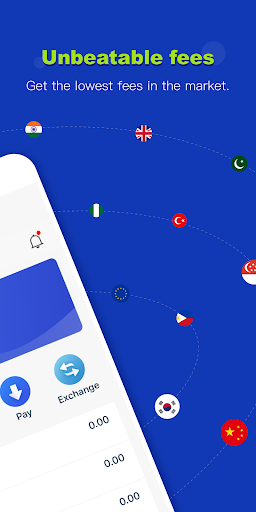
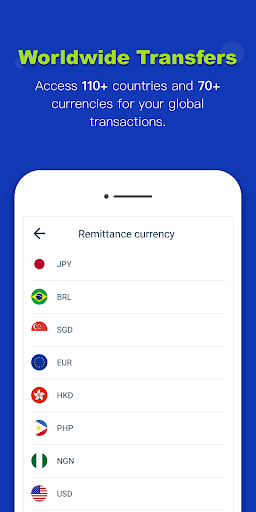
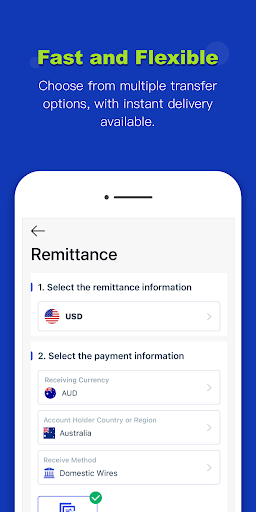
Epay wallet is an international money transfer service that provides the most convenient, fast, secure and convenient remittance service by integrating global bank and remittance agency resources. Enabling you to resolve remittance, payment and exchange requirements on your mobile phone or computer anytime, anywhere!
About Epay Wallet
To provide the most favorable and convenient remittance service for migrant workers who work far away from home, such as Filipino domestic workers and southeast Asian workers, the payee can receive money by Epay wallet, bank account, or receive cash directly from offline outlets.
To provide the most convenient currency exchange service for users traveling abroad or shopping overseas. Users can withdraw cash through Epay offline outlets all over the world without opening bank cards in the destination country so that to ensure the security of funds.
The advantage of Epay
1.Faster speed, higher exchange rate, lower handling fee: Provide real-time exchange rates based on the market price, and match the remittance merchant who provides the lowest fee for you according to the Epay remittance network system; funds can arrive within 1 hour.
2.Convenient and multi-currency exchange! Exchange 70 currencies online easily, both fiats and e-currencies can be deposited to the Epay wallet and can be freely exchanged at a very low cost, and withdrawn at any time through bank account or receive cash in offline outlets.
3. Remittance services cover all over the world! Its remittance business covers more than 70 countries and regions such as Australia, Japan, Hong Kong, and the Philippines. Easily remit to worldwide. Balance remittance is now supported, the remittance service is faster and more convenient.
4.Easy price comparison and efficient service: Funds will arrive within 1 hour, all transaction records is real-time and transparent. You can also use the built-in price comparison tool to compare the price and timeliness of the leading global remittance platforms such as Western union, TNG and Moneygram, Exclusive customer service to supervise and protect your transactions!
Follow Epay official social media page to know the latest news in time
Facebook: https://www.facebook.com/epayglobal/
Twitter: https://twitter.com/EpayGlobal
Exclusive customer service to protectour transaction
International Tel : +0755 2224 8883
Official website:https://www.epay.com/
Más detalles

1. Descargar el instalador de MEmu y finalice la instalación

2. Iniciar MEmu y abrir Google Play en la página de inicio

3. Buscar Epay Wallet en Google Play
Install
4. Descargar y instalar Epay Wallet
5. Hacer click al icono para iniciar

6. Experiencia Epay Wallet en PC con MEmu
MEmu App Player es el mejor emulador de Android gratuito y 50 millones de personas ya están disfrutando su magnífica experiencia de aplicación en Android. La tecnología de virtualización de MEmu te permite jugar a miles de aplicaciones Android suavemente en tu PC, incluso los más intensivos gráficamente.
Pantalla más grande con mejores gráficos; Larga duración, sin limitación de batería o datos móviles.
Soporte completo de keymapping para un control preciso del teclado y el mouse o gamepad.
Múltiples cuentas de juegos o tareas en una sola PC a la vez con el administrador de instancias múltiples.
Use Epay Wallet on PC by following steps: