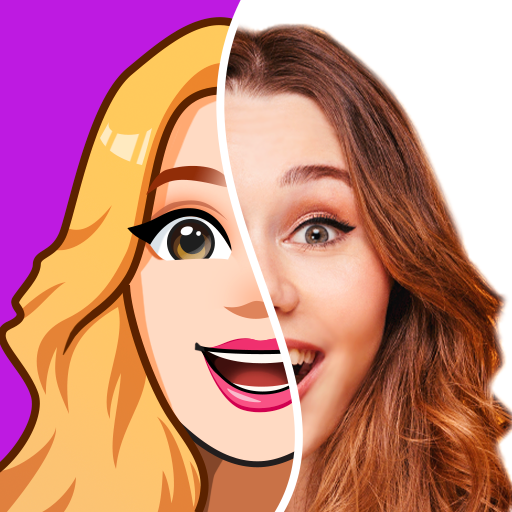
Avatoon® - Avatar Creator
Đã cập nhật
Phiên bản hiện tại
1
Cung cấp bởi

Bạn không cần phải lo lắng về việc sạc quá mức khi sử dụng Avatoon® - Avatar Creator trên điện thoại của bạn, không phải sử dụng trên màn hình nhỏ bé và tận hưởng ứng dụng trên màn hình lớn hơn rất nhiều. Từ bây giờ, bạn hãy trải nghiệm ứng dụng của bạn toàn màn hình bằng bàn phím và chuột. MEmu cung cấp cho bạn tất cả các tính năng đáng ngạc nhiên mà bạn mong đợi: cài đặt nhanh, cài đặt dễ dàng, điều khiển trực quan, không còn giới hạn về pin, dữ liệu di động và các cuộc gọi làm phiền. MEmu 9 hoàn toàn mới là sự lựa chọn tốt nhất để sử dụng Avatoon® - Avatar Creator trên máy tính của bạn. Được mã hóa với sự hợp nhất của chúng tôi, trình quản lý multi-instance giúp mở 2 tài khoản trở lên cùng một lúc. Và điều quan trọng nhất là, công cụ mô phỏng độc quyền của chúng tôi có thể tận dụng hết toàn bộ tiềm năng trên PC của bạn, giúp mọi thứ vận hành trơn tru và thú vị.
Nhiều hơn
Tải Avatoon® - Avatar Creator trên PC với Trình giả lập Android MEmu. Tận hưởng trải nghiệm chơi game trên màn hình lớn You’re not boring, and your social media shouldn’t be either.
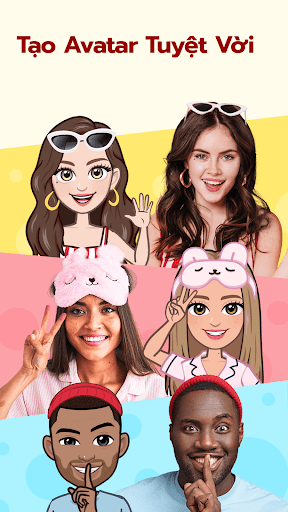
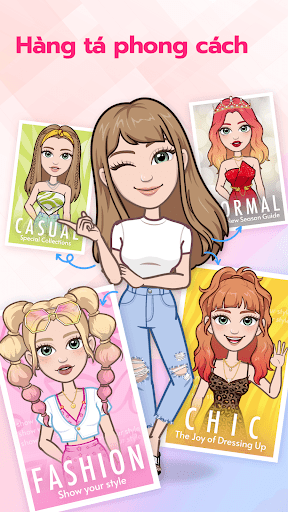
You’re not boring, and your social media shouldn’t be either. With the powerful photo editing tools of Avatoon, create a personalized avatar that expresses just how exciting you and your life really are.
Did you know? Custom personalized avatars can be more effective on social media than traditional (boring) photos. Whether chatting with friends, building up followers, or just looking for a change, upgrading your image with a colorful cartoon avatar is a great idea. That’s where Avatoon comes in.
Our avatar creator lets you standout from the crowd while still being yourself. Avatoon not only creates a unique, personalized, cartoon you, but also lets you create personalized stickers and emojis. Wow friends and followers with colorful stickers and gifs starring you! Go a step further and use our photo editing tools to insert your avatar into real life photos: all using one powerful app!
Features
Avatar Customization- With just one picture Avatoon easily creates a personalized avatar that looks almost as good as the real thing.
Photo Editor - Avatoon provides users with powerful editing tools that bring your photos, be they professional or fun, to the next level.
Avatar Snapshots - Using either in-app backgrounds or real life photos you can insert and modify your avatar’s expressions, poses and background until you’ve created the perfect snapshot of your digital counterpart.
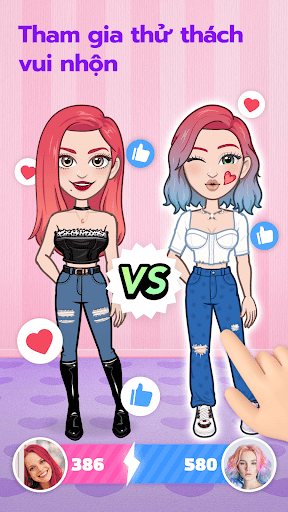
Avatar Fun - The social fun of Avatoon doesn’t stop at creating and sending photos. Win coins and share with friends as you explore Avatoon.
Send and Share - Effortlessly share your personalized stickers, emojis, and edited photos on any other social media you can think of.
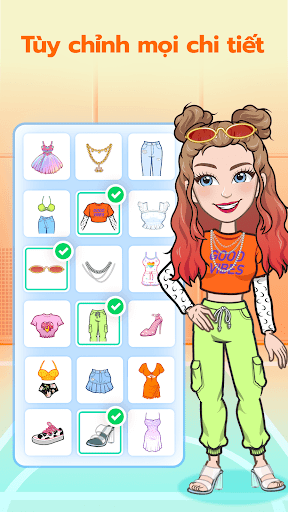
Character Maker and Creator - Easily customize your avatar however you wish. From hair to eyes, clothes to nose, everything can be customized, to ensure your avatar looks just like you.
Style Options - Tons of customization options! Change your clothes, hair, and color scheme, to let your personal style really shine through.
Personalized Avatar Stickers - Give your messages a personal touch! With a cute little cartoon you, expressing yourself has never been easier!
Avatoon is an awesome way to show the world how unique you really are. Tons of customization options really let your personality shine through! Whether texting, tweeting, gramming, or anything else, Avatoon is the premier tool to bring your emoji game to the next level. Don’t wait to improve your profile!
Nhiều hơn

1. Tải trình cài đặt MEmu và hoàn tất cài đặt

2. Khởi động MEmu, sau đó mở Google Play trên trang chủ

3. Tìm kiếm Avatoon® - Avatar Creator trong Google Play
Install
4. Tải và Cài Đặt Avatoon® - Avatar Creator
5. Khi cài đặt hoàn tất, nhấp vào biểu tượng để bắt đầu

6. Trải nghiệm Avatoon® - Avatar Creator trên PC của bạn bằng MEmu
MEmu Play là trình giả lập Android miễn phí tốt nhất, với 50 triệu người dùng trải nghiệm ứng dụng Android tuyệt vời. Công nghệ ảo hóa của MEmu cho phép bạn chạy mượt mà hàng ngàn ứng dụng Android trên máy tính, ngay cả những ứng dụng đòi hỏi cấu hình cao nhất.
Màn hình lớn hơn cùng với đồ hoạ tốt hơn; thời lượng dài, không giới hạn về pin hoặc dữ liệu di động
Hỗ trợ đầy đủ Keymapping cho việc kiểm soát chính xác bàn phím và chuột hoặc gamepad
Nhiều tài khoản trò chơi hoặc tác vụ cùng lúc trên một PC với Quản lý Đa năng
Use Avatoon® - Avatar Creator on PC by following steps: