
TVStream: Watch Movies & TV
Đã cập nhật
Phiên bản hiện tại
1.0.2
Cung cấp bởi

Bạn không cần phải lo lắng về việc sạc quá mức khi sử dụng TVStream: Watch Movies & TV trên điện thoại của bạn, không phải sử dụng trên màn hình nhỏ bé và tận hưởng ứng dụng trên màn hình lớn hơn rất nhiều. Từ bây giờ, bạn hãy trải nghiệm ứng dụng của bạn toàn màn hình bằng bàn phím và chuột. MEmu cung cấp cho bạn tất cả các tính năng đáng ngạc nhiên mà bạn mong đợi: cài đặt nhanh, cài đặt dễ dàng, điều khiển trực quan, không còn giới hạn về pin, dữ liệu di động và các cuộc gọi làm phiền. MEmu 9 hoàn toàn mới là sự lựa chọn tốt nhất để sử dụng TVStream: Watch Movies & TV trên máy tính của bạn. Được mã hóa với sự hợp nhất của chúng tôi, trình quản lý multi-instance giúp mở 2 tài khoản trở lên cùng một lúc. Và điều quan trọng nhất là, công cụ mô phỏng độc quyền của chúng tôi có thể tận dụng hết toàn bộ tiềm năng trên PC của bạn, giúp mọi thứ vận hành trơn tru và thú vị.
Nhiều hơn
Tận hưởng trải nghiệm tuyệt vời khi sử dụng TVStream: Watch Movies & TV trên PC với MEmu Play. Đây là trình giả lập Android miễn phí mạnh mẽ, cung cấp cho bạn hàng ngàn ứng dụng Android trên máy tính. Thỏa sức kết nối với bạn bè và hoàn thiện công việc với hiệu suất cao hơn! TVStream: Watch Movies & TV is a media player that lets you organize and enjoy your entertainment playlists in one place.
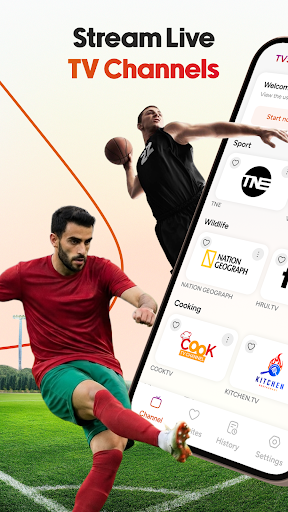

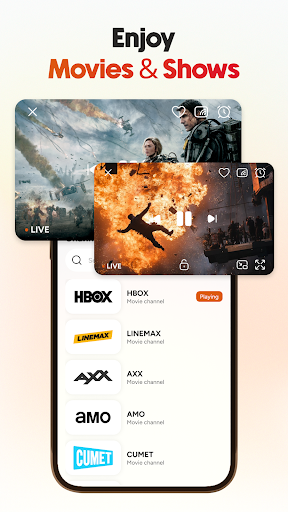
TVStream: Watch Movies & TV is a media player that lets you organize and enjoy your entertainment playlists in one place. Add playlists from URLs or local files, browse TV channels, watch movies and TV shows, and use a built-in player with simple playback controls.
The app is designed to make it easier to manage your playlists and access your entertainment library. Whether you are looking for live TV, TV channels, movies, TV shows, or sports content from your playlists, TVStream provides a clean and organized viewing experience.
Key features of this TVStream app:
Add playlists from URLs or local files stored on your device. Keep your TV channels, movies, TV shows, and other entertainment content together in one organized library that is easy to browse.
Browse TV channels through clear categories and a simple interface. Move between playlists, discover available content, and enjoy a convenient TV stream experience.
Open movies and TV shows directly from your playlists using the built-in player. The playback layout is easy to use, making it simple to browse and switch between different types of content.
Browse sports-related channels alongside movies, TV shows, and other entertainment playlists. Explore categories and access sports content through the same organized interface.
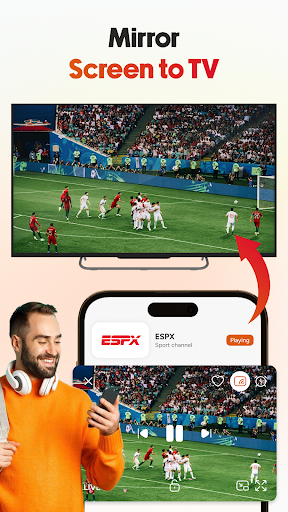
Cast videos to a compatible TV and continue watching on a larger screen. Enjoy movies, TV shows, and other playlist content with a simple casting process.
⭐ Save TV channels, movies, and TV shows to your favorites list for quicker access. Your favorite content stays organized so you can return to it without searching through playlists again.
Search playlists, TV channels, movies, and TV shows with built-in search and filter tools. Find the content you want more easily and keep your library well organized.
▶ Watch your playlists with a built-in player that includes play, pause, screen lock, and navigation controls. The player is designed to support comfortable viewing across different types of entertainment content.
TVStream brings your playlists together in one place, making it easier to browse TV channels, watch movies, enjoy TV shows, and manage your entertainment content. The app provides practical tools for organizing playlists, searching content, and using a built-in player for everyday viewing.
Download TVStream: Watch Movies & TV and start organizing your playlists in a simple way. If you enjoy using the app, please leave a rating and review to share your feedback and support future improvements.
Nhiều hơn

1. Tải trình cài đặt MEmu và hoàn tất cài đặt

2. Khởi động MEmu, sau đó mở Google Play trên trang chủ

3. Tìm kiếm TVStream: Watch Movies & TV trong Google Play
Install
4. Tải và Cài Đặt TVStream: Watch Movies & TV
5. Khi cài đặt hoàn tất, nhấp vào biểu tượng để bắt đầu

6. Trải nghiệm TVStream: Watch Movies & TV trên PC của bạn bằng MEmu
MEmu Play là trình giả lập Android miễn phí tốt nhất, với 50 triệu người dùng trải nghiệm ứng dụng Android tuyệt vời. Công nghệ ảo hóa của MEmu cho phép bạn chạy mượt mà hàng ngàn ứng dụng Android trên máy tính, ngay cả những ứng dụng đòi hỏi cấu hình cao nhất.
Màn hình lớn hơn cùng với đồ hoạ tốt hơn; thời lượng dài, không giới hạn về pin hoặc dữ liệu di động
Hỗ trợ đầy đủ Keymapping cho việc kiểm soát chính xác bàn phím và chuột hoặc gamepad
Nhiều tài khoản trò chơi hoặc tác vụ cùng lúc trên một PC với Quản lý Đa năng
Use TVStream: Watch Movies & TV on PC by following steps: