
Xmasti App
Đã cập nhật
Phiên bản hiện tại
6.1.0-prod
Cung cấp bởi

Bạn không cần phải lo lắng về việc sạc quá mức khi sử dụng Xmasti App trên điện thoại của bạn, không phải sử dụng trên màn hình nhỏ bé và tận hưởng ứng dụng trên màn hình lớn hơn rất nhiều. Từ bây giờ, bạn hãy trải nghiệm ứng dụng của bạn toàn màn hình bằng bàn phím và chuột. MEmu cung cấp cho bạn tất cả các tính năng đáng ngạc nhiên mà bạn mong đợi: cài đặt nhanh, cài đặt dễ dàng, điều khiển trực quan, không còn giới hạn về pin, dữ liệu di động và các cuộc gọi làm phiền. MEmu 9 hoàn toàn mới là sự lựa chọn tốt nhất để sử dụng Xmasti App trên máy tính của bạn. Được mã hóa với sự hợp nhất của chúng tôi, trình quản lý multi-instance giúp mở 2 tài khoản trở lên cùng một lúc. Và điều quan trọng nhất là, công cụ mô phỏng độc quyền của chúng tôi có thể tận dụng hết toàn bộ tiềm năng trên PC của bạn, giúp mọi thứ vận hành trơn tru và thú vị.
Nhiều hơn
Tận hưởng trải nghiệm tuyệt vời khi sử dụng Xmasti App trên PC với MEmu Play. Đây là trình giả lập Android miễn phí mạnh mẽ, cung cấp cho bạn hàng ngàn ứng dụng Android trên máy tính. Thỏa sức kết nối với bạn bè và hoàn thiện công việc với hiệu suất cao hơn! Welcome to Xmasti App, your destination for unlimited entertainment.

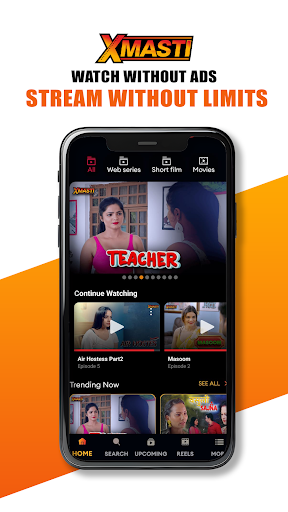
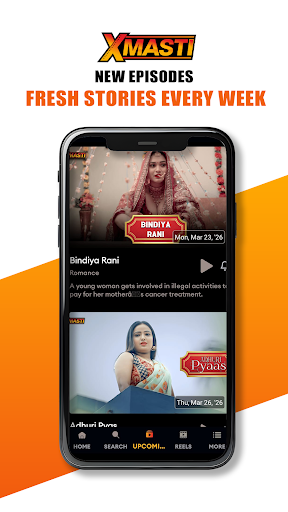
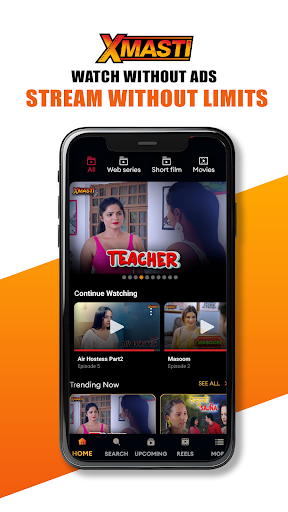
Welcome to Xmasti App, your destination for unlimited entertainment. Explore a wide collection of web series, movies, and short films across multiple languages, designed for viewers who enjoy relatable stories, drama, and engaging content.
Your only one destination for indian regional movies, short films and web series..
Stream anytime, anywhere with a smooth and seamless viewing experience across all your devices.
Key Features:
Vast Entertainment Library
Discover a growing collection of web series, movies, and short films across genres like drama, romance, thriller, and more, available in multiple languages. New content is added regularly.
Watch Anytime, Anywhere
Enjoy your favorite shows on the go with seamless streaming on your smartphone, tablet, or web.
Download & Watch Offline
Download your favorite content and watch it anytime without needing an internet connection.
Personalized Recommendations
Get content suggestions based on your viewing preferences for a better entertainment experience.
Smooth & User-Friendly Experience
Easy navigation, fast loading, and a clean interface for hassle-free streaming.
Available Worldwide
Access Xmasti App from anywhere and enjoy entertainment without boundaries.
High-Quality Streaming
Watch content in HD quality with adaptive streaming for the best experience.
Safe & Secure Platform
Your privacy and data security are our priority, ensuring a safe streaming environment.
Ad-Free Experience
Enjoy uninterrupted streaming with a premium, ad-free experience.
Why Choose Xmasti App?
Unlimited entertainment across multiple languages
Relatable and engaging content
Regular updates with new releases
Smooth streaming across devices
Affordable subscription plans
Download Xmasti App Now
Start watching your favorite content anytime, anywhere. Install Xmasti App and enjoy seamless entertainment at your fingertips.
Support & Legal
Privacy Policy: https://www.xmasti.stream/privacypolicy
Terms of Use: https://www.xmasti.stream/termsandcondition
Support Email: xmastiapp.official@gmail.com
Nhiều hơn

1. Tải trình cài đặt MEmu và hoàn tất cài đặt

2. Khởi động MEmu, sau đó mở Google Play trên trang chủ

3. Tìm kiếm Xmasti App trong Google Play
Install
4. Tải và Cài Đặt Xmasti App
5. Khi cài đặt hoàn tất, nhấp vào biểu tượng để bắt đầu

6. Trải nghiệm Xmasti App trên PC của bạn bằng MEmu
MEmu Play là trình giả lập Android miễn phí tốt nhất, với 50 triệu người dùng trải nghiệm ứng dụng Android tuyệt vời. Công nghệ ảo hóa của MEmu cho phép bạn chạy mượt mà hàng ngàn ứng dụng Android trên máy tính, ngay cả những ứng dụng đòi hỏi cấu hình cao nhất.
Màn hình lớn hơn cùng với đồ hoạ tốt hơn; thời lượng dài, không giới hạn về pin hoặc dữ liệu di động
Hỗ trợ đầy đủ Keymapping cho việc kiểm soát chính xác bàn phím và chuột hoặc gamepad
Nhiều tài khoản trò chơi hoặc tác vụ cùng lúc trên một PC với Quản lý Đa năng
Use Xmasti App on PC by following steps: