BinkBink:AI game maker&Play
تم التحديث
الإصدار الحالي
1.0.605
تقديم

لا داعي للقلق بشأن الشحن الزائد عند استخدام BinkBink:AI game maker&Play على هاتفك. تحرر من قيود الشاشة الصغيرة واستمتع به على شاشة أكبر باستخدام لوحة المفاتيح والفأرة. يوفر MEmu جميع الميزات الرائعة التي تتوقعها: تثبيت سريع، إعداد سهل، أدوات تحكم بديهية، ودون قيود على عمر البطارية، أو استخدام البيانات، أو المكالمات الواردة. يُعد MEmu 9 الجديد الخيار الأمثل لتجربة BinkBink:AI game maker&Play على جهاز الكمبيوتر. بفضل تقنية التشفير الفريدة، يتيح لك مدير الحسابات المتعددة تشغيل حسابين أو أكثر في وقت واحد. والأهم من ذلك، أن محرك المحاكاة الفريد يستغل أداء جهاز الكمبيوتر بالكامل، مما يُحسّن تجربة التطبيق ويجعل كل شيء سلسًا للغاية.
أظهر المزيد
استمتع بتجربة رائعة لاستخدام BinkBink:AI game maker&Play على جهاز الكمبيوتر مع MEmu Play. إنه محاكي أندرويد قوي ومجاني يوفر لك آلاف تطبيقات أندرويد لإصدار سطح المكتب. استمتع بالتواصل مع أصدقائك وحسّن عملك بكفاءة أعلى! BinkBink - AI Game Maker.
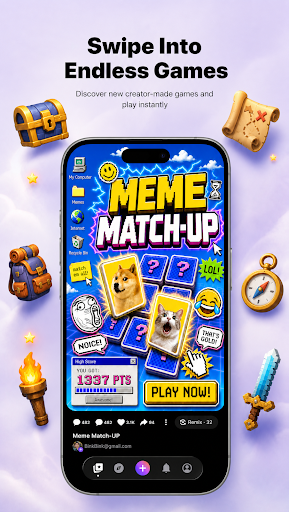
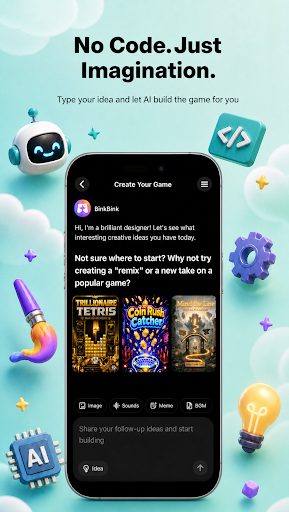
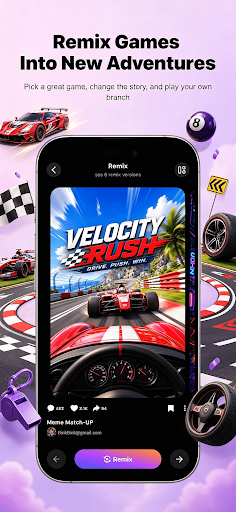
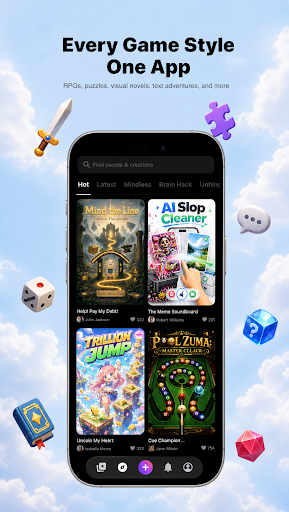
BinkBink - AI Game Maker. Turn any idea into a playable game.
No code. No art skills. No development team. BinkBink is an AI game maker and AI game generator that builds a complete, playable casual game from one sentence. This is not a demo, a prototype, or a concept render. It is a finished game you can open, play, and share right away.
Everything here works from plain language. There is no no-code setup, no engine, and nothing to install before you start.
HOW IT WORKS
Type it. Describe the game you want in a single sentence, a text to game prompt with no forms, no setup, and no technical terms.
Watch it build. BinkBink generates the art, rules, levels, and audio, then assembles them into a working game in minutes.Play and remix. Open your game, play it, then change one thing and remix it into a new version. Keep the parts you like, replace the rest.
WHAT YOU CAN MAKE
- Merge games, match-3 boards, and puzzle levels
- Tower defense, survival, and endless runners
- Simulation games, shop builders, and restaurant management sims
- Interactive story and visual novel style games with branching choices
- Sandbox play and indie game experiments you can remix
- Whatever else you describe, as long as it fits a casual play session
- Templates are one starting point out of many. The generator is the main way to build here, and it works from your description alone.
WHY PEOPLE KEEP PLAYING
- Fast to finish. Most games take under two minutes to play through, so you get to the fun part quickly.
- Worth replaying. Games are tuned for short repeat sessions, not one-and-done novelty.
- Easy to share. Send a link and your friends are playing in one tap. No install, no account, no waiting.
-Yours to keep. Every game you generate stays in your library and can be remixed as many times as you want.
BUILT FOR CREATORS
If you are an indie game developer or a first-time game creator, BinkBink removes the parts that slow you down. Skip the art pipeline, the level design, and the engine setup. Start from a playable build and spend your time on creating instead. Beginners get a finished game on the first try. Experienced creators get a fast first draft.
JOIN THE COMMUNITY
BinkBink is a place to share what you make, play what other people made, and remix anything that catches your eye. Every game you publish gives someone else a new starting point.
Start with one sentence. See what comes out.
The AI game maker and AI game generator behind BinkBink works from text to game prompts, turning a description into a game worth replaying.
Official website: https://www.binkbink.ai
أظهر المزيد

1. قم بتنزيل برنامج MEmu واكمال تثبيته

2. قم بتشغيل برنامج MEmu وفتح Google Play على الصفحة الرئيسية

3. ابح BinkBink:AI game maker&Play في Google Play
Install
4. تنزيل وتثبيت BinkBink:AI game maker&Play
5. انقر على الرمز للتشغيل بعد اكتمال التثبيت

6. استخدم MEmu لتجربة BinkBink:AI game maker&Play على جهاز الكمبيوتر الخاص بك.
تطبيق MEmuهو افضل محاكى اندرويد مجانى وبالفعل 50 مليون شخص يستمتعون حاليا بتجربه اللعب عليه. تمكّنك تقنية MEmu الافتراضية من تشغيل آلاف ألعاب Android بسلاسة على الكمبيوتر الشخصي ، حتى أكثرها استخدامًا للرسومات.
شاشة أكبر وجرافيك افضل ووقت أطول بدون حدود البطارية وباقة التليفون
لوحة مفاتيح كاملة تدعم تحكم كامل عن طريق لوحة المفاتيح و الفأره وجيم باد
عدة العاب وحسابات ومهمات علي جهاز الكمبيوتر في وقت معين عن طريق Memu متعدد النوافذ
Use BinkBink:AI game maker&Play on PC by following steps: