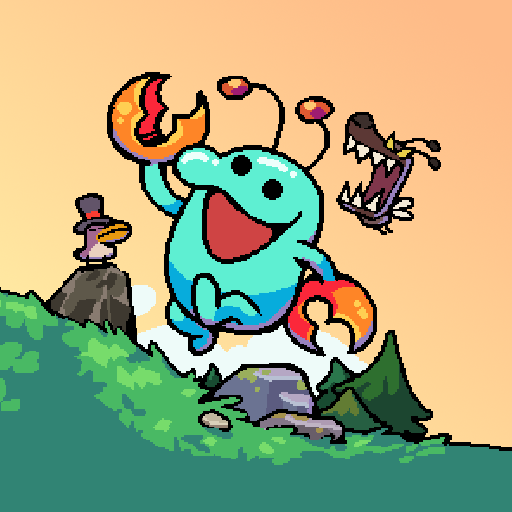
BinkBink:AI game maker&Play
Updated
Current Version
1.0.605
Offered By

Stop worrying about high battery drain when using BinkBink:AI game maker&Play on your phone. Free yourself from the tiny screen and enjoy the app on a much larger display. From now on, get a full-screen experience of your app with the convenience of a keyboard and mouse. MEmu offers you all the surprising features you’d expect: quick installation and easy setup, intuitive controls, and no more worries about battery life, mobile data, or unexpected calls. The all-new MEmu 9 is the choice for using BinkBink:AI game maker&Play on your computer. With the MEmu multi-instance manager, you can run two or more accounts at the same time. Most importantly, our exclusive emulation engine unlocks your PC’s full potential, delivering smooth and enjoyable performance.
Show more
Enjoy superb experience of using BinkBink:AI game maker&Play on PC with MEMU App Player. It's a powerful free Android emulator which provides you with thousands of android apps for their desktop version. Enjoy connecting with friends and polishing your work with higher efficiency! BinkBink - AI Game Maker.
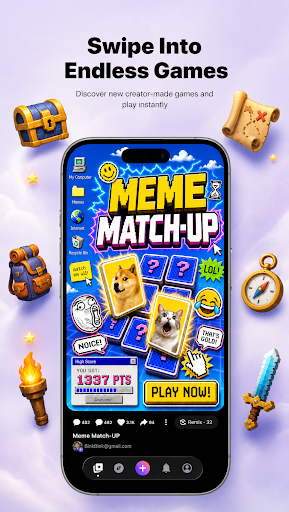
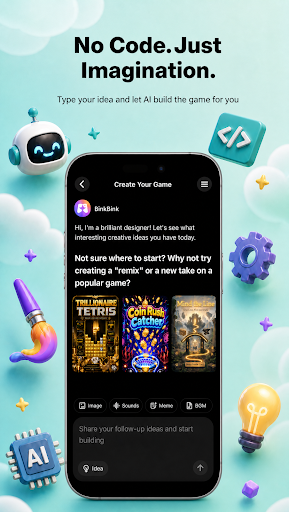
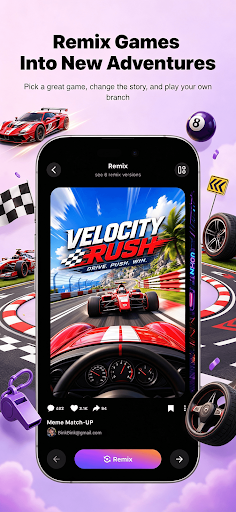
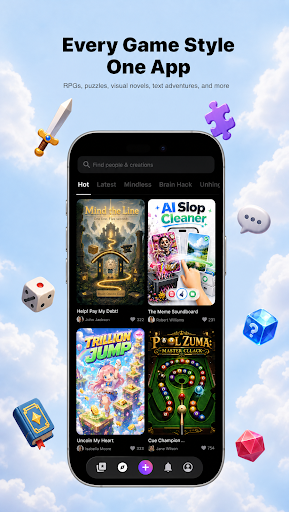
BinkBink - AI Game Maker. Turn any idea into a playable game.
No code. No art skills. No development team. BinkBink is an AI game maker and AI game generator that builds a complete, playable casual game from one sentence. This is not a demo, a prototype, or a concept render. It is a finished game you can open, play, and share right away.
Everything here works from plain language. There is no no-code setup, no engine, and nothing to install before you start.
HOW IT WORKS
Type it. Describe the game you want in a single sentence, a text to game prompt with no forms, no setup, and no technical terms.
Watch it build. BinkBink generates the art, rules, levels, and audio, then assembles them into a working game in minutes.Play and remix. Open your game, play it, then change one thing and remix it into a new version. Keep the parts you like, replace the rest.
WHAT YOU CAN MAKE
- Merge games, match-3 boards, and puzzle levels
- Tower defense, survival, and endless runners
- Simulation games, shop builders, and restaurant management sims
- Interactive story and visual novel style games with branching choices
- Sandbox play and indie game experiments you can remix
- Whatever else you describe, as long as it fits a casual play session
- Templates are one starting point out of many. The generator is the main way to build here, and it works from your description alone.
WHY PEOPLE KEEP PLAYING
- Fast to finish. Most games take under two minutes to play through, so you get to the fun part quickly.
- Worth replaying. Games are tuned for short repeat sessions, not one-and-done novelty.
- Easy to share. Send a link and your friends are playing in one tap. No install, no account, no waiting.
-Yours to keep. Every game you generate stays in your library and can be remixed as many times as you want.
BUILT FOR CREATORS
If you are an indie game developer or a first-time game creator, BinkBink removes the parts that slow you down. Skip the art pipeline, the level design, and the engine setup. Start from a playable build and spend your time on creating instead. Beginners get a finished game on the first try. Experienced creators get a fast first draft.
JOIN THE COMMUNITY
BinkBink is a place to share what you make, play what other people made, and remix anything that catches your eye. Every game you publish gives someone else a new starting point.
Start with one sentence. See what comes out.
The AI game maker and AI game generator behind BinkBink works from text to game prompts, turning a description into a game worth replaying.
Official website: https://www.binkbink.ai
Show more

1. Download MEmu installer and finish the setup

2. Start MEmu then open Google Play on the desktop

3. Search BinkBink:AI game maker&Play in Google Play
Install
4. Download and Install BinkBink:AI game maker&Play
5. On install completion click the icon to start

6. Enjoy using BinkBink:AI game maker&Play on PC with MEmu
MEmu Play is the best Android emulator, and 100 million users already enjoy its superb Android app experience. Powered by advanced virtualization technology, it lets you enjoy thousands of Android apps smoothly on your PC—including the most graphics-intensive ones.
Bigger screen with better graphics; Long duration, without limitation of battery or mobile data.
Full Keymapping support for precise control of keyboard and mouse or gamepad.
Multiple game accounts or tasks on single PC at one time with Multi-Instance manager.
Use BinkBink:AI game maker&Play on PC by following steps: