YI Life
تم التحديث
الإصدار الحالي
1.2.8_20240618
تقديم

لا داعي للقلق بشأن الشحن الزائد عند استخدام YI Life على هاتفك. تحرر من قيود الشاشة الصغيرة واستمتع به على شاشة أكبر باستخدام لوحة المفاتيح والفأرة. يوفر MEmu جميع الميزات الرائعة التي تتوقعها: تثبيت سريع، إعداد سهل، أدوات تحكم بديهية، ودون قيود على عمر البطارية، أو استخدام البيانات، أو المكالمات الواردة. يُعد MEmu 9 الجديد الخيار الأمثل لتجربة YI Life على جهاز الكمبيوتر. بفضل تقنية التشفير الفريدة، يتيح لك مدير الحسابات المتعددة تشغيل حسابين أو أكثر في وقت واحد. والأهم من ذلك، أن محرك المحاكاة الفريد يستغل أداء جهاز الكمبيوتر بالكامل، مما يُحسّن تجربة التطبيق ويجعل كل شيء سلسًا للغاية.
أظهر المزيد
قم بتنزيل YI Life على الكمبيوتر بإستخدام جهاز مقلد أندروز MEmu.استمتع بمتعة اللعب على الشاشة الكبيرة. -YI Life Camera connects you with your family through real-time video and audio anytime and anywhere just a fingertip away.
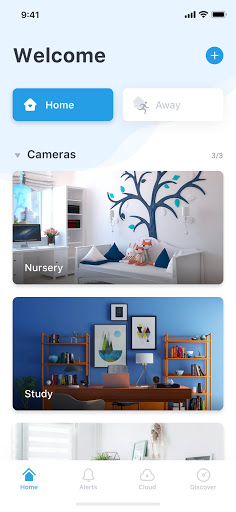
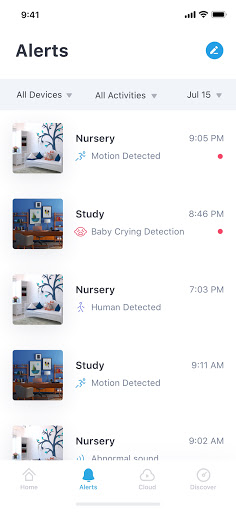
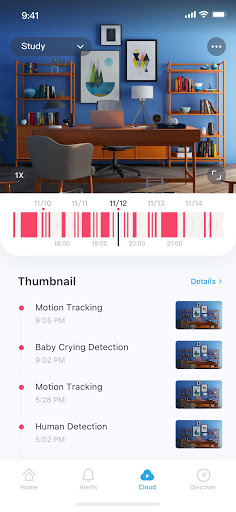
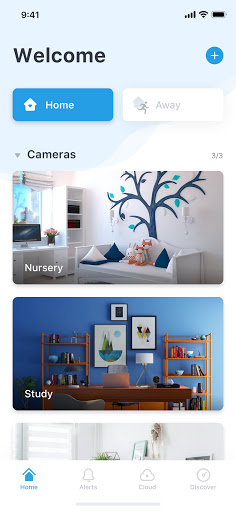
-YI Life Camera connects you with your family through real-time video and audio anytime and anywhere just a fingertip away
-Pan and tilt on your phone to extend the area of coverage to enable a clear view of specific areas and objects. Simply double click to activate 4x digital zoom to focus on details
-With a simple tap on your mobile phone, you can initiate a 2-way conversation with your family remotely. Its specially designed microphone and speaker ensures loud and clean voice quality
Functions:
-The YI Life camera uses all glass lenses with f/2.0 aperture to produce bright and crystal images. With HD resolution (1280x720), it still delivers excellent image quality even if your enlarged to view small details
-YI Life camera always keeps an eye on things that is important to you.With built-in high accuracy motion detection technology, the camera sends notification to your mobile phone detailing when, where, and what movement was detected so you always stay on top of things that you care about, instantly!
-Support up to 32GB SD card, it stores video and audio of special moments, fully indexed, for you to cherish at the touch of your fingertip. Best yet, a built-in mode triggers store action only when image change is detected to achieve best storage capacity optimization
-Our adaptive streaming technology automatically adjust to the optimal viewing quality based on your network conditions
أظهر المزيد

1. قم بتنزيل برنامج MEmu واكمال تثبيته

2. قم بتشغيل برنامج MEmu وفتح Google Play على الصفحة الرئيسية

3. ابح YI Life في Google Play
Install
4. تنزيل وتثبيت YI Life
5. انقر على الرمز للتشغيل بعد اكتمال التثبيت

6. استخدم MEmu لتجربة YI Life على جهاز الكمبيوتر الخاص بك.
تطبيق MEmuهو افضل محاكى اندرويد مجانى وبالفعل 50 مليون شخص يستمتعون حاليا بتجربه اللعب عليه. تمكّنك تقنية MEmu الافتراضية من تشغيل آلاف ألعاب Android بسلاسة على الكمبيوتر الشخصي ، حتى أكثرها استخدامًا للرسومات.
شاشة أكبر وجرافيك افضل ووقت أطول بدون حدود البطارية وباقة التليفون
لوحة مفاتيح كاملة تدعم تحكم كامل عن طريق لوحة المفاتيح و الفأره وجيم باد
عدة العاب وحسابات ومهمات علي جهاز الكمبيوتر في وقت معين عن طريق Memu متعدد النوافذ
Use YI Life on PC by following steps: