YI Life
อัปเดตเมื่อ
เวอร์ชันปัจจุบัน
1.2.8_20240618
ให้บริการโดย

เมื่อใช้ YI Life บนโทรศัพท์ของคุณไม่ต้องกังวลกับการชาร์จไฟมากเกินไปปลดปล่อยตัวคุณเองจากหน้าจอขนาดเล็กและสนุกกับการใช้แอพนี้บนหน้าจอขนาดใหญ่ จากนี้ไปรับประสบการณ์เต็มหน้าจอของแอปพลิเคชันของคุณด้วยคีย์บอร์ดและเมาส์ MEmu มีคุณสมบัติที่น่าแปลกใจที่คุณคาดหวัง: การติดตั้งที่รวดเร็วและการตั้งค่าที่ง่ายควบคุมได้ง่ายไม่ จำกัด แบตเตอรี่ข้อมูลมือถือและการโทรที่รบกวน MEmu 9 ใหม่ล่าสุดเป็นตัวเลือกที่ดีที่สุดสำหรับการใช้ Meitu – โปรแกรมแก้ไขภาพแนวธรรมชาติ บนคอมพิวเตอร์ของคุณ ด้วยรหัสการดูดซึมของเราผู้จัดการหลายอินสแตนซ์ทำให้สามารถเปิดบัญชี 2 บัญชีขึ้นไปในเวลาเดียวกันได้ และที่สำคัญที่สุดเอ็นจิ้นจำลองพิเศษของเราสามารถปลดปล่อยศักยภาพของPCของคุณและทำให้ทุกอย่างราบรื่นและสนุกสนาน
แสดงเพิ่มเติม
ดาวน์โหลด YI Life บน PC ด้วย MEmu Android Emulator สนุกกับการเล่นบนหน้าจอขนาดใหญ่ -YI Life Camera connects you with your family through real-time video and audio anytime and anywhere just a fingertip away.
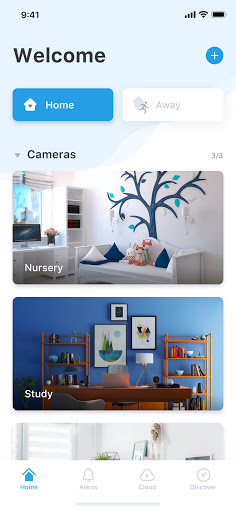
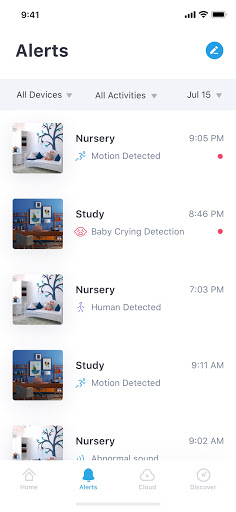
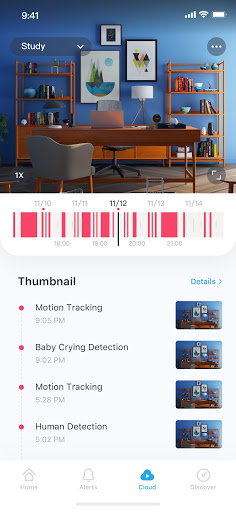
-YI Life Camera connects you with your family through real-time video and audio anytime and anywhere just a fingertip away
-Pan and tilt on your phone to extend the area of coverage to enable a clear view of specific areas and objects. Simply double click to activate 4x digital zoom to focus on details
-With a simple tap on your mobile phone, you can initiate a 2-way conversation with your family remotely. Its specially designed microphone and speaker ensures loud and clean voice quality
Functions:
-The YI Life camera uses all glass lenses with f/2.0 aperture to produce bright and crystal images. With HD resolution (1280x720), it still delivers excellent image quality even if your enlarged to view small details
-YI Life camera always keeps an eye on things that is important to you.With built-in high accuracy motion detection technology, the camera sends notification to your mobile phone detailing when, where, and what movement was detected so you always stay on top of things that you care about, instantly!
-Support up to 32GB SD card, it stores video and audio of special moments, fully indexed, for you to cherish at the touch of your fingertip. Best yet, a built-in mode triggers store action only when image change is detected to achieve best storage capacity optimization
-Our adaptive streaming technology automatically adjust to the optimal viewing quality based on your network conditions
แสดงเพิ่มเติม

1. ดาวน์โหลดตัวติดตั้ง MEmu และสิ้นสุดการติดตั้ง

2. เริ่ม MEmu จากนั้นเปิด Google Play บนหน้าแรก

3. ค้นหา YI Life ใน Google Play
Install
4. ดาวน์โหลดและติดตั้ง YI Life
5. เมื่อติดตั้งเสร็จให้คลิกที่ไอคอนเพื่อเริ่มใช้งาน

6. ใช้ MEmu เพื่อสัมผัสประสบการณ์ YI Life บนคอมพิวเตอร์ของคุณ
MEmu Play คือโปรแกรมจำลอง Android ที่ดีที่สุด มีผู้ใช้มากกว่า 50 ล้านคน มอบประสบการณ์การใช้งานแอป Android ขั้นสุดยอดให้กับคุณ เทคโนโลยีจำลองเสมือนของ MEmu ช่วยให้คุณรันแอป Android หลายพันแอปบนคอมพิวเตอร์ได้อย่างราบรื่น แม้แอปที่กินทรัพยากรเครื่องสูงที่สุด
จอใหญ่และกราฟฟิกสวยกว่า; เล่นได้นาน, ไม่ต้องใช้แบตเตอรี่โทรศัพท์หรือเน็ตโทรศัพท์.
ระบบปรับแต่งปุ่มคีย์บอร์ดและเม้าส์ตามที่คุณเลือก
เล่นมากกว่าหนึ่งเกมบน PC ในเวลาเดียวกันด้วยระบบหลายจอหรือ Multi-Instance manager.
Use YI Life on PC by following steps: