MEmu
English
  • 简体中文
  • 新马简中
  • 繁體中文
  • Español
  • Português
  • Italiano
  • Français
  • Deutsch
  • Pусский
  • Indonesia
  • Tiếng Việt
  • Melayu
  • ภาษาไทย
  • 日本語
  • 한국어
  • हिन्दी
  • العَرَبِيَّة
  • Türkçe
  • Polski
  • Čeština
  • Ελληνικά
  • Українська
  • বাংলা
  • اردو‎
  • Nederlands
Support Business
Blog
  • App Reviews
  • Game Reviews
  • Game Guides
  • Game News
  • MEmu Latest
  • Release Notes
Game Center
  • Strategy
  • Role Playing
  • Action
  • Adventure
  • Racing
  • Casual
  • Card
  • Arcade
  • Sports
  • Simulation
  • Puzzle
  • Music
  • Word
  • Board
  • Casino
  • Trivia
  • Educational
  • Pre-registration
  • category_
  • category_null
  • Game Center
  • Blog
  • Business
  • Support
MENU
  • Home
  • App Reviews
  • Game Reviews
  • Game News
  • Game Guides
  • Redeem Codes
  • MEmu Latest
  • Release Notes
Skip to content
  • Home
  • App Reviews
  • Game Reviews
  • Game News
  • Game Guides
  • Redeem Codes
  • MEmu Latest
  • Release Notes
Download
The Seven Deadly Sins: Origin Beginner Guide
The Seven Deadly Sins: Origin Quick Reroll Guide
Kuroko’s Basketball: Street Rivals Rookie Guide
How to Fix Lag on MEmu Emulator
MEmu Installation Stuck at Loading

Tag: lang-en

Game Guides, Game News, Game Reviews   

Red Dead Redemption on mobile without a Netflix subscription feels like a heist, with you being the victim

2025-12-04
Game Guides, Game News, Game Reviews   

Red Dead Redemption is bringing its Western adventure to mobile via Netflix Games, now open for pre-registration

2025-11-14

SEE MORE

Recent Posts

  • The Seven Deadly Sins: Origin Beginner Guide

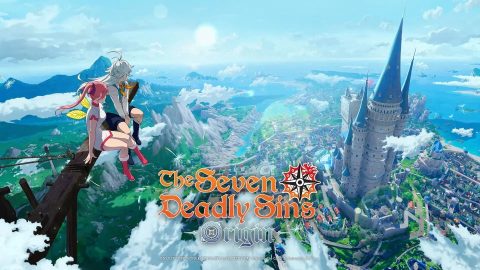
    Jumping into The Seven Deadly Sins: Origin means stepping into a massive, living version of Britannia—but the game doesn’t hold your hand. With a party of iconic characters to manage, fast-paced action combat to master, and a sprawling open world to explore, new players can feel overwhelmed fast. This guide breaks down the core systems you’ll need to understand before facing your first serious boss, so you can spend less time guessing and more time enjoying the adventure. What Is The Seven Deadly Sins: Origin? The Seven Deadly Sins: Origin (often shortened to 7DS: Origin) is a free-to-play open-world action RPG from Netmarble. It launched on PC via Steam and PS5 on March 16, 2026 (PST), with the mobile version following on March 23, 2026 (PST). The game is available on iOS, Android, PC (Steam), and PS5. Set between the events of The Seven Deadly Sins and Four Knights of the Apocalypse, the story follows Tristan, son of Meliodas and Elizabeth Liones. This brand-new narrative was created under the supervision of original author Nakaba Suzuki, making 7DS: Origin a canonical chapter in the series timeline—not just a spinoff. How Exploration Works in Britannia Unlike stage-based mobile RPGs, 7DS: Origin offers a genuinely open world. Across Britannia, you’ll find treasure chests, crafting materials, side quests, and random events simply by exploring—not just by following quest markers. A common beginner mistake is overlooking exploration. Many of the best upgrade materials aren’t handed out through story quests. They’re hidden in ruins, forests, and villages that reward players who take detours. Rare cooking ingredients, for instance, are tied to specific regions, so you can’t just grind one area and expect to find everything. Combat Basics Every Player Should Know Combat in 7DS: Origin is real-time and action-focused. Understanding how to switch characters, time your dodges, and use abilities effectively is key to surviving tougher fights. Why Character Switching Matters Swapping characters mid-combat lets you extend combos, chain different ability types, and adapt to enemy behavior. Each swap triggers a unique animation, keeping combat visually dynamic while serving a real purpose. If one character’s abilities are on cooldown, switching keeps your damage output consistent. Mastering Dodges and Timing Learning to time your dodges is one of the most valuable skills you can develop early. A perfectly timed dodge triggers a perfect evasion, creating a brief window for counterattacks. This is especially important in boss fights, where patterns matter more than raw stats. Boss encounters are pattern-based. Knowing when to dodge and when to strike is far more important than simply having the highest damage numbers. How to Build Your Team Team composition is one of the most important decisions you’ll make as a new player. Characters fill distinct roles, and stacking too many with the same function creates gaps in your party’s performance. Understanding Character Roles Here’s a quick breakdown of the three main roles: Role Function Best Used ForMain Damage Dealer High single-target burst Boss fights and elite enemiesArea Damage Specialist Crowd control and multi-target hits Clearing groups of enemiesSupport / Buffer Buffs, utility, and sustain Longer, tougher fightsA beginner team covering all three roles will handle most early-game content smoothly. As you unlock more characters through story progression, experimenting with different combinations becomes more viable—and more rewarding. Which Characters Should Beginners Prioritize? Focus your upgrade resources on the heroes you’re actually using in battle. Spreading materials across every character you unlock will slow your progress significantly. Pick a core party of two or three characters and invest in them consistently until you have a comfortable resource surplus. What Is the Book of Stars and Why Does It Matter? The Book of Stars is one of the progression systems unlocked through story advancement. Like many features, it becomes available as you complete main story quests—not from the start. A good rhythm is to follow the main story until new systems unlock, then pause to explore and upgrade before moving on. Story progression also unlocks new exploration regions, character mechanics, and access to harder content. Treating the main quest as a key to features—not just a narrative path—helps you stay engaged and make the most of your time. How Cooking Helps in Combat The cooking system is one of the most underused tools available to new players. As you explore Britannia, you’ll collect ingredients that can be prepared into meals before difficult fights. Different dishes offer different temporary buffs: Attack-boosting meals increase damage output for a set durationDefense-boosting meals reduce incoming damage from tough enemiesStamina recovery meals improve resource regeneration during combat Using food before a boss encounter is a simple way to gain an edge without needing better gear or higher character levels. It also gives you another reason to explore thoroughly, since rare ingredients are often found in specific parts of the map.

  • The Seven Deadly Sins: Origin Quick Reroll Guide

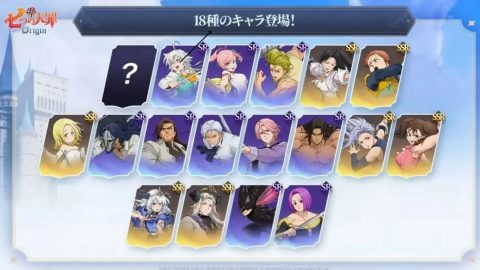
    Starting a new gacha game always comes with the same dilemma: Should you reroll immediately for the best characters, or just play casually? In Seven Deadly Sins: Origin, the answer is more nuanced than a simple yes or no. With a low SSR rate and flexible character builds, the decision becomes quite interesting. This guide breaks down everything you need to know before you invest time in resetting your account. When Should You Reroll? The only scenario where rerolling is undeniably justified is if you pull Guila from a paid gacha banner. Since Guila is given out for free during the launch celebration, obtaining her from a summon essentially wastes an SSR slot. If you happen to pull her from a rate-up banner, that is a valid reason to restart your account. For all other standard-pool SSR characters, the flexibility of 7DS Origin’s weapon system means that almost any pull will provide you with solid, usable value. How to Reroll in 7DS: Origin If you decide to go through with rerolling, the process takes approximately 20 to 25 minutes per attempt, netting you around 40 summons. Here’s the step-by-step process: Start the game and play through the prologue, where Tristan and Tioreh discover the Book of Stars in the ancient ruins. Continue playing until you unlock the gacha tutorial, where you'll receive Slader as your third free character. Progress through the story until you reach Liones City, which unlocks the in-game mail function. Open your mail and claim all the free summoning currencies. Head to the summoning menu, select your desired banner, and use your Summon Tickets or Star Fragments.*Note: A 10-pull costs 3,000 Star Fragments. At launch, free mail rewards include 15 general summon tickets (from pre-registration bonuses and a code) plus 10 rate-up hero summon tickets.* Top Reroll Targets Tier Characters SS Tier    S Tier    A Tier   B Tier      If you’re committed to rerolling, it's essential to know which characters are worth the effort. The weapon system in 7DS: Origin significantly alters each character's role, allowing the same unit to function as a tank, healer, or DPS depending on their equipment. Meliodas Meliodas is the launch rate-up banner character, and his flexibility makes him a top-tier reroll target. Equipping him with a Greatsword or Axe transforms him into a powerful damage dealer, while switching to Dual Swords shifts him into a healer. This kind of role diversity from a single character is rare and incredibly valuable in the early game when your roster is thin. Jericho Jericho boasts some of the highest numerical damage output at launch. Her kit revolves around applying Freeze to enemies, immobilizing them, and allowing your team to attack freely. With her optimal weapon, she can teleport behind enemies and deal massive critical damage. She can also pivot into a shield role when the team needs protection. Diane (Serpent Sin of Envy) Diane is built around a unique mechanic: her damage scales with her Defense stat, allowing her to absorb punishment while dealing it out. Equipping an Axe lets her stun enemies. Switching to Gauntlets adds a taunt to her kit. Using a Stave unlocks her full tanking potential, giving her a taunt, team shields, and healing. Having Diane on your team significantly boosts survivability in difficult content. King King is a character who can adapt to almost any team composition. Depending on his weapon, he can act as a damage dealer, a healer and shield provider, or a buffer for Earth-attribute allies. His versatility rivals Meliodas, making him a strong target for any account. Elaine Elaine particularly shines in Earth-attribute team compositions. With the right weapon, she can Petrify enemies, which stuns them and provides a massive 100% damage bonus for Earth-attribute teams against petrified targets. This bonus is substantial, making her a priority if you are building an Earth team. To Reroll or Not? The Final Verdict Unless you pull Guila from a paid banner (a character you will get for free anyway), it's generally wiser to stick with your first account. In 7DS: Origin, every SSR character brings tangible utility, and the weapon system ensures that even units without obvious "meta" tags can play critical roles in a team. With each reroll taking 20–25 minutes for a 0.8% SSR rate and no guarantee of your target, it's a difficult value proposition. Reroll if you are a dedicated fan of a specific character and want them from day one, or if you unfortunately pull Guila from the gacha pool. Otherwise, investing that time into actually playing the game and naturally building your roster is the better move.

  • Kuroko’s Basketball: Street Rivals Rookie Guide

    Looking for the ultimate Kuroko's Basketball: Street Rivals rookie guide? You're in the right place! This guide covers everything you need to know—from the Development System, Profile, Ability & Trait systems, to Ranked Match and Club features. Master the game and lead your team to victory in every match. Development System Profile Player Level Upgrade Mechanics Level Upgrade Honey Lemon is the key item for upgrading your players. It grants EXP, allowing players to level up and grow over time. Player Breakthrough Once a player reaches their current level cap, they cannot progress further. To break through this limit, you'll need to use Promotion Cards. This will unlock a higher level cap and help your player reach new heights. Bond System Bond Team Certain players share a unique bond. Forming a complete bond lineup will activate it, granting all members additional stat bonuses. Activate Conditions Collect the required player combinations and raise their talent development level to unlock even greater attribute bonuses. Awakening System Character Awakening Each Awakening Node enhances specific player attributes—such as Blocks, Rebounds, and more. Unlocking certain nodes will also unlock the player's exclusive skills. After obtaining a player, you can continue to draw Awakening Cards from the player pool to awaken them further. You can also dismantle unwanted Awakening Cards from your inventory to obtain Awakening Shards. These shards can then be exchanged for player awakenings in the Awakening Shop. Tips: Resources are limited, so focus on developing your main players first. This ensures you use resources efficiently and avoid unnecessary waste. Player Breakthrough Mechanics Skill Talents Each breakthrough unlocks new skill talents for the player. By using Player Training Cards and Training Manuals, you can unlock skill nodes and attribute bonuses within the talent tree. This enhances their performance in real matches. If needed, you can use a Talent Reset Card to reset a player's talents. When you do, all used Player Training Cards and Training Manuals will be refunded. The refund rate for the 1st and 2nd resets is 100%; for subsequent resets, the refund rate will gradually decrease. Item Acquisition Honey Lemon and Promotion Cards can be obtained from the Daily Shop, Daily Active Rewards, and Limited-Time Events. Player Training Cards can be purchased in the Talent Shop. Training Manuals are available for purchase in the Daily Shop. Ability & Trait Ability Ability Equipment Ability is a key item that directly enhances player stats. After equipping, it enhances a player's core offensive and defensive attributes. Bonus Types Offense: Mid-Range Shot, Three-Point Shot, Dunk, Layup, Close-Range ShotDefense: Block, Contest, StealTechnique: Ball Handling, Initial Energy, Energy Regen, Strength, Vertical, Rebound, Contest Resistance Different player roles are suited to different ability types. Matching abilities to a player's role allows them to perform at their maximum potential. For example, Tetsuya Kuroko is a support-oriented playmaker—it's recommended to prioritize abilities that enhance Ball Handling and Defense to further strengthen his court control and support capabilities. Trait Trait Bonuses Trait function like passive skills, improving a player’s actual in-game performance, such as shooting accuracy, rebounding, and blocking. Once equipped, the player gains the corresponding stat enhancements. Trait Selection Choose traits based on the player's role and playstyle. For example, shooting players should prioritize traits that boost Mid-Range or Three-Point accuracy, while defensive players are recommended to equip traits that enhance Steal or Block. Tips The Ability system unlocks when your player reaches Level 13 and can be accessed from the first slot in the function bar at the bottom of the main interface. Upon unlocking, the system grants a Level 1 Ability by default. Traits can be obtained through Ability draws or purchased directly from the Shop. Both Ability and Trait can be upgraded using dedicated Ability Materials and Trait Materials. If needed, you can reset either Ability or Trait. Duplicate Traits can also be dismantled for other uses. Ranked Match System Ranked Match Modes Solo Ranked Participate in Ranked matches as a solo player. The system will automatically match you with teammates and opponents, testing your individual skill and performance. Team Ranked Team up with friends to compete in Ranked Matches! Work together to strategize on tactics and lineup synergy, making it easier to execute coordinated plays and dominate the court. Preferred Player Selection Players can pre-select up to three preferred players. Your teammates will see your choices during matchmaking, helping them understand your preferred role and allowing the team to build a more balanced lineup. Rank Rank Introduction Ranked Matches feature 10 distinct ranks: Rookie Recruit, Rising Prodigy, Starting Star, Core Player, Team Leader, Ace Player, Uncrowned King, Campus Star, Generation of Miracles, and King of ZONE. Players who reach the rank of Generation of Miracles and are ranked within the top 200 on the server will be promoted to King of ZONE and featured on the exclusive Generation of Miracles leaderboard! After each Ranked match, you'll earn Stars and Glory Points based on the outcome, helping you advance through the ranks. The system uses a skill-based matchmaking system to pair you with opponents of a similar level, ensuring fair and competitive matches. Grand Division System Set Your Division In the Grand Division System, players can set their actual geographical region as their affiliated league. When using a player in Ranked matches, you will accumulate BP for that player within that region. A ranking is then generated based on the total BP of that player across the region. During the weekly reset every Monday, players who rank on the leaderboard will receive corresponding honorary titles. Ranked Power Tap your avatar → Regional Power → Player Power, then select the corresponding player to access the Ranked Powersystem. Using that player in Ranked matches and achieving victory will increase their Ranked Power. Complete Matches & Earn Rewards Complete Ranked tasks such as Seasonal Activities, Challenge Tasks, and Rookie Rush to earn generous rewards! Jump into Ranked matches now and show us your skills!*For details, please refer to the in-game information. Club Features Club System Tips Join a Club to receive exclusive Club Benefits that help boost your player level! In Kuroko's Basketball: Street Rivals, a Club is your ultimate stage for finding like-minded teammates. Connect with fellow basketball enthusiasts who share your passion, climb the ranks together, discuss strategies, and fight side by side. Unite with your clubmates and march toward your own basketball miracle Bond &Team Up Join a Club and unlock a variety of exciting new features! Whether it's the Grand Prize Pool, Club Tasks, Club Blessing, Star Challenge, or Club Points Matches, active participation lets you earn massive rewards and honors. Team up with your friends and climb to the top together! Club Shop System Club Shop Participate in Club activities to earn Club Coins, which can be exchanged in the Club Shop for player development resources, exclusive avatars, avatar frames, unique titles, and even rare trade vouchers—redeemable for high-tier resources! So team up with your clubmates, grind together, and claim your rewards!


  • How to Fix Lag on MEmu Emulator

    How to Fix Lag on MEmu Emulator Experiencing lag on MEmu? Try these proven fixes to boost performance: 🚀 1. Enable VT (Virtualization) Enter BIOS → Enable Intel VT-x / AMD-V This gives a huge performance boost How to Enable Virtualization Technology (VT) on PC ⚙️ 2. Adjust Performance Settings Open Settings → Engine CPU: 2–4 cores RAM: 2–4 GB (or higher if available) Performance: High 🎮 3. Switch Graphics Mode Try: DirectX (better compatibility) OpenGL (better performance on some GPUs) 🖥️ 4. Update Graphics Driver Install latest drivers from: NVIDIA / AMD / Intel official sites Fix “Graphics Driver Not Compatible” Error 🧹 5. Close Background Apps Free up CPU and RAM Close browsers, other emulators, and heavy programs 🔋 6. Enable High Performance Mode (Windows) Control Panel → Power Options → High Performance 🛠️ 7. Lower In-Game Settings Reduce: Resolution FPS Graphics quality 🔄 8. Use Dedicated GPU (Laptop) Force MEmu to use high-performance GPU 🧼 9. Clean Reinstall (If Needed) Uninstall MEmu → reinstall latest version ⚠️ Bonus Tips Use SSD instead of HDD Keep Windows updated Avoid overheating (clean fans)

  • MEmu Installation Stuck at Loading

    MEmu Installation Stuck at Loading – Fix Guide If MEmu gets stuck during installation, try these solutions: ✅ 1. Run Installer as Administrator Right-click the installer → Run as administrator ✅ 2. Disable Antivirus / Firewall Temporarily turn off antivirus or Windows Defender Add MEmu to the whitelist ✅ 3. Use Offline Installer Avoid network issues by installing with the offline package ✅ 4. Check Internet Connection If using online installer, ensure stable connection Try switching networks or using a VPN ✅ 5. Free Up Disk Space Make sure you have at least 5–10 GB free space ✅ 6. Close Background Programs Exit other emulators (BlueStacks, LDPlayer, etc.) Close heavy apps to avoid conflicts ✅ 7. Clear Temp Files Press Win + R → type %temp% Delete all temporary files Restart PC and try again ✅ 8. Re-download Installer The installer file may be corrupted Download again from the official site ⚠️ Still stuck? Try installing on another disk (e.g., D drive) Check Windows updates Send installation screenshot + logs for further help

  • How to Install MEmu Offline Installer

    How to Install MEmu Offline Installer Follow these steps to install MEmu using the offline package: ✅ 1. Download the Offline Installer Go to the official website Download the latest offline installer (.exe) package ✅ 2. Run the Installer Double-click the downloaded file Click Run as administrator (recommended) ✅ 3. Customize Installation (Optional) Choose installation path Select or deselect optional components (ads, extra software) ✅ 4. Start Installation Click Install and wait for the process to complete No internet connection is required during installation ✅ 5. Launch MEmu Open MEmu after installation Complete initial setup (Google Play login, basic settings) ⚠️ Tips Disable antivirus if installation fails Ensure enough disk space (at least 5–10 GB recommended) Enable VT (Virtualization) for best performance

  • Fix “Cannot Start Engine” Error

    Fix “Cannot Start Engine” Error (MEmu) This error usually occurs due to virtualization issues, conflicts, or incorrect settings. Try the solutions below: ✅ 1. Enable VT (Virtualization) Enter BIOS → Enable: Intel VT-x or AMD SVM Mode Check in Task Manager → CPU → Virtualization: Enabled ✅ 2. Disable Hyper-V (Most Common Fix) Go to Windows Features and uncheck: Hyper-V Windows Hypervisor Platform Virtual Machine Platform Windows Sandbox Or run (CMD as Admin): bcdedit /set hypervisorlaunchtype off Restart your PC. ✅ 3. Run MEmu as Administrator Right-click MEmu → Run as administrator ✅ 4. Switch Engine / Graphics Mode Open Multi-MEmu → Settings → Engine Try: DirectX ↔ OpenGL Enable/disable Use Dedicated GPU ✅ 5. Close Conflicting Software Disable or uninstall: Other emulators (BlueStacks, LDPlayer, etc.) Virtual machines (VMware, VirtualBox) ✅ 6. Check Antivirus / Security Software Add MEmu to whitelist Temporarily disable antivirus to test ✅ 7. Reinstall MEmu (Clean Install) Uninstall MEmu completely Delete leftover files Reinstall latest version (offline installer recommended) ⚠️ Still not working? Make sure your PC meets system requirements Update graphics drivers Send MEmu logs + system info for further diagnosis

  • Fix “Graphics Driver Not Compatible” Error

    Fix “Graphics Driver Not Compatible” Error (MEmu) If you encounter this error, it usually means your GPU driver is outdated, incompatible, or incorrectly configured. Try the fixes below: ✅ 1. Update Your Graphics Driver Download and install the latest driver from the official website: NVIDIA / AMD / Intel Avoid using Windows auto-installed drivers Restart your PC after updating. How to Update Graphic Driver: How to Update Graphic Driver ✅ 2. Switch Graphics Rendering Mode Open Multi-MEmu Go to Settings → Graphics Switch between: DirectX (recommended for compatibility) OpenGL (better for some GPUs) Apply changes and restart MEmu. ✅ 3. Force Dedicated GPU (For Laptops) Open GPU control panel: NVIDIA Control Panel / AMD Software Set MEmu to use High Performance GPU ✅ 4. Reinstall Graphics Driver (Clean Install) Uninstall current driver Reinstall the latest version (clean install option recommended) ✅ 5. Check Windows Version Update Windows to the latest version Install latest DirectX and Visual C++ Redistributables ✅ 6. Disable Conflicts Turn off Hyper-V Close other emulators or virtual machines ⚠️ If the issue still persists: Your GPU may be too old or unsupported Try lowering graphics settings in MEmu Send MEmu system info + log file for further analysis

  • MEmu Crashes During Startup

    MEmu Crashes During Startup – Fix Guide If MEmu crashes when launching, try these quick fixes: Enable VT (Virtualization) Make sure Intel VT-x / AMD-V is enabled in BIOS. Update Graphics Driver Install the latest driver from NVIDIA / AMD / Intel official website. Switch Graphics Rendering Mode Open Multi-MEmu → Settings → Graphics → switch between OpenGL / DirectX. Run as Administrator Right-click MEmu → Run as administrator. Disable Conflicting Software Turn off Hyper-V, Windows Sandbox, or other emulators (e.g., BlueStacks, LDPlayer). Check Antivirus Add MEmu to whitelist or temporarily disable antivirus. Reinstall MEmu Fully uninstall, then reinstall using the latest version (prefer offline installer). Check System Requirements Ensure your PC meets minimum requirements (RAM, CPU, GPU). If the issue still persists, please send your MEmu log file (via “Create Report” on desktop) for further diagnosis.

  • Wuthering Waves 3.3 Anniversary Banners Leaked: Miyuki & Denia Debut

    Rovers, welcome to MEmu’s Wuthering Waves Hub! Here, you can get the latest news and updates. With the official reveal of Sigrika in Version 3.2, another long-awaited teased character in Wuthering Waves is finally set to meet us. And in Version 3.3, we’ll be welcoming two more new faces to the roster. Keep reading to learn more about Wuthering Waves Version 3.3 banners, upcoming characters, and other new content. <memubtn game_id=90348&ext=20260317></memubtn> WuWa 3.3 Banners Leaked According to Seele leaks, Version 3.3 is expected to feature two new limited 5-star characters across two banner phases: Hiyuki and Denia. While the rerun lineup has yet to be confirmed, the arrival of these new characters has already sparked strong interest within the community. Phase 1 Phase 2 Hiyuki (5★) Denia (5★) WuWa 3.3 New Characters Hiyuki (5★) Hiyuki is the first Ice main DPS character, designed with a shrine-maiden aesthetic and rumored to wield a sword. Her abilities are said to revolve around the Glacio Chafe mechanic and may have strong synergy with the upcoming playable character Lucilla. As the first Ice main DPS released more than a year after Carlotta—and arriving as an anniversary character—Hiyuki has already built significant hype within the community. Denia (5★) Denia is the second character rumored to be released with Version 3.3. She has not appeared directly in the main story yet, but she is mentioned in Mornye’s voice lines: “You’ll see her at every public lecture, nodding along as if she understands every word—until she inevitably dozes off, jolts awake after bumping her head on the seat, and then drifts off again… I only later discovered that students receive credit solely for attendance.” According to the latest leaks, Denia is a Fusion-type character who can grant Fusion Burst stacks to her allies. She is expected to be the final missing piece for Aemeath’s DoT team. If you’re planning to build a full Fusion Burst composition around Aemeath, it’s a good idea to start saving your resources now. WuWa 3.3 New Skins According to Seele leaks, in version 3.3, Mornye will probably get a new outfit. For now, the design of the outfit remains unknown, and we’ll have to wait for further details to be revealed.

  • Magicmon: World Release Date And Exclusive Launch Rewards

    Magicmon: World, the highly anticipated MMORPG from MAGIC NETWORK LIMITED, is now officially available on international app stores! Previously a hit across Asia, this vibrant fantasy adventure invites players into a colorful world filled with charming creatures, epic quests, and endless exploration. About Magicmon: World Magicmon: World is a mobile MMORPG that blends creature collecting with classic role-playing elements. Players embark on a grand journey through diverse landscapes—from mystical forests and snowy mountains to ancient ruins and forgotten dungeons. Along the way, they’ll encounter a wide variety of Magicmon creatures that can be captured, trained, and evolved into powerful companions. The game offers an accessible yet deep gameplay experience, allowing players to choose from multiple character classes, form parties, join guilds, and customize their appearance with a wide range of fashionable outfits. Key Features Capture & Train Magicmon – Collect and befriend a wide array of fantastical creatures, each with unique traits and abilities. Evolution System – Strengthen your Magicmon through multiple evolution stages to unlock new powers and forms. Open-World Exploration – Roam vast, beautifully designed landscapes and face off against powerful monsters and legendary dragons. 6 Unique Classes – Choose from six distinct classes, each with its own combat style and strategic role. Extensive Customization – Personalize your character with countless outfit combinations and visual options. Multiplayer Content – Team up with friends, join guilds, and conquer challenging co-op content together. Embark on a Journey of Discovery and Growth Step into a living world full of mystery and magic. From enchanted forests to frozen peaks, every region offers new challenges and rare Magicmon to discover. As your companions evolve, so does your bond—unlocking deeper abilities and more dynamic combat strategies. Whether you're a casual explorer or a dedicated strategist, Magicmon: World offers a rewarding experience for all playstyles. Pre-Register Now and Unlock Exclusive Rewards To celebrate the global launch, Magicmon: World is now accepting pre-registrations. All players who sign up in advance will receive exclusive in-game gifts, including: The Fairyland Suit – A limited-edition outfit available only to pre-registered players2026 Free Draws – Massive summoning opportunities to expand your Magicmon collectionExclusive Egg Magicmon – A special companion to start your adventure Every journey begins with a single step. Start yours today in Magicmon: World!

  • PUBG Mobile 4.3 Update brings Evolving Universe mode, collaboration, and 8th Anniversary celebrations

    PUBG MOBILE      Action Download PUBG MOBILE on PC See more in Game Center PUBG Mobile Version 4.3 & 8th Anniversary: Dive Into the New Evolving Universe! The moment has arrived! PUBG Mobile's Version 4.3 update is here, and with it comes the massive 8th Anniversary celebration. Jump in now to explore the all-new Evolving Universe-themed mode, take part in limited-time events, claim incredible rewards, and check out multiple exciting collaborations. Here's a complete rundown of everything in store! PUBG MOBILE Version 4.3 Update: All you need to know Evolving Universe themed mode The Evolving Universe themed mode is the highlight of the Version 4.3 update, transforming parts of the battlegrounds with a cosmic theme. The mode introduces revamped urban areas, spacetime distortions, dynamic rail mechanics, and new racing gameplay elements. Erangel is the main focus of the themed mode, where several areas now feature new interactive mechanics. A previously popular mode from Version 2.1 has also returned exclusively on this map. PUBG Mobile Version 4.3 map updates (Image via Level Infinite) Livik and Miramar also received updates, where Livik now includes changes to the Music Hall and Racing Club, and Miramar adds a new racing mini-game. There is also a new Wilderness Fun gameplay feature, where you can take part in parachute challenges and earn rewards. Another addition in the themed mode is a passive skill system. You can choose from five specialisations, either before the match or on Spawn Island. These skills level up during matches, giving different playstyle advantages. You are also assigned an Energy Rank ranging from C to S, which improves through good behaviour points. As you progress, Temporal Vaults appear across the map, unlocking themed rewards and content. 8th Anniversary celebrations Version 4.3 also marks PUBG Mobile’s 8th Anniversary. Part of the celebrations is musical collaboration with OneRepublic, featuring the song “LEAN (PUBG MOBILE 2026 Theme Song)”. If you update to Version 4.3, you get early access to listen to the track directly inside the game. The update also introduces a new brand concept called “For Every #1”, which focuses on celebrating personal achievements in the game, from your first elimination to memorable squad victories. As part of this, the game received a user interface revamp with cleaner visuals and improved navigation. PUBG Mobile Version 4.3 8th anniversary (Image via Level Infinite) Anniversary rewards are also part of the update. You can collect card sets to unlock rewards, including a three-level upgradable Splendid Assault firearm finish. Veteran players with seven-year-old accounts can also claim a special Holo Card. The Mythic Forge Anniversary Event and the Secret Stash Event Draw are also live as part of the anniversary events. You can also unlock RPA18 rewards, which include bonuses worth up to 80,000 UC. Multiple Collaborations are here: Jujutsu Kaisen and MrBeast The update is also bringing some amazing collaborations here. Jujutsu Kaisen arrives as a returning collaboration available from March 13 to April 12, 2026. You can unlock outfits for Yuji Itadori, Megumi Fushiguro, Nobara Kugisaki, and Satoru Gojo. The collaboration also introduces new character sets, including Suguru Geto and Ryomen Sukuna, along with items related to Choso and Aoi Todo. Themed items such as the Cursed Corpse Tsukamoto Buddy, Nue Glider, and the Inverted Spear of Heaven – Machete have been added as well. By completing the collaboration event, you can also unlock an exclusive Aoi Todo set, along with other themed cosmetics through prize paths and lucky spins. Another huge collab includes MrBeast, the world’s most popular digital creator. You can claim an exclusive MrBeast hoodie upon logging in. A special MrBeast-themed vault can also appear across the battlegrounds during matches.

  • All 1st Anniversary Umamusume Pretty Derby Rewards arriving this March 2026

    Mark your calendars, trainers! Cygames is gearing up to celebrate the 1st Anniversary of Umamusume: Pretty Derby in March 2026. Following the major "New Career Trackblazer" update, the festivities will kick off with pre-anniversary events starting on March 3rd. This milestone celebration is packed with rewards for everyone. Whether you're a veteran trainer or a newcomer, you won't want to miss out on the prizes and content planned over the coming weeks. To help you keep track, I’ve broken down everything you can expect from this “umazing” anniversary event. Umamusume: Pretty Derby     Simulation Download Umamusume: Pretty Derby on PC See more in Game Center Before We Begin: Get Ready to Maximize Your Rewards If you’re just starting your journey at Tracen Academy, be sure to check out our Beginner’s Guide to build a strong foundation. For veteran trainers aiming to dominate the Unity Cup, our advanced guide has the tips you need to master your career. And don't forget to visit our Redeem Codes guide to claim every possible reward!   Umamusume: Pretty Derby Anniversary Celebrations: Everything You Need to Know According to official announcements and the Japanese schedule, the 1st Anniversary is structured as a four-part event. Each phase will introduce special Event Missions and new content. Be sure to log in regularly during these periods to claim your login bonuses and participate in the events for all the exclusive rewards. Part 1 Event Rewards: March 2 to March 12, 2026 This event also introduces the new Trackblazer: Start of the Climax career scenario. Starting from March 2, 2026, to March 12, 2026, limited-time pre-Anniversary login rewards will be available. (Image by Cygames) For Part 1, you can earn rewards such as 150 Carats per day, a lot of Monies, and one Trainee and Support Card Scout Ticket per day.   Part 2 Event Rewards: March 12 to March 22, 2026 Event Missions for Part 2 begin on March 12, 2026. Completing the missions rewards 3 copies of the Satono Diamond (Wit SSR), while 2 copies can also be found in the Login Bonus for the duration of this campaign. You will also get Uncap Crystal Shards and Carats from the event missions. Take note that you will need to participate in the Trackblazer (Make a New Track) career scenario to complete the Part 2 missions. TrackBlazer Career (Image by Cygames) Log in daily to get 300 Carats a day through the special Login Bonus during the event period! The Satono Diamond (Wit SSR) card will also be included in the Login Bonus starting on March 12, 2026. Part 2 of the 1st Anniversary event will give a Single 10x pull every day for a total of 120 free pulls. The free pulls will be done in two parts. 60 pulls can be used for the Pretty Derby Scout (Characters), then the other 60 pulls will be for the Support Card Scout for the duration of the event.   Part 3 and 4 Event Rewards: From March 23rd For the Part 3 event missions on March 23rd, the SSR Exchange Ticket is a must-have reward to aim for, together with the Uncap Crystal Shard and Scout Tickets. 150 free Carats will be given per day through the special Login Bonus during Part 3 of the event. (Image by Cygames) A total of 11 free pulls for the Pretty Derby Scout banner will be given on Part 3 of the event. These free pulls can be used for the Pretty Derby Scout (Characters) or Support Card Scout for the duration of the event. There’s not a lot for part 4 event rewards, but I will still mention them here. For Part 4, a total of 11 free gacha pulls will be given during this campaign. These free pulls can be used for the Pretty Derby Scout (Characters) or Support Card Scout for the duration of the event.

  • Kuroko’s Basketball Street Rivals Codes March 2026

    Unlock valuable rewards in Kuroko's Basketball: Street Rivals by redeeming the latest game codes, giving you free Diamonds, Gold, and other essential resources to dominate the court. This mobile game brings the beloved anime to life, allowing you to control iconic characters like Kuroko and Kagami while recreating the series' most thrilling moments and impossible plays. Whether you're a longtime fan or new to the action, these codes provide a helpful boost to enhance your gameplay. Check out our guide for the newest working codes and simple steps to redeem them before they expire. All Active Kuroko’s Basketball: Street Rivals Codes CodeRewardsEffective timeKBSR312Wish Gacha Coupon×2, Training Manual×10April 11,23:59KBSRLAUNCH311Miraculous Treasure Coupon ×1, Diamonds ×100, Gold ×200April 10,23:59 How to Redeem Codes in Kuroko's Basketball Street Rivals Follow these simple steps to claim your free rewards: Launch Kuroko's Basketball Street Rivals on your device. From the main lobby, tap the Event Hall button. Navigate to the Benefit Event tab. Select the Gift Code Redeem tab. Enter a working code into the text box. Press Redeem Password to receive your items instantly. Kuroko's Basketball Street Rivals FAQ What is Kuroko's Basketball Street Rivals?It's a 3D mobile basketball game that lets you control iconic anime characters, each equipped with their signature skills, in real-time 3v3 matches. The game offers a Story mode, online multiplayer, and various event, challenge, and training modes for progression and variety. What platforms is the game available on?Kuroko's Basketball Street Rivals is available globally on both Android and iOS devices. Availability may vary slightly by region. Is there a ranked or competitive mode?Yes. The online multiplayer includes ranked matches, allowing you to compete against other players and climb the leaderboards based on your performance. Does Story mode follow the anime's plot?Absolutely. Story mode recreates key events and arcs from the anime, complete with authentic voice lines and character interactions that stay true to the source material. Why aren't my codes working?Codes may fail to redeem for two common reasons: Expiration: Most codes are time-limited and expire quickly. Typos: Codes are case-sensitive and must be entered exactly as shown. To avoid errors, try copying and pasting the code directly from our active list into the game. Conclusion That wraps up our guide! With these Kuroko's Basketball Street Rivals codes, you can claim free rewards, accelerate your progression, and keep your squad dominating the court. Be sure to check back often for updates, redeem codes before they expire, and get ready to showcase your skills in every match.

  • CookieRun: Kingdom 5th Anniversary Finale adds Episode 15, Sugar Swan Cookie, Legendary costumes, and more.

    Devsisters has rolled out the 5th Anniversary Finale update for their beloved RPG, Cookie Run: Kingdom, bringing a major chapter of the lore to a dramatic end. The 3.11.26 update introduces Episode 15: Beyond the Horizon, where you’ll battle the Dark Enchantress, and brings new Legendary Cookie, tactical skill, new system, mini-game, and more. Cookie Run: Kingdom      Role Playing Download Cookie Run: Kingdom on PC See more in Game Center Legendary Sugar Swan Cookie joins the roster with 5th Anniversary Finale update So, with this update, you’ll finally arrive at the stronghold of the series’ main villain, the Dark Enchantress for a decisive battle to determine the future of Cookiekind. And besides battling one of the IP’s most iconic villains, this Finale update comes packed with a lot of new stuff for you to enjoy. Cookie Run: Kingdom Sugar Swan Cookie (Image via Devsisters) One of the main highlight is Sugar Swan Cookie, a new Legendary healer Cookie that is connected to the origins of the Cookie World. Since the update is now live, you can now unlock her to provide healing support to teams for the climatic battle with the main villain. The update brings new mechanics, tactical tool, and system Episode 15 also introduces new stage mechanics like a new episode effects and a new tactical skill designed to help you in the fight against the Dark Enchantress Cookie. Besides this, the update also adds CookieChat, a new feature that lets you interact and build relationship with Cookies. You can also unlock new story content with this feature. You can enjoy new and returning game modes along with endgame content And if you’re looking for more activities beyond the exciting main story, don’t worry as the update also brings Cake Stacker, a multiplayer mini-game set in the Town Square. Here, you’ll compete with others to catch falling cakes and aim for high scores. Cookie Run: Kingdom Cake Stacker Mini-game (Image via Devsisters) Meanwhile, MyCookie Adventure III makes it return with new stages, branching routes, and build-based gameplay. And for endgame players, you’ll find new challenges with Boss Rush Season 4 and Raid: Unfathomable Season 3. You can also obtain the two new Where Horizons MeetLegendary Costumes.

Top Games

  • Garena Free Fire PC

    Garena Free Fire

    Action · GARENA INTERNATIONAL I

  • PUBG MOBILE PC

    PUBG MOBILE

    Action · Level Infinite

  • Call of Duty Mobile PC

    Call of Duty Mobile

    Action · Activision Publishing, Inc.

  • Among Us PC

    Among Us

    Action · Innersloth LLC

  • Mobile Legends PC

    Mobile Legends

    Action · MOONTON

  • Brawl Stars PC

    Brawl Stars

    Action · Supercell

  • Clash of Clans PC

    Clash of Clans

    Strategy · Supercell

  • Clash Royale PC

    Clash Royale

    Strategy · Supercell

  • Lords Mobile PC

    Lords Mobile

    Strategy · IGG.COM

  • GTA 5 PC

    GTA 5

    Action · ImpulseGaming

  • SCHOOLBOY RUNAWAY - STEALTH PC

    SCHOOLBOY RUNAWAY - STEALTH

    Arcade · Linked Squad

  • Tekken 3 PC

    Tekken 3

    Action · BANDAI NAMCO Entertainment Inc.

  • Garena Free Fire Max PC

    Garena Free Fire Max

    Action · GARENA INTERNATIONAL I

  • Bus Simulator Indonesia PC

    Bus Simulator Indonesia

    Simulation · Maleo

  • Indian Bikes Driving 3D PC

    Indian Bikes Driving 3D

    Simulation · Rohit Gaming Studio

  • Love and Deepspace PC

    Love and Deepspace

    Simulation · InFold Pte. Ltd.

  • Hay Day PC

    Hay Day

    Casual · Supercell

  • Crafting and Building PC

    Crafting and Building

    Adventure · GeneRe

  • Car Parking Multiplayer PC

    Car Parking Multiplayer

    Simulation · olzhass

  • Magic Chess: Go Go PC

    Magic Chess: Go Go

    Strategy · Vizta Games

  • Supermarket Simulator PC

    Supermarket Simulator

    Simulation · KATIE LOUISE JEE

  • BATTLEGROUNDS MOBILE INDIA PC

    BATTLEGROUNDS MOBILE INDIA

    Action · KRAFTON, Inc.

  • Predictor Aviator PC

    Predictor Aviator

    Arcade · MobisMobis

  • Car For Sale Simulator 2023 PC

    Car For Sale Simulator 2023

    Simulation · Westeight Studio

MEmu

Play With The Best Android Emulator

MEmu
DOWNLOAD
MEmu

Follow us

  • Facebook
  • X
  • Youtube

Support & Contact

  • MEmu Support
  • Facebook Group
  • Discord
  • Email

Popular Games on PC

  • Garena Free Fire PC
  • PUBG MOBILE PC
  • Call of Duty Mobile PC
  • Among Us PC
  • Mobile Legends PC
  • Brawl Stars PC
  • Clash of Clans PC
  • Clash Royale PC
  • Lords Mobile PC
  • GTA 5 PC

Top Apps on PC

  • WhatsApp Messenger PC
  • Instagram PC
  • Facebook PC
  • WhatsApp Business PC
  • Facebook Lite PC
  • Snapchat PC
  • BIGO LIVE - Live Stream PC
  • Likee - Let You Shine PC
  • HAGO PC
  • MeetMe: Chat & Meet New People PC

More Games on PC

  • Game Center

About

  • About Us
  • Android Emulator
  • MEmu 9.0

Download

  • Download

Business

  • MEmu for Business

Copyright © 2024 Microvirt. All Rights Reserved.|Terms of Use|Privacy Policy|About Us