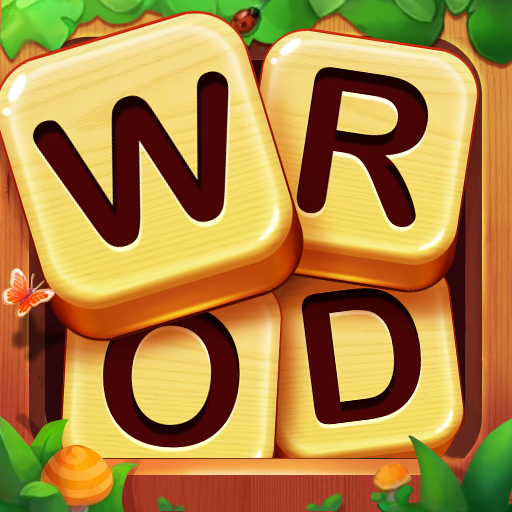
Word Game Classic 2
আপডেট করা হয়েছে
বর্তমান সংস্করণ
0.2.1
অফার করেছে

Word Game Classic 2 খেলার জন্য আপনার সমস্ত আবেগের সাথে, আপনার হাত আপনার ফোনের একটি ছোট স্ক্রিনে সীমাবদ্ধ থাকার কথা নয়। একজন পেশাদারের মতো খেলুন এবং কীবোর্ড এবং মাউস দিয়ে আপনার গেমের সম্পূর্ণ নিয়ন্ত্রণ পান। মেমু আপনাকে এমন সমস্ত জিনিস সরবরাহ করে যা আপনি প্রত্যাশা করছেন। ডাউনলোড করুন এবং পিসিতে Word Game Classic 2 খেলুন। আপনি যতক্ষণ চান ততক্ষণ খেলুন, ব্যাটারি, মোবাইল ডেটা এবং বিরক্তিকর কলগুলির আর কোনও সীমাবদ্ধতা নেই। একদম নতুন MEmu 9 হল পিসিতে Word Game Classic 2 খেলার সেরা পছন্দ। আমাদের দক্ষতার সাথে প্রস্তুত, সূক্ষ্ম প্রিসেট কীম্যাপিং সিস্টেম Word Game Classic 2 কে একটি বাস্তব পিসি গেম করে তোলে। MEmu মাল্টি-ইনস্ট্যান্স ম্যানেজার একই ডিভাইসে 2 বা তার বেশি অ্যাকাউন্ট চালানো সম্ভব করে তোলে। এবং সবচেয়ে গুরুত্বপূর্ণ, আমাদের একচেটিয়া ইমুলেশন ইঞ্জিন আপনার পিসির সম্পূর্ণ সম্ভাবনা প্রকাশ করতে পারে, সবকিছুকে মসৃণ করে তুলতে পারে।
বেশি দেখান
Download Word Game Classic 2 on PC with MEmu Android Emulator. Enjoy playing on big screen. ⭐ Dive into the thrilling world of Word Game Classic 2, where the art of crossword meets the excitement of competition for free!
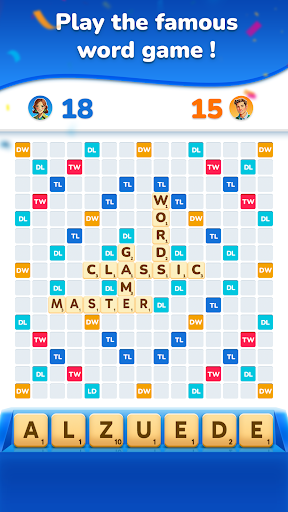
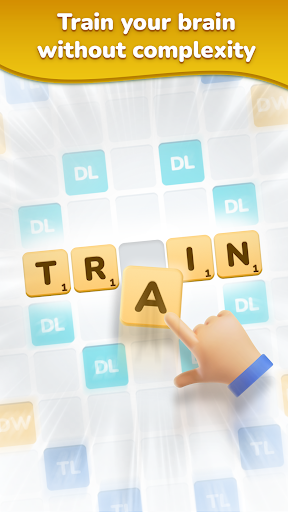
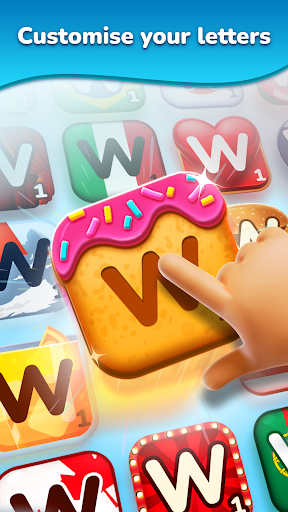
⭐ Dive into the thrilling world of Word Game Classic 2, where the art of crossword meets the excitement of competition for free! Challenge your vocabulary skills against opponents in the most famous classic word game brought to life on your mobile device.
⭐ FEATURES ⭐
⭐ Smart and Intuitive Gameplay: Immerse yourself in the world of crossword with our fun and captivating gameplay experience. Use different bonus tiles to your advantage. No complicated rules or unnecessary distractions, just pure and simple word fun at your fingertips.
⭐ Optimized Performance: Enjoy seamless gameplay on any device, even on older or less powerful ones. Our game is optimized to deliver smooth performance, ensuring an enjoyable experience every time you play.
⭐ Reliable Word Dictionary: Rest assured that every word in Word Game Classic 2 is sourced from a reliable and comprehensive dictionary, ensuring fair and accurate vocabulary for all players. Say goodbye to questionable word choices and hello to a level playing field.
বেশি দেখান

1. MEmu ইনস্টলার ডাউনলোড করুন এবং সেটআপ শেষ করুন

2. MEmu শুরু করুন তারপর ডেস্কটপে Google Play খুলুন

3. Google Play এ Word Game Classic 2 খুঁজুন
Install
4. Word Game Classic 2 ডাউনলোড এবং ইনস্টল করুন
5. ইনস্টল সমাপ্তি শুরু করতে আইকনে ক্লিক করুন

6. MEmu এর সাথে পিসিতে Word Game Classic 2 খেলা উপভোগ করুন
মেমু প্লে হল সেরা অ্যান্ড্রয়েড এমুলেটর এবং 100 মিলিয়ন মানুষ ইতিমধ্যেই এর দুর্দান্ত অ্যান্ড্রয়েড গেমিং অভিজ্ঞতা উপভোগ করছে। MEmu ভার্চুয়ালাইজেশন প্রযুক্তি আপনাকে আপনার পিসিতে হাজার হাজার অ্যান্ড্রয়েড গেম মসৃণভাবে খেলার ক্ষমতা দেয়, এমনকি সবচেয়ে গ্রাফিক-ইনটেনসিভ গেমগুলিও।
ভালো গ্রাফিক্সের সাথে বড় স্ক্রীন; লম্বা অবধি, ব্যাটারি বা মোবাইল ডাটা'র কোন সীমা ছাড়া।
কীবোর্ড এবং মাউস বা গেমপ্যাডের সুনির্দিষ্ট নিয়ন্ত্রণের জন্য সম্পূর্ণ কীম্যাপিং সমর্থন।
মাল্টি-ইনস্ট্যান্স ম্যানেজারের সাথে একটি পিসিতে একাধিক গেম অ্যাকাউন্ট বা কাজ।
নিম্নলিখিত ধাপগুলোর মাধ্যমে পিসি এ Word Game Classic 2 খেলুন: