AI Video Generator Serda
আপডেট করা হয়েছে
বর্তমান সংস্করণ
3.0.2
অফার করেছে

আপনার মোবাইলে AI Video Generator Serda ব্যবহার করার সময় অতিরিক্ত চার্জ নিয়ে চিন্তা করা বন্ধ করুন, নিজেকে ছোট পর্দা থেকে মুক্ত করুন এবং অনেক বড় ডিসপ্লেতে অ্যাপ ব্যবহার করে উপভোগ করুন। এখন থেকে, কীবোর্ড এবং মাউস দিয়ে আপনার অ্যাপের একটি পূর্ণ-স্ক্রীন অভিজ্ঞতা পান। MEmu আপনাকে সমস্ত আশ্চর্যজনক বৈশিষ্ট্যগুলি অফার করে যা আপনি আশা করেছিলেন: দ্রুত ইনস্টল এবং সহজ সেটআপ, স্বজ্ঞাত নিয়ন্ত্রণ, ব্যাটারির আর কোন সীমাবদ্ধতা নেই, মোবাইল ডেটা এবং বিরক্তিকর কল৷ একদম নতুন MEmu 9 হল আপনার কম্পিউটারে AI Video Generator Serda ব্যবহার করার সেরা পছন্দ। MEmu মাল্টি-ইনস্ট্যান্স ম্যানেজার একই সময়ে 2 বা তার বেশি অ্যাকাউন্ট খোলা সম্ভব করে তোলে। এবং সবচেয়ে গুরুত্বপূর্ণ, আমাদের একচেটিয়া ইমুলেশন ইঞ্জিন আপনার পিসির সম্পূর্ণ সম্ভাবনা প্রকাশ করতে পারে, সবকিছুকে মসৃণ এবং উপভোগ্য করে তুলতে পারে।
বেশি দেখান
Download AI Video Generator Serda on PC with MEmu Android Emulator. Enjoy playing on big screen. AI video generating in Seconds!
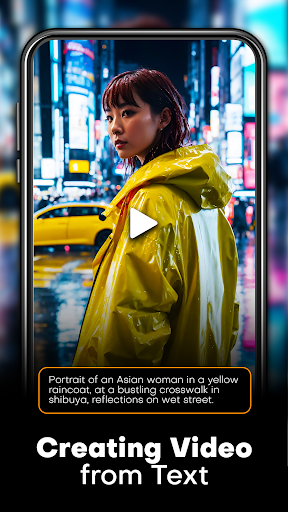
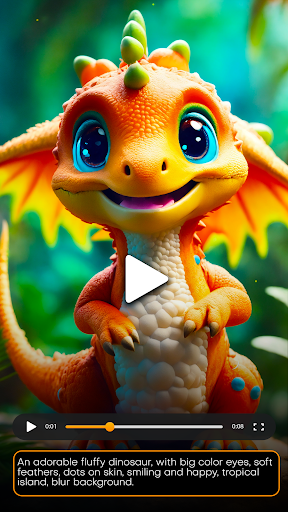
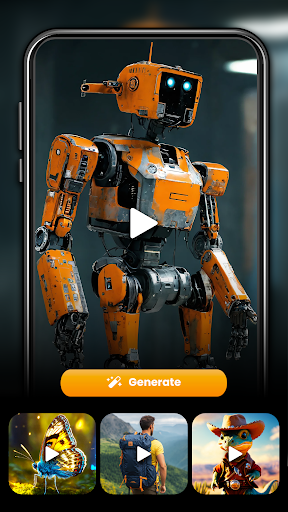
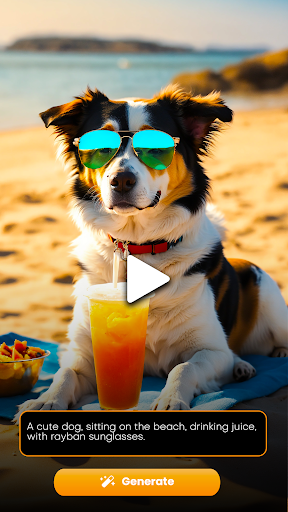
AI video generating in Seconds! Get inspired and create outstanding art.
Here’s how you can generate amazing videos and animations:
Text to Video: Type in any thought, text or prompt and describe the scene you want to generate. From epic landscapes to futuristic cities, anything is possible! Make sure you detail your prompt with background style, lighting and overall mood to ensure a great outcome of your vision.
Image to Video: Upload an image of yourself or any object to create mind blowing trendy effects and animations. You can choose from a selection of video effects to apply on your image. Create trendy content for your social profiles and get famous!
Create your video: Simply watch your vision come to life and turn into a stunning AI-generated video art within seconds.
Generate captivating videos from your wildest thoughts with the power of AI. Simply write your text to describe what you envision, and our advanced algorithms will create life from your words.
Explore a world of creative possibilities with unlimited inspiration from a vibrant AI artwork gallery, share and showcase your artistic creations. Experiment with diverse styles and discover the endless art creations with just a few words.
Push the limits of AI, embrace the possibilities. Download the app today!
The app includes a required subscription to unlock pro features. terms and conditions: http://techconsolidated.org/terms.html
বেশি দেখান

1. MEmu ইনস্টলার ডাউনলোড করুন এবং সেটআপ শেষ করুন

2. MEmu শুরু করুন তারপর ডেস্কটপে Google Play খুলুন

3. Google Play এ AI Video Generator Serda খুঁজুন
Install
4. AI Video Generator Serda ডাউনলোড এবং ইনস্টল করুন
5. ইনস্টল সমাপ্তি শুরু করতে আইকনে ক্লিক করুন

6. MEmu ব্যবহার করে আপনার কম্পিউটারে AI Video Generator Serda উপভোগ করুন
MEmu Play হল সেরা অ্যান্ড্রয়েড এমুলেটর, যার ১০ কোটিরও বেশি ব্যবহারকারী এর উন্নত অ্যান্ড্রয়েড অ্যাপ অভিজ্ঞতা উপভোগ করছেন। MEmu 9 এর ভার্চুয়ালাইজেশন প্রযুক্তি আপনাকে আপনার কম্পিউটারে হাজার হাজার অ্যান্ড্রয়েড অ্যাপ মসৃণভাবে চালাতে দেয়, এমনকি সবচেয়ে চাহিদাসম্পন্ন অ্যাপগুলিও।
ভালো গ্রাফিক্সের সাথে বড় স্ক্রীন; লম্বা অবধি, ব্যাটারি বা মোবাইল ডাটা'র কোন সীমা ছাড়া।
কীবোর্ড এবং মাউস বা গেমপ্যাডের সুনির্দিষ্ট নিয়ন্ত্রণের জন্য সম্পূর্ণ কীম্যাপিং সমর্থন।
মাল্টি-ইনস্ট্যান্স ম্যানেজারের সাথে একটি পিসিতে একাধিক গেম অ্যাকাউন্ট বা কাজ।
নিম্নলিখিত ধাপগুলোর মাধ্যমে পিসি এ AI Video Generator Serda ব্যবহার করুন: