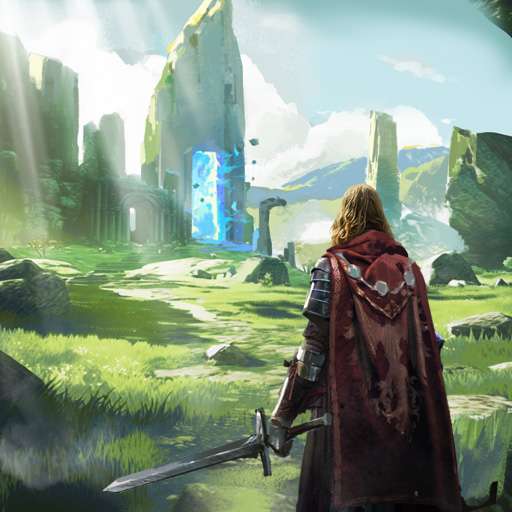
Lumeshift
Aktualizováno
Aktuální verze
0.530.530
Od vývojáře

With all your passion for playing Lumeshift, you hands are not supposed to be limited on a tiny screen of your phone. Play like a pro and get full control of your game with keyboard and mouse. MEmu offers you all the things that you are expecting. Download and play Lumeshift on PC. Play as long as you want, no more limitations of battery, mobile data and disturbing calls. The brand new MEmu 9 is the best choice of playing Lumeshift on PC. Prepared with our expertise, the exquisite preset keymapping system makes Lumeshift a real PC game. MEmu multi-instance manager makes playing 2 or more accounts on the same device possible. And the most important, our exclusive emulation engine can release full potential of your PC, make everything smooth.
Show more
Vychutnejte si vynikající zážitek z přehrávání Lumeshift na PC s MEMU App Player. Je to silný bezplatný emulátor pro Android, který vám umožní hrát tisíce her v systému Android. Lumeshift suits players who want short sessions that still demand teamwork and solid aim.

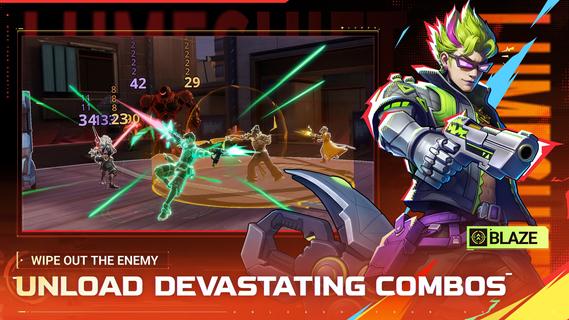
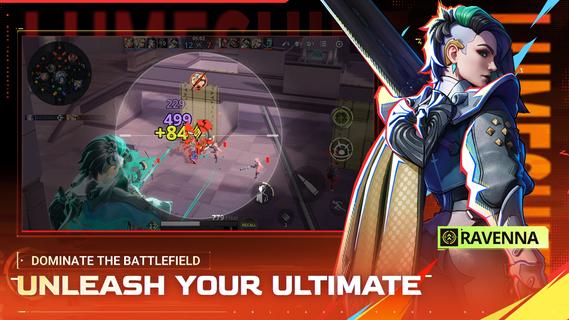
Lumeshift suits players who want short sessions that still demand teamwork and solid aim. It fits users who enjoy tactical objectives on a clear map and steady improvement from match to match. Because every round asks for both planning and mechanical skill, new players can pick up basics while experienced users refine timing. If you prefer installing on Android, the Lumeshift APK offers a simple path to try the game and see how it fits your squad playstyle. Lumeshift FeaturesHybrid lanes and shooter controlLumeshift combines lane control with precise aiming and movement. You read the map, rotate between three lanes, and make quick calls. Strategy sets up the fight, while your positioning and timing decide it. This mix rewards awareness as much as aim.Fast 5v5 battles and Ziplines Matches aim for about 15 minute playtime, so you can complete a full game in one sitting. Ziplines let you move fast into team fights or return to objectives without long downtime. Quick entries keep pressure high, but pacing still matters for clean engagements.Diverse hero rosterYou choose from more than ten heroes with distinct abilities and weapons. Each pick changes how you approach fights and lanes. Experiment to find a kit that fits your role, whether you anchor objectives or dive into skirmishes. The roster supports different team plans and learning curves.Active development and feedbackThe project is actively being built with player input. Adjustments may improve clarity, balance, and flow as testing continues. The Lumeshift latest version reflects ongoing work toward a better competitive experience. Get started and jump into a matchLumeshift focuses on skill, teamwork, and clear objectives across short 5v5 battles. Users who enjoy tactical shooters with structured lanes can learn fundamentals quickly and grow over time. To join matches on mobile at your own pace, download Lumeshift and start practicing with the heroes that fit your role.
Show more

1. Stáhněte si instalační program MEmu a dokončete instalaci

2. Spusťte MEmu a poté otevřete Google Play na ploše

3. Vyhledejte Lumeshift v Google Play
Install
4. Stáhněte a nainstalujte Lumeshift
5. Po dokončení instalace klikněte na ikonu pro spuštění

6. Užijte si hraní Lumeshift na PC s MEmu
MEmu je zdarma a ten nejlepší Android emulátor. 50 milionů lidí si užívá jeho nejlepší herní zážitky. Technologie virtualizace MEmu ti dovolí plynule hrát Android hry na PC a to i ty nejnáročnější.
Větší obrazovka s lepší grafikou; Dlouhá výdrž bez omezení baterie nebo mobilních dat.
Plná podpora mapování kláves pro přesné ovládání klávesnice a myši nebo gamepadu.
Více herních účtů nebo úkolů na jednom počítači najednou s Multi-Instance Managerem.
Play Lumeshift on PC by following steps: