Lumeshift
Оновлено
Поточна версія
0.530.530
Постачальник

Перестаньте турбуватися про надмірні витрати, використовуючи ххх на своєму мобільному телефоні, звільніться від крихітного екрану і насолоджуйтеся використанням програми на набагато більшому дисплеї. Відтепер отримуйте повний екран свого додатка за допомогою клавіатури та миші. MEmu пропонує вам усі дивовижні функції, які ви очікували: швидка установка та просте налаштування, інтуїтивно зрозумілі елементи керування, більше обмежень від акумулятора, мобільних даних та тривожних дзвінків. Новий MEmu 9 - найкращий вибір використання Lumeshift на вашому комп’ютері. За допомогою нашого поглинання менеджер із кількома примірниками одночасно дозволяє відкрити 2 або більше рахунків. І найголовніше, наш ексклюзивний емуляційний двигун може вивільнити весь потенціал вашого ПК, зробити все гладким і приємним.
Show more
Насолоджуйтесь чудовим досвідом Lumeshift гри на ПК за допомогою програми MEMU App Player. Це потужний безкоштовний емулятор Android, який дозволяє вам грати в тисячі ігор Android. Lumeshift suits players who want short sessions that still demand teamwork and solid aim.

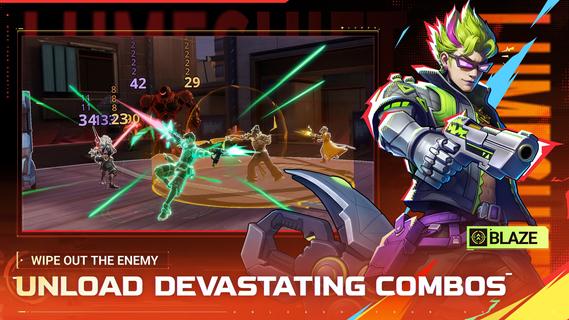
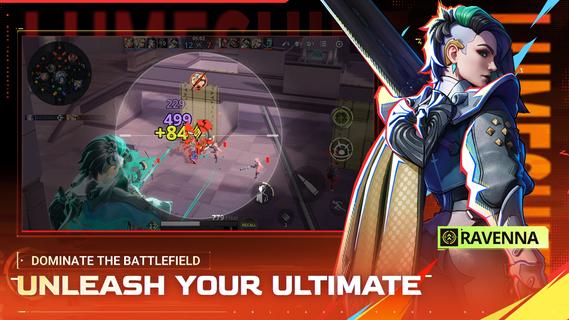
Lumeshift suits players who want short sessions that still demand teamwork and solid aim. It fits users who enjoy tactical objectives on a clear map and steady improvement from match to match. Because every round asks for both planning and mechanical skill, new players can pick up basics while experienced users refine timing. If you prefer installing on Android, the Lumeshift APK offers a simple path to try the game and see how it fits your squad playstyle. Lumeshift FeaturesHybrid lanes and shooter controlLumeshift combines lane control with precise aiming and movement. You read the map, rotate between three lanes, and make quick calls. Strategy sets up the fight, while your positioning and timing decide it. This mix rewards awareness as much as aim.Fast 5v5 battles and Ziplines Matches aim for about 15 minute playtime, so you can complete a full game in one sitting. Ziplines let you move fast into team fights or return to objectives without long downtime. Quick entries keep pressure high, but pacing still matters for clean engagements.Diverse hero rosterYou choose from more than ten heroes with distinct abilities and weapons. Each pick changes how you approach fights and lanes. Experiment to find a kit that fits your role, whether you anchor objectives or dive into skirmishes. The roster supports different team plans and learning curves.Active development and feedbackThe project is actively being built with player input. Adjustments may improve clarity, balance, and flow as testing continues. The Lumeshift latest version reflects ongoing work toward a better competitive experience. Get started and jump into a matchLumeshift focuses on skill, teamwork, and clear objectives across short 5v5 battles. Users who enjoy tactical shooters with structured lanes can learn fundamentals quickly and grow over time. To join matches on mobile at your own pace, download Lumeshift and start practicing with the heroes that fit your role.
Show more

1. Download MEmu installer and finish the setup

2. Start MEmu then open Google Play on the desktop

3. Search Lumeshift in Google Play
Install
4. Download and Install Lumeshift
5. On install completion click the icon to start

6. Enjoy playing Lumeshift on PC with MEmu
MEmu App Player є кращим безкоштовним емулятором Android, і 50 мільйонів людей вже користуються його чудовим ігровим досвідом Android. Технологія віртуалізації MEmu дає вам змогу відтворювати тисячі ігор Android на вашому комп'ютері, навіть найбільш насичених графікою.
Bigger screen with better graphics; Long duration, without limitation of battery or mobile data.
Full Keymapping support for precise control of keyboard and mouse or gamepad.
Multiple game accounts or tasks on single PC at one time with Multi-Instance manager.
Play Lumeshift on PC by following steps: