PaPa Paladin: OG Idle RPG
Aktualizováno
Aktuální verze
Od vývojáře

With all your passion for playing PaPa Paladin: OG Idle RPG, you hands are not supposed to be limited on a tiny screen of your phone. Play like a pro and get full control of your game with keyboard and mouse. MEmu offers you all the things that you are expecting. Download and play PaPa Paladin: OG Idle RPG on PC. Play as long as you want, no more limitations of battery, mobile data and disturbing calls. The brand new MEmu 9 is the best choice of playing PaPa Paladin: OG Idle RPG on PC. Prepared with our expertise, the exquisite preset keymapping system makes PaPa Paladin: OG Idle RPG a real PC game. MEmu multi-instance manager makes playing 2 or more accounts on the same device possible. And the most important, our exclusive emulation engine can release full potential of your PC, make everything smooth.
Show more
Vychutnejte si vynikající zážitek z přehrávání PaPa Paladin: OG Idle RPG na PC s MEMU App Player. Je to silný bezplatný emulátor pro Android, který vám umožní hrát tisíce her v systému Android. Once a legendary idle RPG hero… now just your average middle-aged guy, Bob!
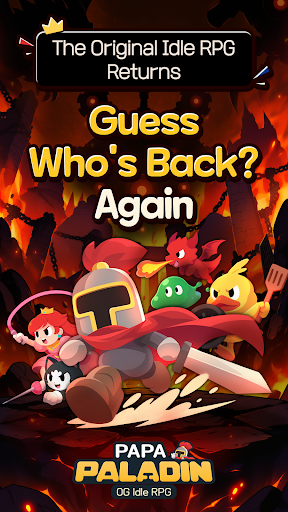
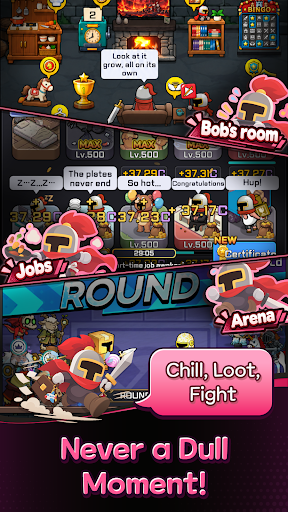
Once a legendary idle RPG hero… now just your average middle-aged guy, Bob!
After 12 years of mastering the art of idling, he can't stay on the couch forever.
Time to conquer another world! Let's gooo!
Bob's Epic Comeback Rewards
Think a legend would return empty-handed?
Get 10,000 Summon Tickets and 12,345 Diamonds! (For real!)
Action RPG with a Side of Dad Jokes
Blast incoming monsters with the cheesiest dad jokes imaginable!
"Why did the skeleton lose the fight? He didn't have the guts!" Terrible puns and painfully cheesy finishing moves!
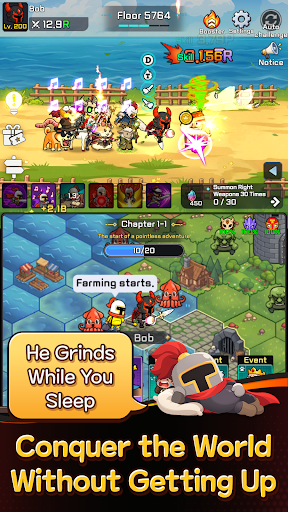
2⃣ Two Screens, Double the Fun!
Fighting up top, fighting down below… this old guy sure is busy!
Double-screen battles that are twice as fun to watch!
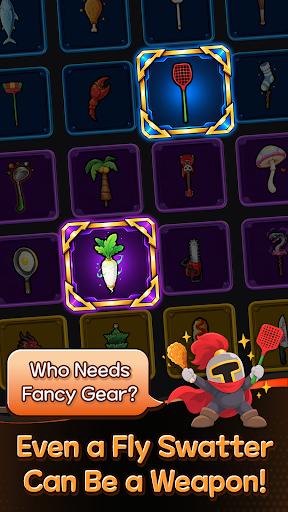
A Chicken Drumstick as a Weapon?!
Fly swatter or chicken drumstick, if it beats monsters, it's legendary!
Left hand, right hand—just keep swinging!
No Friends? I've Got a Whole Crew!
Gone are the days of fighting the Demon King alone!
Here comes Bob's trusty crew! That's middle-aged networking for you!
Another World, Another Load of Crazy Stuff! LOL
Work part-time jobs, mine minerals, explore the world map, and defeat bosses!
It's an idle RPG, but there's never a dull moment!
The legend of legends, the idle RPG veteran returns!
Even in idle RPGs, experience pays off!
────────────────
※ WARNING: His helmet used to be impossible to remove… Not anymore.
※ This game works best when you're watching it.
Show more

1. Stáhněte si instalační program MEmu a dokončete instalaci

2. Spusťte MEmu a poté otevřete Google Play na ploše

3. Vyhledejte PaPa Paladin: OG Idle RPG v Google Play
Install
4. Stáhněte a nainstalujte PaPa Paladin: OG Idle RPG
5. Po dokončení instalace klikněte na ikonu pro spuštění

6. Užijte si hraní PaPa Paladin: OG Idle RPG na PC s MEmu
MEmu je zdarma a ten nejlepší Android emulátor. 50 milionů lidí si užívá jeho nejlepší herní zážitky. Technologie virtualizace MEmu ti dovolí plynule hrát Android hry na PC a to i ty nejnáročnější.
Větší obrazovka s lepší grafikou; Dlouhá výdrž bez omezení baterie nebo mobilních dat.
Plná podpora mapování kláves pro přesné ovládání klávesnice a myši nebo gamepadu.
Více herních účtů nebo úkolů na jednom počítači najednou s Multi-Instance Managerem.
Play PaPa Paladin: OG Idle RPG on PC by following steps: