PaPa Paladin: OG Idle RPG
Aktualisiert
Aktuelle Version
Angeboten von

Bei all Ihrer Leidenschaft für das Spielen von PaPa Paladin: OG Idle RPG sollten Ihre Hände nicht auf einen winzigen Bildschirm Ihres Telefons beschränkt sein. Spielen Sie wie ein Profi und übernehmen Sie die volle Kontrolle über Ihr Spiel mit Tastatur und Maus. MEmu bietet Ihnen all die Dinge, die Sie erwarten. Laden Sie PaPa Paladin: OG Idle RPG herunter und spielen Sie es auf dem PC. Spielen Sie so lange, wie Sie wollen, ohne Grenzwerte für Akku, mobile Daten und störende Anrufe. Das brandneue MEmu 9 ist die beste Wahl, um PaPa Paladin: OG Idle RPG auf dem PC zu spielen. Das exquisite voreingestellte Tastaturbelegungssystem, das mit unserem Fachwissen vorbereitet wurde, macht PaPa Paladin: OG Idle RPG zu einem echten PC-Spiel. Der MEmu Multi-Instanz-Manager ermöglicht das Spielen von 2 oder mehr Konten auf demselben Gerät. Und das Wichtigste: Unsere exklusive Emulations-Engine kann das volle Potenzial Ihres PCs freisetzen und für reibungslose Abläufe sorgen.
Mehr anzeigen
Laden Sie Play PaPa Paladin: OG Idle RPG auf dem PC mit MEmu Android Emulator. Viel Spaß beim Spielen auf großmundieren. Once a legendary idle RPG hero… now just your average middle-aged guy, Bob!
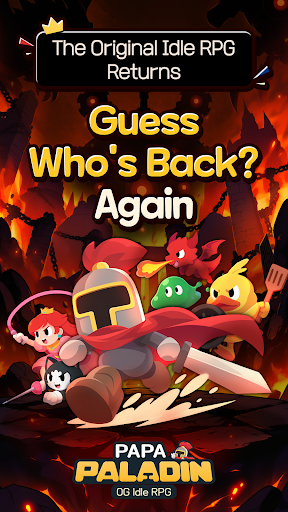
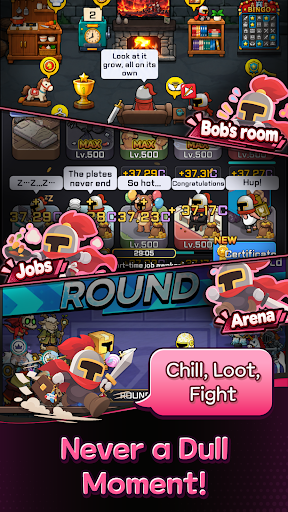
Once a legendary idle RPG hero… now just your average middle-aged guy, Bob!
After 12 years of mastering the art of idling, he can't stay on the couch forever.
Time to conquer another world! Let's gooo!
Bob's Epic Comeback Rewards
Think a legend would return empty-handed?
Get 10,000 Summon Tickets and 12,345 Diamonds! (For real!)
Action RPG with a Side of Dad Jokes
Blast incoming monsters with the cheesiest dad jokes imaginable!
"Why did the skeleton lose the fight? He didn't have the guts!" Terrible puns and painfully cheesy finishing moves!
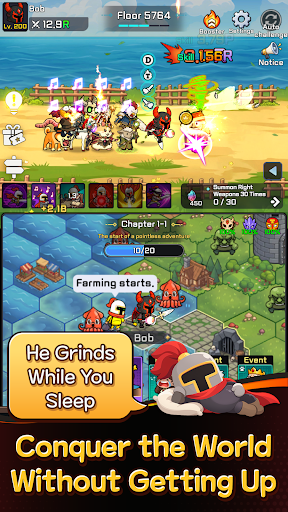
2⃣ Two Screens, Double the Fun!
Fighting up top, fighting down below… this old guy sure is busy!
Double-screen battles that are twice as fun to watch!
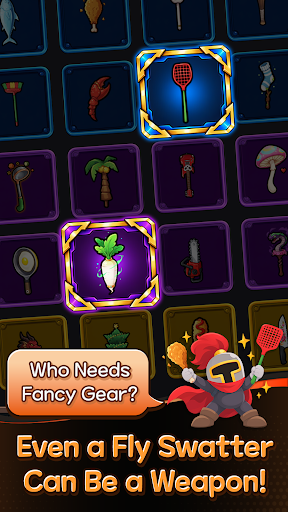
A Chicken Drumstick as a Weapon?!
Fly swatter or chicken drumstick, if it beats monsters, it's legendary!
Left hand, right hand—just keep swinging!
No Friends? I've Got a Whole Crew!
Gone are the days of fighting the Demon King alone!
Here comes Bob's trusty crew! That's middle-aged networking for you!
Another World, Another Load of Crazy Stuff! LOL
Work part-time jobs, mine minerals, explore the world map, and defeat bosses!
It's an idle RPG, but there's never a dull moment!
The legend of legends, the idle RPG veteran returns!
Even in idle RPGs, experience pays off!
────────────────
※ WARNING: His helmet used to be impossible to remove… Not anymore.
※ This game works best when you're watching it.
Mehr anzeigen

1. Laden das MEmu-Installationsprogramm herunter und beenden die Installation

2. MEmu starten und Google Play auf der Homepage öffnen

3. Suchen PaPa Paladin: OG Idle RPG in Google Play
Install
4. Herunterladen und Installieren PaPa Paladin: OG Idle RPG
5. Klicken nach Abschluss der Installation auf das Symbol, um es zu starten

6. Viel Spaß beim Spielen von PaPa Paladin: OG Idle RPG auf dem PC mit MEmu
MEmu App Player ist der beste kostenlose Android-Emulator und 50 Millionen Menschen genießen bereits seine hervorragende Android-Gaming-Erfahrung. Mit der MEmu-Virtualisierungstechnologie können Sie Tausende von Android-Spielen problemlos auf Ihrem PC spielen, selbst bei grafikintensiven Spielen.
BGrößeres Bild mit besserer Grafik; Keine unterbrechungen, keine sorgen um Akku
Komplette Tastenbelegung unterstützt mit Maus und Tastatur oder Controller
Mit dem „Multi-Instance-Manager“ können Sie mehrere Spielkonten oder Spiele gleichzeitig auf einem PC ausführen.
Play PaPa Paladin: OG Idle RPG on PC by following steps: