PaPa Paladin: OG Idle RPG
Updated
Current Version
Offered By

With your passion for PaPa Paladin: OG Idle RPG, you shouldn’t have to limit yourself to the small screen of a phone. Play like a pro and take full control of the game using a keyboard and mouse. MEmu gives you everything you’re looking for. Download and play PaPa Paladin: OG Idle RPG on PC. Play as long as you want — no more worries about battery life, mobile data, or unexpected calls. The all-new MEmu 9 is the best way to play PaPa Paladin: OG Idle RPG on PC. With our expertly designed keymapping system, PaPa Paladin: OG Idle RPG feels just like a real PC game. The MEmu multi-instance manager lets you run two or more accounts on the same device at the same time. Most importantly, our exclusive emulation engine unlocks your PC’s full potential, delivering smooth and seamless performance.
Show more
Download PaPa Paladin: OG Idle RPG on PC with MEmu Android Emulator. Enjoy playing on big screen. Once a legendary idle RPG hero… now just your average middle-aged guy, Bob!
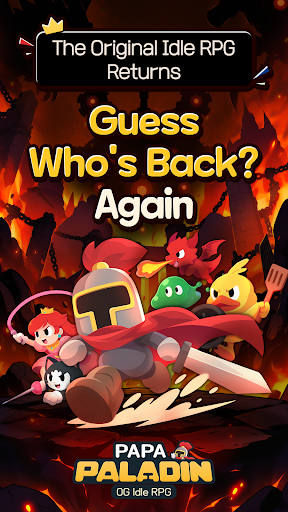
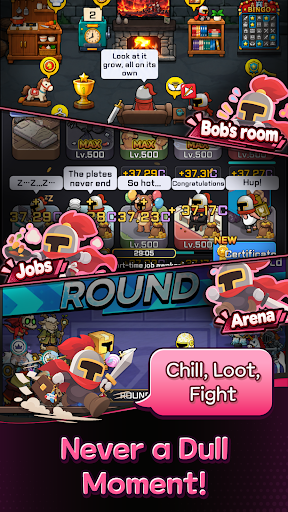
Once a legendary idle RPG hero… now just your average middle-aged guy, Bob!
After 12 years of mastering the art of idling, he can't stay on the couch forever.
Time to conquer another world! Let's gooo!
Bob's Epic Comeback Rewards
Think a legend would return empty-handed?
Get 10,000 Summon Tickets and 12,345 Diamonds! (For real!)
Action RPG with a Side of Dad Jokes
Blast incoming monsters with the cheesiest dad jokes imaginable!
"Why did the skeleton lose the fight? He didn't have the guts!" Terrible puns and painfully cheesy finishing moves!
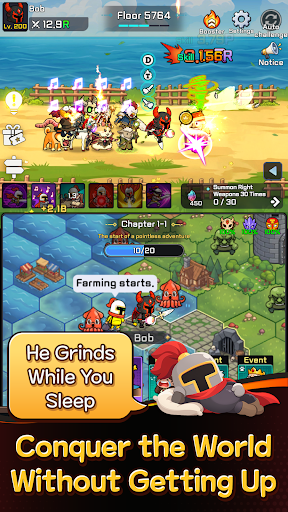
2⃣ Two Screens, Double the Fun!
Fighting up top, fighting down below… this old guy sure is busy!
Double-screen battles that are twice as fun to watch!
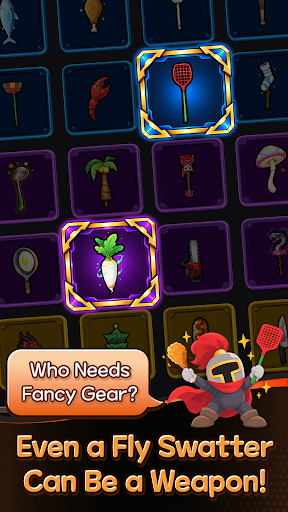
A Chicken Drumstick as a Weapon?!
Fly swatter or chicken drumstick, if it beats monsters, it's legendary!
Left hand, right hand—just keep swinging!
No Friends? I've Got a Whole Crew!
Gone are the days of fighting the Demon King alone!
Here comes Bob's trusty crew! That's middle-aged networking for you!
Another World, Another Load of Crazy Stuff! LOL
Work part-time jobs, mine minerals, explore the world map, and defeat bosses!
It's an idle RPG, but there's never a dull moment!
The legend of legends, the idle RPG veteran returns!
Even in idle RPGs, experience pays off!
────────────────
※ WARNING: His helmet used to be impossible to remove… Not anymore.
※ This game works best when you're watching it.
Show more

1. Download MEmu installer and finish the setup

2. Start MEmu then open Google Play on the desktop

3. Search PaPa Paladin: OG Idle RPG in Google Play
Install
4. Download and Install PaPa Paladin: OG Idle RPG
5. On install completion click the icon to start

6. Enjoy playing PaPa Paladin: OG Idle RPG on PC with MEmu
MEmu Play is the best Android emulator and 100 million people already enjoy its superb Android gaming experience. The MEmu virtualization technology empowers you to play thousands of Android games smoothly on your PC, even the most graphic-intensive ones.
Bigger screen with better graphics; Long duration, without limitation of battery or mobile data.
Full Keymapping support for precise control of keyboard and mouse or gamepad.
Multiple game accounts or tasks on single PC at one time with Multi-Instance manager.
Play PaPa Paladin: OG Idle RPG on PC by following steps: