PaPa Paladin: OG Idle RPG
Actualizada
Versión actual
Ofrecida por

Con toda tu pasión para jugar PaPa Paladin: OG Idle RPG, no se supone que tus manos estén limitadas en una pequeña pantalla de tu teléfono. Juega como un profesional y obtén el control total de tu juego con el teclado y el mouse. MEmu le ofrece todas las cosas que espera. Descargar y jugar PaPa Paladin: OG Idle RPG en PC. Juega todo el tiempo que quieras, sin más limitaciones de batería, datos móviles y llamadas molestas. El nuevo MEmu 9 es la mejor opción para jugar PaPa Paladin: OG Idle RPG en PC. Preparado con nuestra experiencia, el exquisito sistema de keymapping preestablecido convierte a PaPa Paladin: OG Idle RPG en un verdadero juego de PC. Codificado con nuestra absorción, el administrador de instancias múltiples hace posible jugar 2 o más cuentas en el mismo dispositivo. Y lo más importante, nuestro exclusivo motor de emulación puede liberar todo el potencial de su PC, hacer que todo sea más fluido. Nos importa no solo cómo juegas, sino también todo el proceso de disfrutar de la felicidad de los juegos.
Más detalles
Descargar PaPa Paladin: OG Idle RPG en PC con MEmu Android Emulador. Disfruta jugando en la pentalla grande. Once a legendary idle RPG hero… now just your average middle-aged guy, Bob!
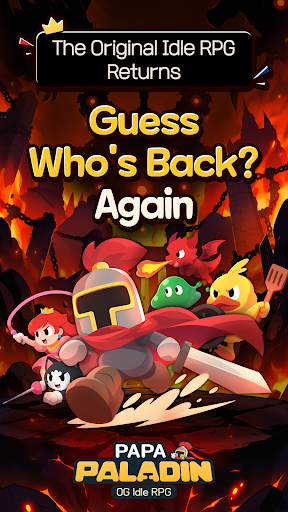
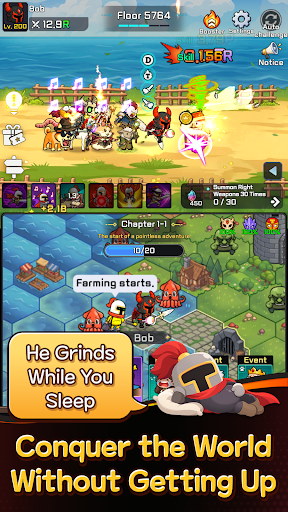
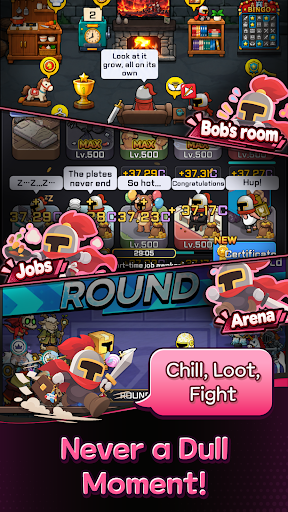
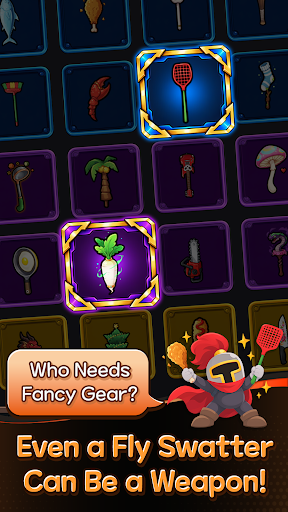
Once a legendary idle RPG hero… now just your average middle-aged guy, Bob!
After 12 years of mastering the art of idling, he can't stay on the couch forever.
Time to conquer another world! Let's gooo!
Bob's Epic Comeback Rewards
Think a legend would return empty-handed?
Get 10,000 Summon Tickets and 12,345 Diamonds! (For real!)
Action RPG with a Side of Dad Jokes
Blast incoming monsters with the cheesiest dad jokes imaginable!
"Why did the skeleton lose the fight? He didn't have the guts!" Terrible puns and painfully cheesy finishing moves!
2⃣ Two Screens, Double the Fun!
Fighting up top, fighting down below… this old guy sure is busy!
Double-screen battles that are twice as fun to watch!
A Chicken Drumstick as a Weapon?!
Fly swatter or chicken drumstick, if it beats monsters, it's legendary!
Left hand, right hand—just keep swinging!
No Friends? I've Got a Whole Crew!
Gone are the days of fighting the Demon King alone!
Here comes Bob's trusty crew! That's middle-aged networking for you!
Another World, Another Load of Crazy Stuff! LOL
Work part-time jobs, mine minerals, explore the world map, and defeat bosses!
It's an idle RPG, but there's never a dull moment!
The legend of legends, the idle RPG veteran returns!
Even in idle RPGs, experience pays off!
────────────────
※ WARNING: His helmet used to be impossible to remove… Not anymore.
※ This game works best when you're watching it.
Más detalles

1. Descargar el instalador de MEmu y finalice la instalación

2. Iniciar MEmu y abrir Google Play en la página de inicio

3. Buscar PaPa Paladin: OG Idle RPG en Google Play
Install
4. Descargar y instalar PaPa Paladin: OG Idle RPG
5. Hacer click al icono para iniciar

6. Disfruta jugando PaPa Paladin: OG Idle RPG en PC con MEmu
MEmu App Player es el mejor emulador de Android gratuito y 50 millones de personas ya están disfrutando su magnífica experiencia jugando en Android. La tecnología de virtualización de MEmu te permite jugar a miles de juegos Android suavemente en tu PC, incluso los más intensivos gráficamente.
Pantalla más grande con mejores gráficos; Larga duración, sin limitación de batería o datos móviles.
Soporte completo de keymapping para un control preciso del teclado y el mouse o gamepad.
Múltiples cuentas de juegos o tareas en una sola PC a la vez con el administrador de instancias múltiples.
Play PaPa Paladin: OG Idle RPG on PC by following steps: