Top Museum
Aktualizováno
Aktuální verze
Od vývojáře

With all your passion for playing Top Museum, you hands are not supposed to be limited on a tiny screen of your phone. Play like a pro and get full control of your game with keyboard and mouse. MEmu offers you all the things that you are expecting. Download and play Top Museum on PC. Play as long as you want, no more limitations of battery, mobile data and disturbing calls. The brand new MEmu 9 is the best choice of playing Top Museum on PC. Prepared with our expertise, the exquisite preset keymapping system makes Top Museum a real PC game. MEmu multi-instance manager makes playing 2 or more accounts on the same device possible. And the most important, our exclusive emulation engine can release full potential of your PC, make everything smooth.
Show more
Vychutnejte si vynikající zážitek z přehrávání Top Museum na PC s MEMU App Player. Je to silný bezplatný emulátor pro Android, který vám umožní hrát tisíce her v systému Android. "Top Museum is a casual modern museum management sim.
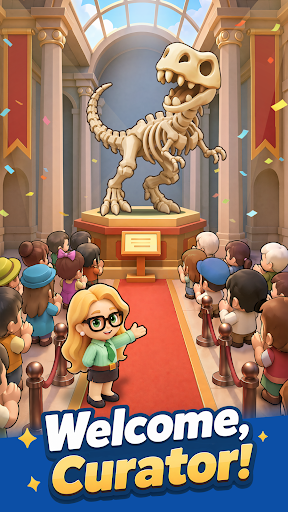
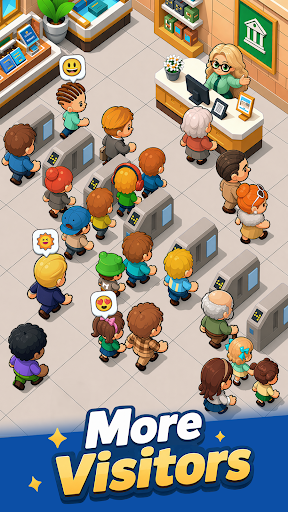
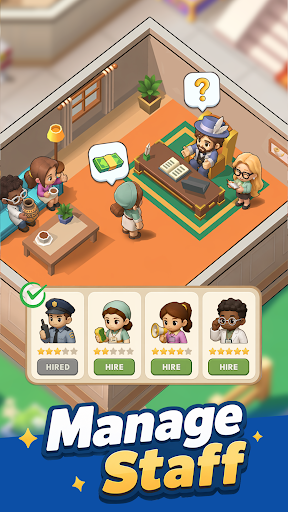

"Top Museum is a casual modern museum management sim. As the curator, you'll rebuild a museum that was looted and left in ruins. Repair damaged halls, recover priceless exhibits, reopen the museum step by step, and turn it into a thriving business again. When the mastermind behind the attack strikes, recruit elite allies, set up your defenses, and crush their plans.
Game Features
Restore the museum and reopen the doors
Repair the damaged exhibition halls, upgrade facilities, and display your collections. Bring the museum back to life and welcome visitors once again.
Recover lost exhibits and grow your income
Follow mysterious clues to track down missing treasures. Return masterpieces and rare fossils to their proper places, unlock their value, and increase ticket sales and sponsorship revenue.
Recruit legendary Heroes
Assemble a team of skilled modern-day professionals. Brilliant scholars, agile treasure hunters, and elite security guards will all play an important role in running and protecting the museum.
Defend against enemy attacks
Face off against surprise raids from the Black Claw Group. Lead your team through each crisis, build your strategy, and shut down the enemy's greedy plans.
Relaxed idle gameplay with steady rewards
Enjoy effortless progression that keeps generating rewards while you’re away. The museum never stops operating, allowing you to return anytime and collect your earnings with a single tap!"
Show more

1. Stáhněte si instalační program MEmu a dokončete instalaci

2. Spusťte MEmu a poté otevřete Google Play na ploše

3. Vyhledejte Top Museum v Google Play
Install
4. Stáhněte a nainstalujte Top Museum
5. Po dokončení instalace klikněte na ikonu pro spuštění

6. Užijte si hraní Top Museum na PC s MEmu
MEmu je zdarma a ten nejlepší Android emulátor. 50 milionů lidí si užívá jeho nejlepší herní zážitky. Technologie virtualizace MEmu ti dovolí plynule hrát Android hry na PC a to i ty nejnáročnější.
Větší obrazovka s lepší grafikou; Dlouhá výdrž bez omezení baterie nebo mobilních dat.
Plná podpora mapování kláves pro přesné ovládání klávesnice a myši nebo gamepadu.
Více herních účtů nebo úkolů na jednom počítači najednou s Multi-Instance Managerem.
Play Top Museum on PC by following steps: