Top Museum
更新日
現在のバージョン
提供元

スマホ不要!プロ選手のようにキーボードとマウスで操作しよう。MEmuエミュはあなたにすべての期待を与える。電池が切れてしまうとか画面が小さいとかの問題を心配する必要がなくて、存分Top Museumを楽しんでください。新しいMEmuエミュ7はPCでTop Museumをプレイするのに最適!完璧なキーマッピングシステムにより、まるでパソコンゲームみたい。マルチインスタンスで複数のゲームやアプリを同時に実行!唯一無二な仮想化エンジンがパソコンの可能性を最大限になる。遊べるだけでなく、より楽しめる!
もっと見る
Top MuseumをPCでダウンロード!大画面でより楽しむ。電源が落ちてしまうとか通信料が足りないとかの問題を心配する必要がなく、PCの大画面でより快適にゲームを楽しましょう! "Top Museum is a casual modern museum management sim.
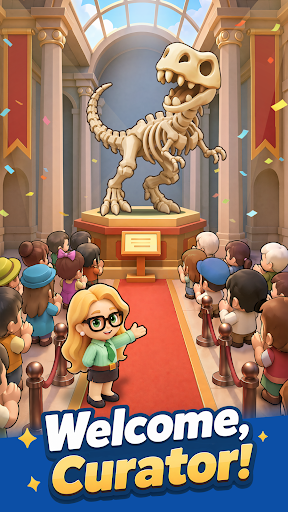
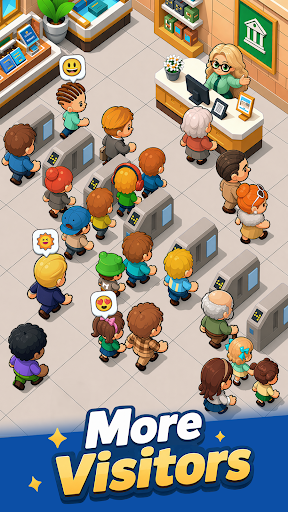
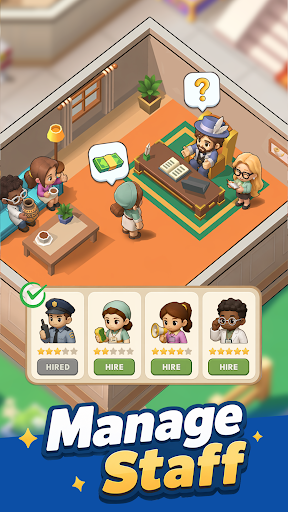

"Top Museum is a casual modern museum management sim. As the curator, you'll rebuild a museum that was looted and left in ruins. Repair damaged halls, recover priceless exhibits, reopen the museum step by step, and turn it into a thriving business again. When the mastermind behind the attack strikes, recruit elite allies, set up your defenses, and crush their plans.
Game Features
Restore the museum and reopen the doors
Repair the damaged exhibition halls, upgrade facilities, and display your collections. Bring the museum back to life and welcome visitors once again.
Recover lost exhibits and grow your income
Follow mysterious clues to track down missing treasures. Return masterpieces and rare fossils to their proper places, unlock their value, and increase ticket sales and sponsorship revenue.
Recruit legendary Heroes
Assemble a team of skilled modern-day professionals. Brilliant scholars, agile treasure hunters, and elite security guards will all play an important role in running and protecting the museum.
Defend against enemy attacks
Face off against surprise raids from the Black Claw Group. Lead your team through each crisis, build your strategy, and shut down the enemy's greedy plans.
Relaxed idle gameplay with steady rewards
Enjoy effortless progression that keeps generating rewards while you’re away. The museum never stops operating, allowing you to return anytime and collect your earnings with a single tap!"
もっと見る

1. MEmuインストーラーをダウンロードしてセットアップを完了する

2. MEmuを起動し、デスクトップでのPlayストアを開く

3. PlayストアでTop Museumを検索する
Install
4. Top Museumをダウンロードしてインストールする
5. インストールが完了したら、アイコンをクリックしてスタート

6. MEmuを使用してPCでTop Museumを楽しむ
MEmu App Playerは最高の無料で提供されるAndroidエミュレータで、5,000万人がすでに優れたAndroidゲーム体験を楽しんでいます。 MEmuの仮想化技術は、あなたのPCで何千ものAndroidゲームを快適にプレイすることを可能にします。
大画面でより精細;無限の待機、電池とドラフィックの極限を超え
キーボード・マウス・コントローラーを全力でサポート、より快適
マルチインスタンスで複数のゲームを同時に実行
Play Top Museum on PC by following steps: