Top Museum
Updated
Current Version
Offered By

With your passion for Top Museum, you shouldn’t have to limit yourself to the small screen of a phone. Play like a pro and take full control of the game using a keyboard and mouse. MEmu gives you everything you’re looking for. Download and play Top Museum on PC. Play as long as you want — no more worries about battery life, mobile data, or unexpected calls. The all-new MEmu 9 is the best way to play Top Museum on PC. With our expertly designed keymapping system, Top Museum feels just like a real PC game. The MEmu multi-instance manager lets you run two or more accounts on the same device at the same time. Most importantly, our exclusive emulation engine unlocks your PC’s full potential, delivering smooth and seamless performance.
Show more
Download Top Museum on PC with MEmu Android Emulator. Enjoy playing on big screen. "Top Museum is a casual modern museum management sim.
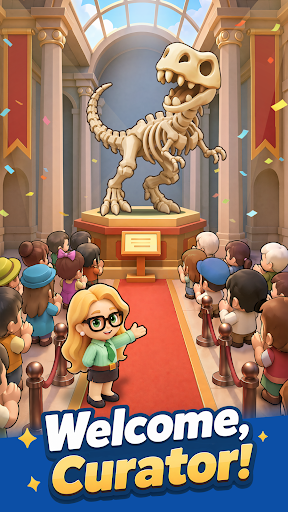
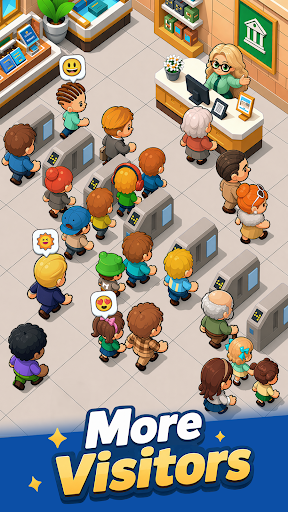
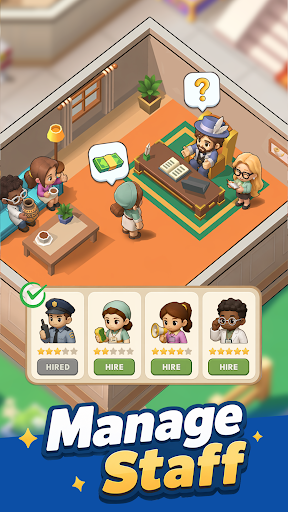

"Top Museum is a casual modern museum management sim. As the curator, you'll rebuild a museum that was looted and left in ruins. Repair damaged halls, recover priceless exhibits, reopen the museum step by step, and turn it into a thriving business again. When the mastermind behind the attack strikes, recruit elite allies, set up your defenses, and crush their plans.
Game Features
Restore the museum and reopen the doors
Repair the damaged exhibition halls, upgrade facilities, and display your collections. Bring the museum back to life and welcome visitors once again.
Recover lost exhibits and grow your income
Follow mysterious clues to track down missing treasures. Return masterpieces and rare fossils to their proper places, unlock their value, and increase ticket sales and sponsorship revenue.
Recruit legendary Heroes
Assemble a team of skilled modern-day professionals. Brilliant scholars, agile treasure hunters, and elite security guards will all play an important role in running and protecting the museum.
Defend against enemy attacks
Face off against surprise raids from the Black Claw Group. Lead your team through each crisis, build your strategy, and shut down the enemy's greedy plans.
Relaxed idle gameplay with steady rewards
Enjoy effortless progression that keeps generating rewards while you’re away. The museum never stops operating, allowing you to return anytime and collect your earnings with a single tap!"
Show more

1. Download MEmu installer and finish the setup

2. Start MEmu then open Google Play on the desktop

3. Search Top Museum in Google Play
Install
4. Download and Install Top Museum
5. On install completion click the icon to start

6. Enjoy playing Top Museum on PC with MEmu
MEmu Play is the best Android emulator and 100 million people already enjoy its superb Android gaming experience. The MEmu virtualization technology empowers you to play thousands of Android games smoothly on your PC, even the most graphic-intensive ones.
Bigger screen with better graphics; Long duration, without limitation of battery or mobile data.
Full Keymapping support for precise control of keyboard and mouse or gamepad.
Multiple game accounts or tasks on single PC at one time with Multi-Instance manager.
Play Top Museum on PC by following steps: