APK Installer
Aktualizováno
Aktuální verze
8.6.2
Od vývojáře

Přestaňte se obávat přebíjení při používání APK Installer na mobilním telefonu, uvolněte se z malé obrazovky a užívejte si aplikace na mnohem větším displeji. „Společnost MEmu vám nabízí všechny překvapivé funkce, které jste očekávali: rychlá instalace a snadné nastavení, intuitivní ovládání, žádná omezení baterií, mobilní data a rušivá volání. Zcela nový přístroj MEmu 9 je nejlepší volbou použití APK Installer ve vašem počítači. díky naší absorpci umožňuje správce více instancí otevření 2 nebo více účtů současně. A co je nejdůležitější, náš exkluzivní emulační modul může uvolnit plný potenciál vašeho počítače, učinit vše plynulým a příjemným.
Show more
Užijte si skvělý zážitek z používání APK Installer u na PC s MEmu Play. Je to výkonný bezplatný emulátor Androidu, který vám nabízí tisíce aplikací pro Android ve verzi pro stolní počítače. Užívejte si spojení s přáteli a vylepšujte svou práci s vyšší efektivitou! APK Installer is built for users who install and manage many apps and want a simple way to keep everything organized.
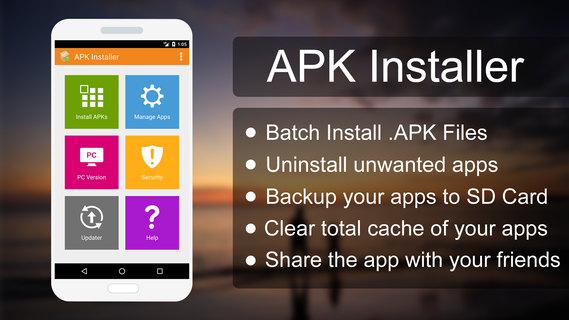
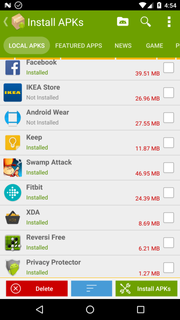
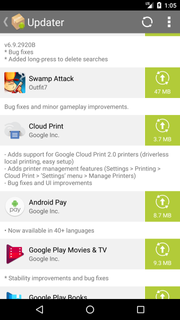
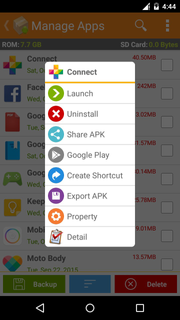
APK Installer is built for users who install and manage many apps and want a simple way to keep everything organized. It offers a clear layout that guides you through setup and everyday maintenance, so common tasks feel quicker and more consistent. Additionally, it helps you understand app information before making changes, which reduces mistakes and saves time. To begin, download APK Installer and use the on-screen prompts to handle routine actions with fewer steps. This helps keep your device tidy without extra effort.APK Installer FeaturesBatch App InstallerAPK Installer lets you install multiple APK files from internal storage or a secondary SD card in one go. You select files, confirm, and the app guides the process with clear prompts. This reduces repeated steps when setting up a device or restoring apps. Once the APK Installer APK is installed, batch actions run with simple, consistent steps.Batch UninstallerAfter installing in batches, you may also need to remove unused apps. You can select several items and confirm to free space quickly. The grouped view helps you review what stays and what goes before you proceed.Backup and ShareTo keep reliable copies, export installed apps as APK files to your SD card. This is useful for safe storage or moving apps to another device. When needed, you can share the APK file directly with contacts for easy transfer.Security Scanner and App InfoFor safer management, the security scanner verifies APK signatures and detects embedded advertising or analytics add-ons. You can also view package name, file location, install date, permissions, UID and shared UID, minimum and target API levels, and component information. These details support informed decisions before installing or removing apps.Start Managing Your AppsAPK Installer focuses on everyday app tasks, including batch installation, removal, backups, and security checks. Open the app and follow the prompts to organize and maintain your device. For the most reliable experience, update to the APK Installer latest version.
Show more

1. Stáhněte si instalační program MEmu a dokončete instalaci

2. Spusťte MEmu a poté otevřete Google Play na ploše

3. Vyhledejte APK Installer v Google Play
Install
4. Stáhněte a nainstalujte APK Installer
5. Po dokončení instalace klikněte na ikonu pro spuštění

6. Užívejte si používání APK Installer na PC s MEmu
MEmu je bezplatný a vynikající emulátor Androidu s 50 miliony uživatelů, který poskytuje vynikající zážitek z aplikací. Virtualizační technologie MEmu 9 vám umožňuje plynule spouštět aplikace pro Android na vašem počítači, a to i ty nejnáročnější.
Větší obrazovka s lepší grafikou; Dlouhá výdrž bez omezení baterie nebo mobilních dat.
Plná podpora mapování kláves pro přesné ovládání klávesnice a myši nebo gamepadu.
Více herních účtů nebo úkolů na jednom počítači najednou s Multi-Instance Managerem.
Use APK Installer on PC by following steps: