Bloons TD Battles
Aktualisiert
Aktuelle Version
6.23.3
Angeboten von

Bei all Ihrer Leidenschaft für das Spielen von Bloons TD Battles sollten Ihre Hände nicht auf einen winzigen Bildschirm Ihres Telefons beschränkt sein. Spielen Sie wie ein Profi und übernehmen Sie die volle Kontrolle über Ihr Spiel mit Tastatur und Maus. MEmu bietet Ihnen all die Dinge, die Sie erwarten. Laden Sie Bloons TD Battles herunter und spielen Sie es auf dem PC. Spielen Sie so lange, wie Sie wollen, ohne Grenzwerte für Akku, mobile Daten und störende Anrufe. Das brandneue MEmu 9 ist die beste Wahl, um Bloons TD Battles auf dem PC zu spielen. Das exquisite voreingestellte Tastaturbelegungssystem, das mit unserem Fachwissen vorbereitet wurde, macht Bloons TD Battles zu einem echten PC-Spiel. Der MEmu Multi-Instanz-Manager ermöglicht das Spielen von 2 oder mehr Konten auf demselben Gerät. Und das Wichtigste: Unsere exklusive Emulations-Engine kann das volle Potenzial Ihres PCs freisetzen und für reibungslose Abläufe sorgen.
Mehr anzeigen
Laden Sie Play Bloons TD Battles auf dem PC mit MEmu Android Emulator. Viel Spaß beim Spielen auf großmundieren. Spiele die beliebte Tower-Defense-Reihe in diesem kostenlosen Strategiespiel.
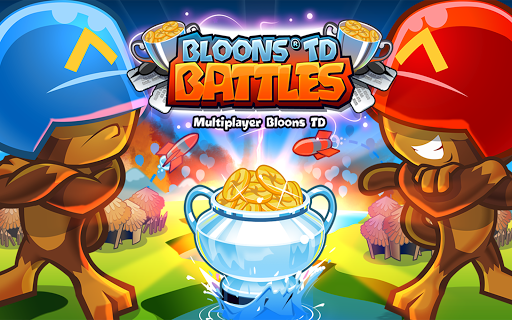
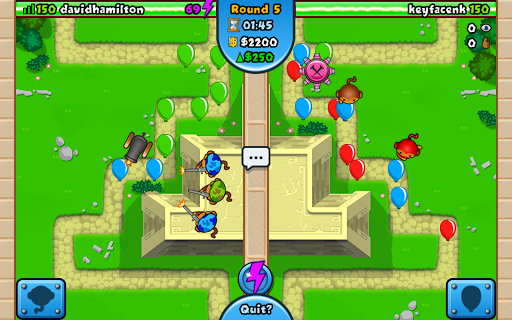
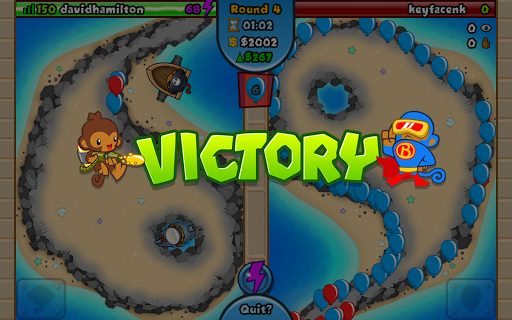
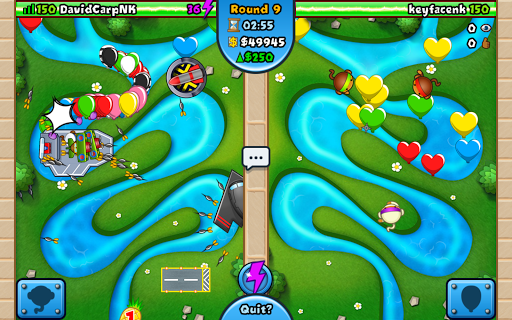
Spiele die beliebte Tower-Defense-Reihe in diesem kostenlosen Strategiespiel.
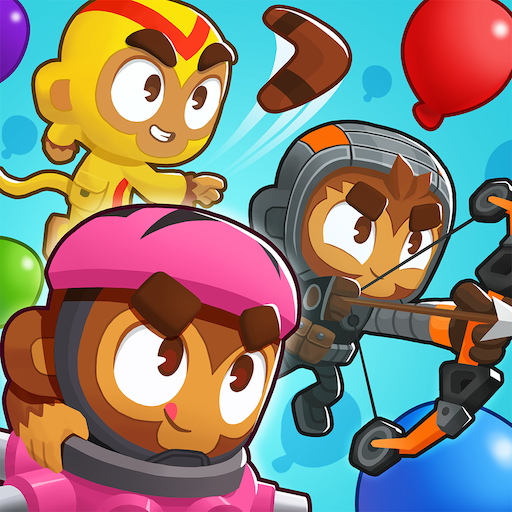
Zum ersten Mal heißt es Affe gegen Affe – tritt gegen andere Spieler in einem spannenden Bloon-Kampf um den Sieg an. Von den Machern des Bestsellers Bloons TD 5 ist dieses brandneue Battles-Spiel speziell für Mehrspielerkämpfe konzipiert und bietet über 50 individuelle Strecken, unglaubliche Türme und Upgrades, völlig neue Fähigkeiten und die Möglichkeit, Bloons direkt zu steuern und sie an der gegnerischen Verteidigung vorbeizuschießen.
Entdecke diese fantastischen Features:
* Bloons TD im Zwei-Spieler-Duell
* Über 50 individuelle Battles-Strecken
* 22 fantastische Affentürme mit jeweils 8 mächtigen Upgrades, darunter der brandneue C.O.B.R.A.-Turm.
* Angriffsmodus – Verwalte starke Verteidigungen und schicke Bloons direkt auf deinen Gegner.
* Verteidigungsmodus – Verbessere dein Einkommen und überlebe deinen Herausforderer mit deiner überlegenen Verteidigung.
* Kampfarenen – Setze deine Medaillons in einem Angriffsspiel mit hohem Einsatz aufs Spiel. Der Gewinner bekommt alles.
* Kartenkämpfe – Stelle das ultimative Deck zusammen, um deine Gegner in dieser einzigartigen Variante des Bloons TD-Gameplays zu vernichten.
* Brandneue Kräfte – Verbessere deine Türme, booste deine Bloons oder probiere die neuen Kräfte für Sabotage, Öko und Strecken aus.
* Kämpfe um die besten Ergebnisse in den wöchentlichen Bestenlisten und gewinne tolle Preise.
* Erstelle private Spiele und nimm daran teil, um deine Freunde herauszufordern.
* Baue deinen Clan auf und arbeite zusammen, um der Beste der Besten zu werden und wöchentliche Belohnungen zu gewinnen.
* Individualisiere deine Bloons mit Aufklebern oder schnapp dir neue Turm-Skins, um deinem Sieg einen einzigartigen Stempel aufzudrücken.
* 16 coole Erfolge
INTERNETVERBINDUNG ERFORDERLICH
YouTuber und Streamer: Ninja Kiwi entwickelt, unterstützt und fördert aktiv Kanalersteller auf YouTube, Twitch, Kamcord und Mobcrush. Wenn du noch nicht mit uns zusammenarbeitest, erstelle weiterhin Videos und erzähl uns anschließend von deinem Kanal unter youtube@ninjakiwi.com.
Mehr anzeigen

1. Laden das MEmu-Installationsprogramm herunter und beenden die Installation

2. MEmu starten und Google Play auf der Homepage öffnen

3. Suchen Bloons TD Battles in Google Play
Install
4. Herunterladen und Installieren Bloons TD Battles
5. Klicken nach Abschluss der Installation auf das Symbol, um es zu starten

6. Viel Spaß beim Spielen von Bloons TD Battles auf dem PC mit MEmu
MEmu App Player ist der beste kostenlose Android-Emulator und 50 Millionen Menschen genießen bereits seine hervorragende Android-Gaming-Erfahrung. Mit der MEmu-Virtualisierungstechnologie können Sie Tausende von Android-Spielen problemlos auf Ihrem PC spielen, selbst bei grafikintensiven Spielen.
BGrößeres Bild mit besserer Grafik; Keine unterbrechungen, keine sorgen um Akku
Komplette Tastenbelegung unterstützt mit Maus und Tastatur oder Controller
Mit dem „Multi-Instance-Manager“ können Sie mehrere Spielkonten oder Spiele gleichzeitig auf einem PC ausführen.
Play Bloons TD Battles on PC by following steps: