
Killer Bean
Aktualisiert
Aktuelle Version
Angeboten von

Bei all Ihrer Leidenschaft für das Spielen von Killer Bean sollten Ihre Hände nicht auf einen winzigen Bildschirm Ihres Telefons beschränkt sein. Spielen Sie wie ein Profi und übernehmen Sie die volle Kontrolle über Ihr Spiel mit Tastatur und Maus. MEmu bietet Ihnen all die Dinge, die Sie erwarten. Laden Sie Killer Bean herunter und spielen Sie es auf dem PC. Spielen Sie so lange, wie Sie wollen, ohne Grenzwerte für Akku, mobile Daten und störende Anrufe. Das brandneue MEmu 9 ist die beste Wahl, um Killer Bean auf dem PC zu spielen. Das exquisite voreingestellte Tastaturbelegungssystem, das mit unserem Fachwissen vorbereitet wurde, macht Killer Bean zu einem echten PC-Spiel. Der MEmu Multi-Instanz-Manager ermöglicht das Spielen von 2 oder mehr Konten auf demselben Gerät. Und das Wichtigste: Unsere exklusive Emulations-Engine kann das volle Potenzial Ihres PCs freisetzen und für reibungslose Abläufe sorgen.
Mehr anzeigen
Laden Sie Play Killer Bean auf dem PC mit MEmu Android Emulator. Viel Spaß beim Spielen auf großmundieren. Killer Bean is an action-packed roguelike shooter that puts you in the role of a rogue assassin coffee bean with a mission to clean up the world, one bullet at a time.
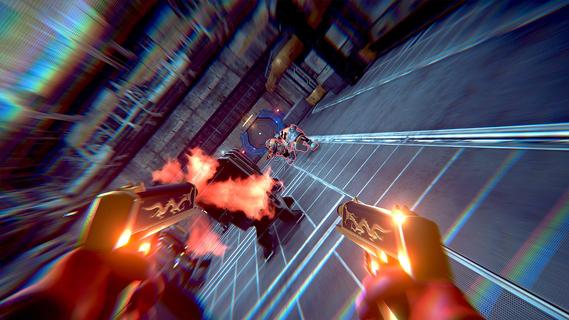
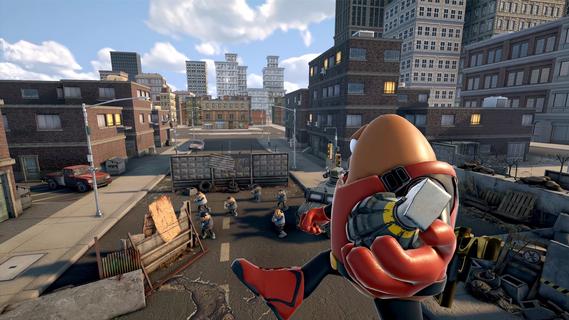

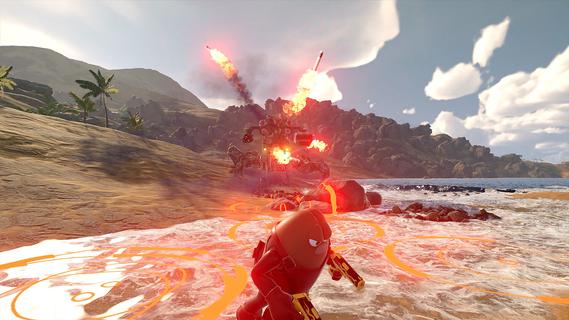
Killer Bean is an action-packed roguelike shooter that puts you in the role of a rogue assassin coffee bean with a mission to clean up the world, one bullet at a time. Combining fast-paced gunplay with strategic decision-making, the game offers a unique blend of first-person and third-person perspectives, allowing players to experience intense combat from different angles. Each campaign you start unfolds a new story, ensuring that no two playthroughs are the same and keeping the gameplay fresh and unpredictable. As Killer Bean, you navigate through procedurally generated levels filled with enemies, traps, and challenges that test your reflexes and tactical skills. The roguelike elements mean that death is permanent, but each run allows you to unlock new weapons, abilities, and upgrades that enhance your chances of survival in subsequent attempts. This progression system encourages experimentation with different playstyles, whether you prefer stealthy takedowns, aggressive firefights, or a balanced approach. The game’s combat mechanics are fluid and satisfying, with a variety of firearms and gadgets at your disposal. Precision aiming, quick dodges, and smart use of cover are essential to overcoming waves of hostile targets. The dynamic switching between first-person and third-person views adds depth to the gameplay, letting you adapt your strategy based on the situation—first-person for precise shooting and immersion, third-person for better spatial awareness and maneuvering. Beyond combat, Killer Bean’s narrative adds an intriguing layer to the experience. The story evolves with each campaign, revealing more about the mysterious world you inhabit and the motivations behind your assassination missions. This evolving narrative keeps players engaged, as they uncover secrets, face moral dilemmas, and encounter a cast of colorful characters along the way. Visually, Killer Bean features stylized graphics that blend cartoonish charm with gritty action aesthetics. The environments range from shadowy urban alleys to high-tech facilities, each designed to challenge your navigation and combat skills. The sound design complements the intense action, with impactful gunfire, atmospheric music, and voice acting that bring the world to life. Killer Bean also emphasizes replayability and player choice. The procedural generation ensures that each run presents new layouts and enemy placements, while the variety of unlockable gear and abilities allows for personalized strategies. Whether you aim for high scores, speed runs, or simply want to experience the evolving story, the game offers plenty of content to keep you coming back. In summary, Killer Bean is a thrilling roguelike shooter that combines fast-paced action, strategic gameplay, and an evolving narrative. Its unique protagonist—a rogue assassin coffee bean—adds a quirky twist to the genre, while the procedural storytelling and dynamic combat keep the experience engaging and fresh. For players who enjoy challenging shooters with a mix of strategy and story, Killer Bean delivers an exciting and memorable adventure.
Mehr anzeigen

1. Laden das MEmu-Installationsprogramm herunter und beenden die Installation

2. MEmu starten und Google Play auf der Homepage öffnen

3. Suchen Killer Bean in Google Play
Install
4. Herunterladen und Installieren Killer Bean
5. Klicken nach Abschluss der Installation auf das Symbol, um es zu starten

6. Viel Spaß beim Spielen von Killer Bean auf dem PC mit MEmu
MEmu App Player ist der beste kostenlose Android-Emulator und 50 Millionen Menschen genießen bereits seine hervorragende Android-Gaming-Erfahrung. Mit der MEmu-Virtualisierungstechnologie können Sie Tausende von Android-Spielen problemlos auf Ihrem PC spielen, selbst bei grafikintensiven Spielen.
BGrößeres Bild mit besserer Grafik; Keine unterbrechungen, keine sorgen um Akku
Komplette Tastenbelegung unterstützt mit Maus und Tastatur oder Controller
Mit dem „Multi-Instance-Manager“ können Sie mehrere Spielkonten oder Spiele gleichzeitig auf einem PC ausführen.
Play Killer Bean on PC by following steps: