KYORA
Aktualisiert
Aktuelle Version
Angeboten von

Bei all Ihrer Leidenschaft für das Spielen von KYORA sollten Ihre Hände nicht auf einen winzigen Bildschirm Ihres Telefons beschränkt sein. Spielen Sie wie ein Profi und übernehmen Sie die volle Kontrolle über Ihr Spiel mit Tastatur und Maus. MEmu bietet Ihnen all die Dinge, die Sie erwarten. Laden Sie KYORA herunter und spielen Sie es auf dem PC. Spielen Sie so lange, wie Sie wollen, ohne Grenzwerte für Akku, mobile Daten und störende Anrufe. Das brandneue MEmu 9 ist die beste Wahl, um KYORA auf dem PC zu spielen. Das exquisite voreingestellte Tastaturbelegungssystem, das mit unserem Fachwissen vorbereitet wurde, macht KYORA zu einem echten PC-Spiel. Der MEmu Multi-Instanz-Manager ermöglicht das Spielen von 2 oder mehr Konten auf demselben Gerät. Und das Wichtigste: Unsere exklusive Emulations-Engine kann das volle Potenzial Ihres PCs freisetzen und für reibungslose Abläufe sorgen.
Mehr anzeigen
Laden Sie Play KYORA auf dem PC mit MEmu Android Emulator. Viel Spaß beim Spielen auf großmundieren. KYORA is a captivating multiplayer sandbox adventure game that invites players to immerse themselves in a vast, mystical world where creativity and strategy go hand in hand.
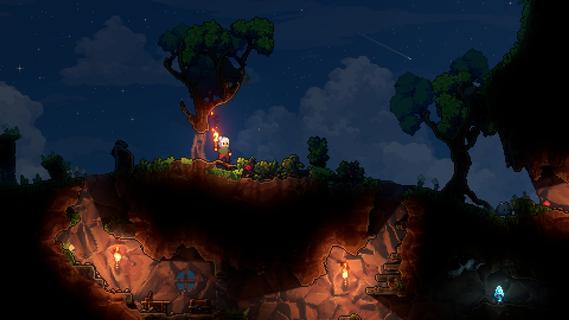
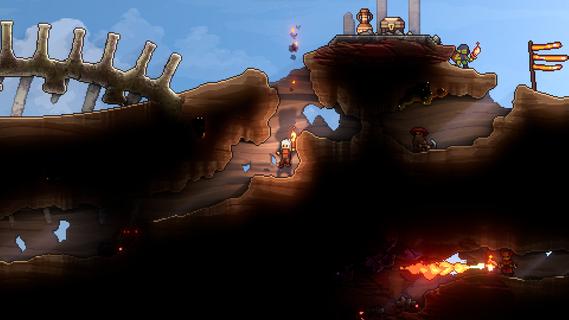
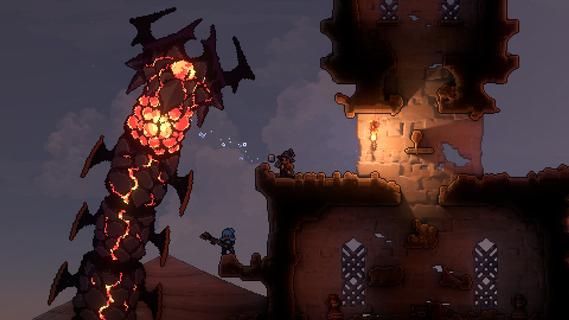
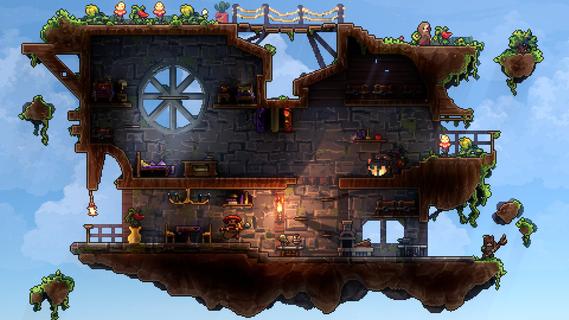
KYORA is a captivating multiplayer sandbox adventure game that invites players to immerse themselves in a vast, mystical world where creativity and strategy go hand in hand. Every pixel in KYORA’s vibrant environment is yours to manipulate—whether you choose to mine precious resources, build intricate structures, or unleash explosive chaos. The game offers a seamless blend of exploration, crafting, combat, and collaboration, making it a unique experience for players who enjoy freedom and creativity in a shared universe. At its core, KYORA emphasizes player agency. From the moment you enter this enchanting world, you have the power to shape the landscape according to your vision. The terrain is fully destructible and modifiable, allowing for endless possibilities. Whether you want to carve out tunnels deep underground to discover rare minerals or erect towering fortresses to defend against rivals, the choice is yours. The game’s physics-based mechanics add a layer of realism and strategy, as explosions and environmental changes affect gameplay dynamically. KYORA’s multiplayer aspect is where the game truly shines. Players can team up with friends or compete against others in a variety of challenges and events. Cooperation is key when building massive projects or defending your territory from hostile forces. The social dynamics foster a vibrant community where alliances are forged, rivalries ignite, and creativity flourishes. Whether you prefer peaceful collaboration or intense competition, KYORA caters to all playstyles. Combat in KYORA is both strategic and action-packed. Players must master a variety of weapons and tools, each with unique effects and tactical uses. Battles can take place on land or within the complex structures players build, turning every encounter into a dynamic and unpredictable experience. The game encourages players to think creatively, using the environment to their advantage—whether by setting traps, creating barriers, or launching surprise attacks. Crafting and resource management are integral to progression in KYORA. Gathering materials from the environment allows players to craft weapons, tools, and building components essential for survival and dominance. The crafting system is deep yet accessible, rewarding experimentation and strategic planning. As you advance, you unlock new recipes and technologies that expand your capabilities, enabling more ambitious constructions and powerful equipment. Visually, KYORA captivates with its colorful, pixel-art aesthetic that blends charm and detail. The world is rich with diverse biomes, each offering unique resources and challenges. From lush forests and sparkling caves to fiery volcanic zones, exploration is always rewarding and full of surprises. The soundtrack complements the immersive atmosphere, enhancing the sense of adventure and discovery. In summary, KYORA is more than just a sandbox game—it’s a living, breathing world where players can express their creativity, engage in thrilling combat, and build lasting social connections. Its combination of open-ended gameplay, strategic depth, and multiplayer interaction makes it a standout title for anyone seeking a magical, player-driven adventure. Whether you’re a builder, explorer, fighter, or strategist, KYORA offers a rich playground where your imagination is the only limit.
Mehr anzeigen

1. Laden das MEmu-Installationsprogramm herunter und beenden die Installation

2. MEmu starten und Google Play auf der Homepage öffnen

3. Suchen KYORA in Google Play
Install
4. Herunterladen und Installieren KYORA
5. Klicken nach Abschluss der Installation auf das Symbol, um es zu starten

6. Viel Spaß beim Spielen von KYORA auf dem PC mit MEmu
MEmu App Player ist der beste kostenlose Android-Emulator und 50 Millionen Menschen genießen bereits seine hervorragende Android-Gaming-Erfahrung. Mit der MEmu-Virtualisierungstechnologie können Sie Tausende von Android-Spielen problemlos auf Ihrem PC spielen, selbst bei grafikintensiven Spielen.
BGrößeres Bild mit besserer Grafik; Keine unterbrechungen, keine sorgen um Akku
Komplette Tastenbelegung unterstützt mit Maus und Tastatur oder Controller
Mit dem „Multi-Instance-Manager“ können Sie mehrere Spielkonten oder Spiele gleichzeitig auf einem PC ausführen.
Play KYORA on PC by following steps: