KYORA
Updated
Current Version
Offered By

With your passion for KYORA, you shouldn’t have to limit yourself to the small screen of a phone. Play like a pro and take full control of the game using a keyboard and mouse. MEmu gives you everything you’re looking for. Download and play KYORA on PC. Play as long as you want — no more worries about battery life, mobile data, or unexpected calls. The all-new MEmu 9 is the best way to play KYORA on PC. With our expertly designed keymapping system, KYORA feels just like a real PC game. The MEmu multi-instance manager lets you run two or more accounts on the same device at the same time. Most importantly, our exclusive emulation engine unlocks your PC’s full potential, delivering smooth and seamless performance.
Show more
Download KYORA on PC with MEmu Android Emulator. Enjoy playing on big screen. KYORA is a captivating multiplayer sandbox adventure game that invites players to immerse themselves in a vast, mystical world where creativity and strategy go hand in hand.
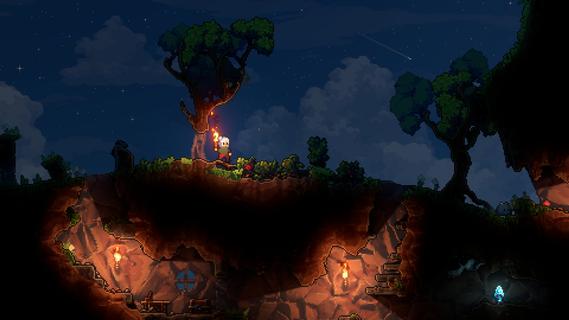
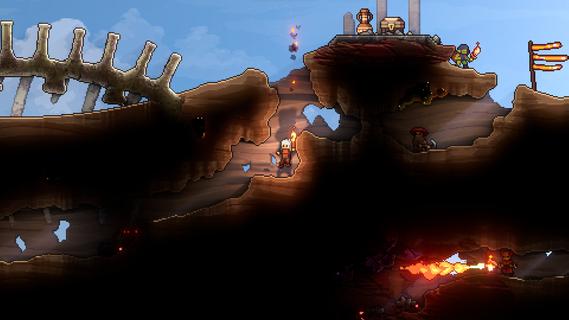
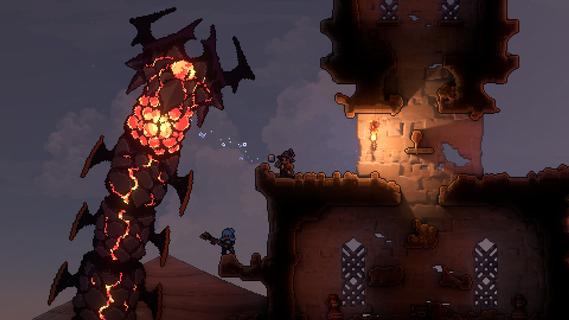
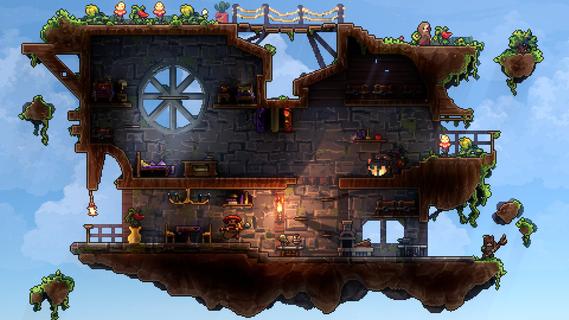
KYORA is a captivating multiplayer sandbox adventure game that invites players to immerse themselves in a vast, mystical world where creativity and strategy go hand in hand. Every pixel in KYORA’s vibrant environment is yours to manipulate—whether you choose to mine precious resources, build intricate structures, or unleash explosive chaos. The game offers a seamless blend of exploration, crafting, combat, and collaboration, making it a unique experience for players who enjoy freedom and creativity in a shared universe. At its core, KYORA emphasizes player agency. From the moment you enter this enchanting world, you have the power to shape the landscape according to your vision. The terrain is fully destructible and modifiable, allowing for endless possibilities. Whether you want to carve out tunnels deep underground to discover rare minerals or erect towering fortresses to defend against rivals, the choice is yours. The game’s physics-based mechanics add a layer of realism and strategy, as explosions and environmental changes affect gameplay dynamically. KYORA’s multiplayer aspect is where the game truly shines. Players can team up with friends or compete against others in a variety of challenges and events. Cooperation is key when building massive projects or defending your territory from hostile forces. The social dynamics foster a vibrant community where alliances are forged, rivalries ignite, and creativity flourishes. Whether you prefer peaceful collaboration or intense competition, KYORA caters to all playstyles. Combat in KYORA is both strategic and action-packed. Players must master a variety of weapons and tools, each with unique effects and tactical uses. Battles can take place on land or within the complex structures players build, turning every encounter into a dynamic and unpredictable experience. The game encourages players to think creatively, using the environment to their advantage—whether by setting traps, creating barriers, or launching surprise attacks. Crafting and resource management are integral to progression in KYORA. Gathering materials from the environment allows players to craft weapons, tools, and building components essential for survival and dominance. The crafting system is deep yet accessible, rewarding experimentation and strategic planning. As you advance, you unlock new recipes and technologies that expand your capabilities, enabling more ambitious constructions and powerful equipment. Visually, KYORA captivates with its colorful, pixel-art aesthetic that blends charm and detail. The world is rich with diverse biomes, each offering unique resources and challenges. From lush forests and sparkling caves to fiery volcanic zones, exploration is always rewarding and full of surprises. The soundtrack complements the immersive atmosphere, enhancing the sense of adventure and discovery. In summary, KYORA is more than just a sandbox game—it’s a living, breathing world where players can express their creativity, engage in thrilling combat, and build lasting social connections. Its combination of open-ended gameplay, strategic depth, and multiplayer interaction makes it a standout title for anyone seeking a magical, player-driven adventure. Whether you’re a builder, explorer, fighter, or strategist, KYORA offers a rich playground where your imagination is the only limit.
Show more

1. Download MEmu installer and finish the setup

2. Start MEmu then open Google Play on the desktop

3. Search KYORA in Google Play
Install
4. Download and Install KYORA
5. On install completion click the icon to start

6. Enjoy playing KYORA on PC with MEmu
MEmu Play is the best Android emulator and 100 million people already enjoy its superb Android gaming experience. The MEmu virtualization technology empowers you to play thousands of Android games smoothly on your PC, even the most graphic-intensive ones.
Bigger screen with better graphics; Long duration, without limitation of battery or mobile data.
Full Keymapping support for precise control of keyboard and mouse or gamepad.
Multiple game accounts or tasks on single PC at one time with Multi-Instance manager.
Play KYORA on PC by following steps:

















































