Arzopa: Share photos & videos
Aktualisiert
Aktuelle Version
6.5.15
Angeboten von

Machen Sie sich keine Sorgen mehr über überhöhte Gebühren, wenn Sie Arzopa: Share photos & videos auf Ihrem Mobiltelefon verwenden, befreien Sie sich von dem winzigen Bildschirm und genießen Sie die Nutzung der App auf einem viel größeren Display. Von nun an können Sie Ihre App mit Tastatur und Maus im Vollbildmodus nutzen. MEmu bietet Ihnen all die überraschenden Funktionen, die Sie erwartet haben: schnelle Installation und einfache Einrichtung, intuitive Steuerung, keine Einschränkungen mehr durch Batterie, mobile Daten und störende Anrufe. Der brandneue MEmu 9 ist die beste Wahl für die Nutzung von Arzopa: Share photos & videos auf Ihrem Computer. Mit unserer Absorption kodiert, ermöglicht der Multi-Instanz-Manager die Eröffnung von 2 oder mehr Konten zur gleichen Zeit. Und das Wichtigste, unsere exklusive Emulations-Engine kann das volle Potenzial Ihres PCs freisetzen und alles reibungslos und angenehm gestalten.
Mehr anzeigen
Genieße Arzopa: Share photos & videos auf deinem PC mit MEmu Play in einer fantastischen Version. Dieser leistungsstarke, kostenlose Android-Emulator bietet dir Zugriff auf Tausende von Android-Apps für deinen Desktop. Bleib mit Freunden in Kontakt und arbeite effizienter! Arzopa will help you share your life moments more easily.
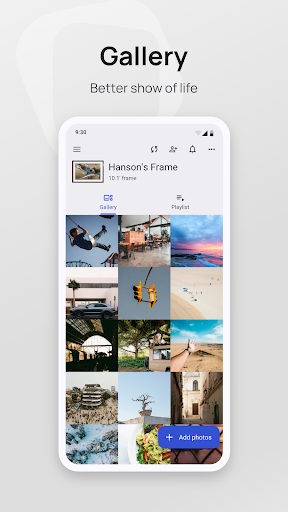
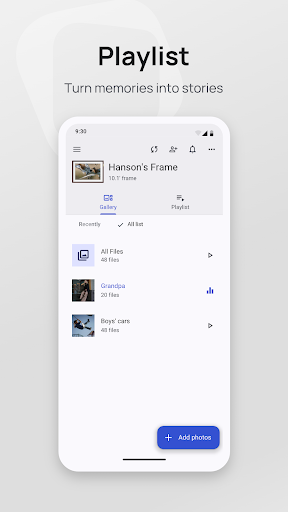
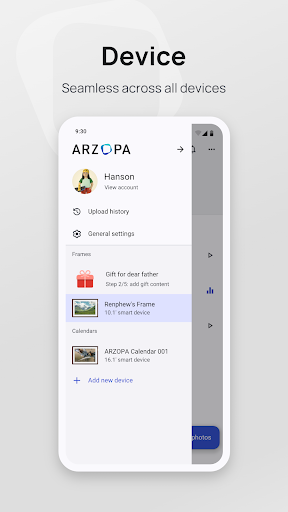
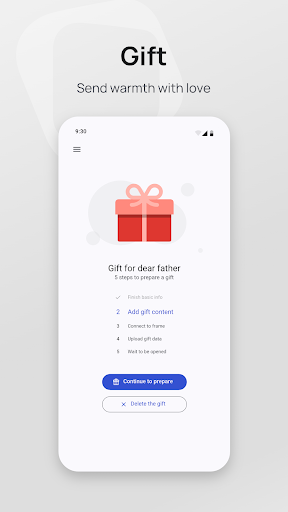
Arzopa will help you share your life moments more easily. You can upload pictures and videos to our photo frames anytime, anywhere to share the joy with your family and friends instantly. Our photo frames will be the reason your family and friends gather together.
Download and install Arzopa for free, you will experience:
-Easily complete the setup and start using it immediately
-You can send or receive pictures and videos from family and friends, which will automatically play on your or your family and friends’ photo frames
-Invite family and friends to connect to the photo frame. You will have a shared photo album with your family and friends on your phone and photo frame, which can be viewed and uploaded anytime, anywhere.
-Download pictures and videos to your phone with one click
-Grandparents will be able to see their children’s life moments, big and small
Mehr anzeigen

1. Laden das MEmu-Installationsprogramm herunter und beenden die Installation

2. MEmu starten und Google Play auf der Homepage öffnen

3. Suchen Arzopa: Share photos & videos in Google Play
Install
4. Herunterladen und Installieren Arzopa: Share photos & videos
5. Klicken nach Abschluss der Installation auf das Symbol, um es zu starten

6. Verwenden Sie MEmu, um Arzopa: Share photos & videos auf Ihrem PC zu nutzen
MEmu Play ist aktuell der beste kostenlose Android-Emulator und bietet 50 Millionen Nutzern ein überragendes Android-App-Erlebnis. Dank der Virtualisierungstechnologie von MEmu können Sie Tausende von Android-Apps problemlos auf Ihrem Computer nutzen, selbst solche mit hohen Grafikanforderungen.
BGrößeres Bild mit besserer Grafik; Keine unterbrechungen, keine sorgen um Akku
Komplette Tastenbelegung unterstützt mit Maus und Tastatur oder Controller
Mit dem „Multi-Instance-Manager“ können Sie mehrere Spielkonten oder Spiele gleichzeitig auf einem PC ausführen.
Use Arzopa: Share photos & videos on PC by following steps: