Eyepic: Epic Iris Photos
Aktualisiert
Aktuelle Version
7.1.1
Angeboten von

Machen Sie sich keine Sorgen mehr über überhöhte Gebühren, wenn Sie Eyepic: Epic Iris Photos auf Ihrem Mobiltelefon verwenden, befreien Sie sich von dem winzigen Bildschirm und genießen Sie die Nutzung der App auf einem viel größeren Display. Von nun an können Sie Ihre App mit Tastatur und Maus im Vollbildmodus nutzen. MEmu bietet Ihnen all die überraschenden Funktionen, die Sie erwartet haben: schnelle Installation und einfache Einrichtung, intuitive Steuerung, keine Einschränkungen mehr durch Batterie, mobile Daten und störende Anrufe. Der brandneue MEmu 9 ist die beste Wahl für die Nutzung von Eyepic: Epic Iris Photos auf Ihrem Computer. Mit unserer Absorption kodiert, ermöglicht der Multi-Instanz-Manager die Eröffnung von 2 oder mehr Konten zur gleichen Zeit. Und das Wichtigste, unsere exklusive Emulations-Engine kann das volle Potenzial Ihres PCs freisetzen und alles reibungslos und angenehm gestalten.
Mehr anzeigen
Laden Sie Play Eyepic: Epic Iris Photos auf dem PC mit MEmu Android Emulator. Viel Spaß beim Spielen auf großmundieren. Introducing Eyepic, an AI-powered camera app designed to take beautiful, detailed photos of your iris.
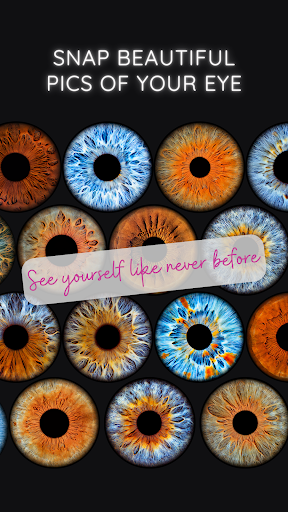
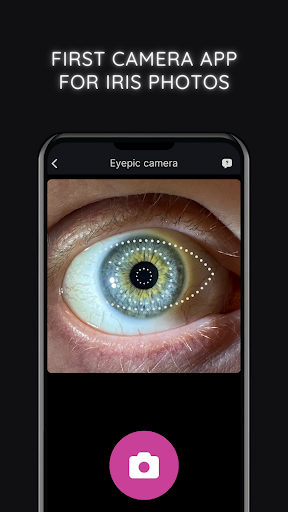
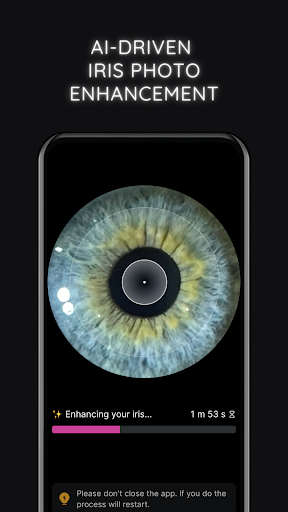
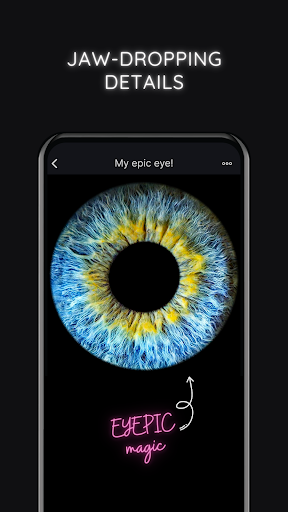
Introducing Eyepic, an AI-powered camera app designed to take beautiful, detailed photos of your iris.
Simply capture a photo of your eye, and allow our crazy-smart AI algorithm to enhance and reveal its fascinating details with remarkable clarity.
Show off your epic eye snaps directly from the app to your social feeds or share them with your loved ones.
Give your eyes the spotlight they deserve!
AI-Powered Eye Photo Enhancement
Capture stunning eye photos with ease using Eyepic's crazy-smart technology.
Designed specifically to handle the complexities of eye photography, our AI algorithms swiftly enhance your eye shots, revealing the remarkable details of your unique iris. Just snap a pic and let our AI do the hard work.
In-App Eye Photo Editing
After our AI does its magic, you can add your own touch.
Adjust the contrast to make your images pop, or use the saturation tool to enhance the natural hues of your iris.
Looking to highlight the coolness of blue eyes or to bring out the warmth in brown eyes? Just slide the temperature bar to find the perfect balance.
With Eyepic, you can experiment and make your eye photos look just how you want them to!
One-Tap Sharing
Once Eyepic's clever tech has taken your photos to the next level, a single tap sends your amazing iris photo from the app straight to your favorite social media platforms. Let your friends and followers marvel at your epic eye art. You can also share personalized animation videos that give an insider's view of your eye enhancement journey.
High-Quality Downloads
Download a high-res image of your epic eye art, all set for sharing, printing, or personalizing your devices with unique wallpapers. Get an animated video showing your eye's transformation, primed for social sharing.
Smartwatch Face
Create a one-of-a-kind smartwatch face with Eyepic. Download a watch face featuring a stunning photo of your eye, adding a personal touch to your wrist that truly reflects your uniqueness.
Mehr anzeigen

1. Laden das MEmu-Installationsprogramm herunter und beenden die Installation

2. MEmu starten und Google Play auf der Homepage öffnen

3. Suchen Eyepic: Epic Iris Photos in Google Play
Install
4. Herunterladen und Installieren Eyepic: Epic Iris Photos
5. Klicken nach Abschluss der Installation auf das Symbol, um es zu starten

6. Verwenden Sie MEmu, um Eyepic: Epic Iris Photos auf Ihrem PC zu nutzen
MEmu Play ist aktuell der beste kostenlose Android-Emulator und bietet 50 Millionen Nutzern ein überragendes Android-App-Erlebnis. Dank der Virtualisierungstechnologie von MEmu können Sie Tausende von Android-Apps problemlos auf Ihrem Computer nutzen, selbst solche mit hohen Grafikanforderungen.
BGrößeres Bild mit besserer Grafik; Keine unterbrechungen, keine sorgen um Akku
Komplette Tastenbelegung unterstützt mit Maus und Tastatur oder Controller
Mit dem „Multi-Instance-Manager“ können Sie mehrere Spielkonten oder Spiele gleichzeitig auf einem PC ausführen.
Use Eyepic: Epic Iris Photos on PC by following steps: