GPS Maps, Navigation & Traffic
Aktualisiert
Aktuelle Version
4.0.57
Angeboten von

Machen Sie sich keine Sorgen mehr über überhöhte Gebühren, wenn Sie GPS Maps, Navigation & Traffic auf Ihrem Mobiltelefon verwenden, befreien Sie sich von dem winzigen Bildschirm und genießen Sie die Nutzung der App auf einem viel größeren Display. Von nun an können Sie Ihre App mit Tastatur und Maus im Vollbildmodus nutzen. MEmu bietet Ihnen all die überraschenden Funktionen, die Sie erwartet haben: schnelle Installation und einfache Einrichtung, intuitive Steuerung, keine Einschränkungen mehr durch Batterie, mobile Daten und störende Anrufe. Der brandneue MEmu 9 ist die beste Wahl für die Nutzung von GPS Maps, Navigation & Traffic auf Ihrem Computer. Mit unserer Absorption kodiert, ermöglicht der Multi-Instanz-Manager die Eröffnung von 2 oder mehr Konten zur gleichen Zeit. Und das Wichtigste, unsere exklusive Emulations-Engine kann das volle Potenzial Ihres PCs freisetzen und alles reibungslos und angenehm gestalten.
Mehr anzeigen
Genieße GPS Maps, Navigation & Traffic auf deinem PC mit MEmu Play in einer fantastischen Version. Dieser leistungsstarke, kostenlose Android-Emulator bietet dir Zugriff auf Tausende von Android-Apps für deinen Desktop. Bleib mit Freunden in Kontakt und arbeite effizienter! Unlock the ultimate navigation experience with our GPS Maps Navigator app.
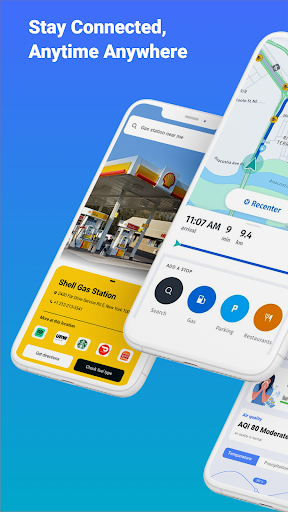
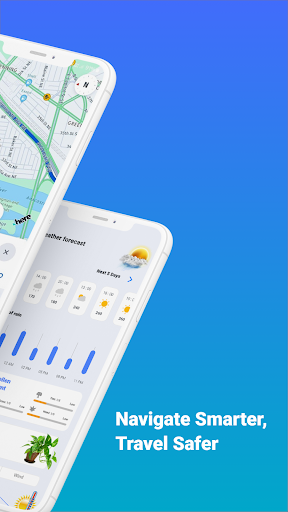
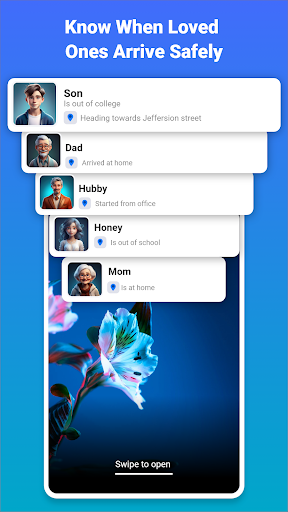
Unlock the ultimate navigation experience with our GPS Maps Navigator app. Whether you are commuting to work, exploring new destinations, or simply trying to avoid traffic jams, this app is your perfect travel companion. Packed with powerful features and optimized for seamless use, it ensures you'll never lose your way again.
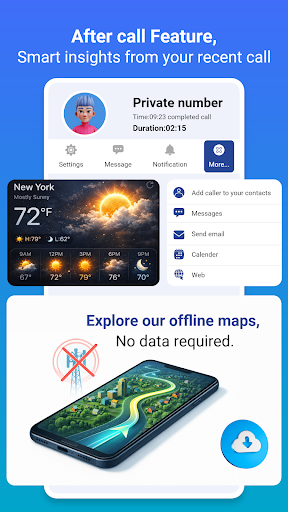
GPS Maps, Navigation & Traffic shows an after-call enabling you to identify incoming calls as they happen, so you can lets you quickly access navigation, maps, and routes immediately after the incoming call. This enables users to access navigation, maps, and routes and share them with friends and family after calls.
Key Features:
• Turn-by-Turn Navigation: Stay on track with precise voice guidance and visual aids.
• Live Traffic Updates: Avoid congestion and delays with real-time traffic monitoring.
• Multiple Route Options: Choose the best path for your journey with smart route planning.
• Offline Maps: Download maps for uninterrupted navigation anytime, anywhere.
• Point of Interest Search: Quickly find nearby restaurants, gas stations, landmarks, and more.
• Customizable Settings: Adjust preferences for alerts, map views, and navigation styles.
Advanced Highlights:
• Global Coverage: Navigate across countries with detailed maps.
• Driving, Walking, Cycling Modes: Tailored routes for every type of travel.
• Interactive Map Layers: Access terrain, satellite view, street view, and more.
• Integration with Smart Devices: Compatible with smartwatches and car navigation systems.
Why Choose Us:
• High Accuracy: State-of-the-art GPS technology ensures precise location tracking.
• User-Friendly Interface: Easy-to-use design for smooth interaction and navigation.
• Regular Updates: Stay ahead with frequent feature enhancements and security patches.
• Lightweight & Fast: Optimized for speed and efficiency, with minimal battery consumption.
Download now and join millions of users worldwide who trust GPS Maps Navigator for their everyday journeys and extraordinary adventures. Whether you're driving through city streets, trekking remote trails, or cycling across scenic routes, we've got you covered. Make every trip stress-free, efficient, and enjoyable with advanced GPS navigation at your fingertips."
Keywords:
GPS maps, navigation app, live traffic updates, route planner, offline maps, voice guidance, turn-by-turn navigation, walking navigation, cycling routes, global map coverage, interactive map layers, real-time traffic monitoring, precision navigation, user-friendly maps, fast travel, best GPS app, driving directions, street maps, satellite maps, POI search, car navigation system.
This draft is optimized with a high density of relevant keywords and focuses on features that drive installs. Let me know if you'd like me to make further adjustments!
Mehr anzeigen

1. Laden das MEmu-Installationsprogramm herunter und beenden die Installation

2. MEmu starten und Google Play auf der Homepage öffnen

3. Suchen GPS Maps, Navigation & Traffic in Google Play
Install
4. Herunterladen und Installieren GPS Maps, Navigation & Traffic
5. Klicken nach Abschluss der Installation auf das Symbol, um es zu starten

6. Verwenden Sie MEmu, um GPS Maps, Navigation & Traffic auf Ihrem PC zu nutzen
MEmu Play ist aktuell der beste kostenlose Android-Emulator und bietet 50 Millionen Nutzern ein überragendes Android-App-Erlebnis. Dank der Virtualisierungstechnologie von MEmu können Sie Tausende von Android-Apps problemlos auf Ihrem Computer nutzen, selbst solche mit hohen Grafikanforderungen.
BGrößeres Bild mit besserer Grafik; Keine unterbrechungen, keine sorgen um Akku
Komplette Tastenbelegung unterstützt mit Maus und Tastatur oder Controller
Mit dem „Multi-Instance-Manager“ können Sie mehrere Spielkonten oder Spiele gleichzeitig auf einem PC ausführen.
Use GPS Maps, Navigation & Traffic on PC by following steps: