KKBOX | Music and Podcasts
Aktualisiert
Aktuelle Version
Angeboten von

Machen Sie sich keine Sorgen mehr über überhöhte Gebühren, wenn Sie KKBOX | Music and Podcasts auf Ihrem Mobiltelefon verwenden, befreien Sie sich von dem winzigen Bildschirm und genießen Sie die Nutzung der App auf einem viel größeren Display. Von nun an können Sie Ihre App mit Tastatur und Maus im Vollbildmodus nutzen. MEmu bietet Ihnen all die überraschenden Funktionen, die Sie erwartet haben: schnelle Installation und einfache Einrichtung, intuitive Steuerung, keine Einschränkungen mehr durch Batterie, mobile Daten und störende Anrufe. Der brandneue MEmu 9 ist die beste Wahl für die Nutzung von KKBOX | Music and Podcasts auf Ihrem Computer. Mit unserer Absorption kodiert, ermöglicht der Multi-Instanz-Manager die Eröffnung von 2 oder mehr Konten zur gleichen Zeit. Und das Wichtigste, unsere exklusive Emulations-Engine kann das volle Potenzial Ihres PCs freisetzen und alles reibungslos und angenehm gestalten.
Mehr anzeigen
Genieße KKBOX | Music and Podcasts auf deinem PC mit MEmu Play in einer fantastischen Version. Dieser leistungsstarke, kostenlose Android-Emulator bietet dir Zugriff auf Tausende von Android-Apps für deinen Desktop. Bleib mit Freunden in Kontakt und arbeite effizienter! Register to enjoy 14-day lossless quality experience.
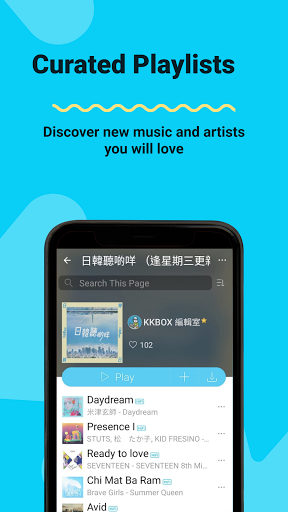
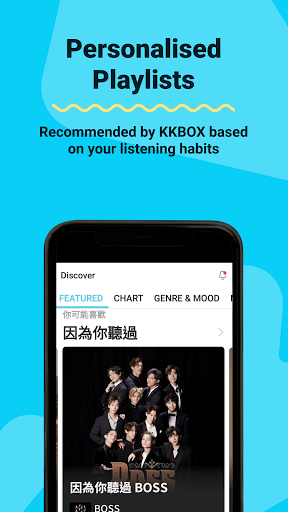
Register to enjoy 14-day lossless quality experience. Discover new songs on KKBOX!
- Music and Podcasts
Dive into your very own world of music, where over 100 million songs await you. Take your pick from Chinese, Cantonese, English, Japanese or Korean songs. Our expanded library now includes audiobooks and podcasts — free for listening.
(The podcast feature is only available in Taiwan, Singapore and Malaysia.)
- Personalized Recommendations
Think of us as your personal music butler. We provide curated, personalized playlists based on your listening habits.
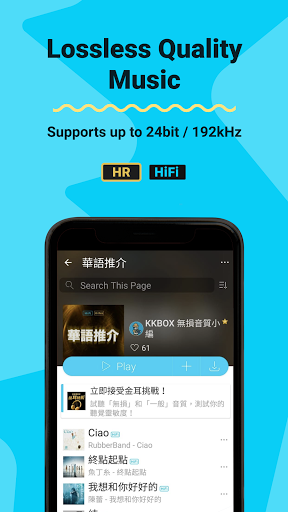
- Lossless Quality (Available in Taiwan, Hong Kong and Singapore)
Indulge in Lossless audio quality as we support streaming up to 24bit/192kHz. Enjoy music in its original recording quality!
- Fan Badges (Available in Taiwan)
Show your idols you love them! Based on your stream count, KKBOX will award top fans with a badge. The more you stream your idol's music, the higher the chance of earning a badge.
- KK Points (Available in Taiwan)
Collect KK Points to take part in member-exclusive contests. Win tickets to concerts, movies and other awesome prizes!
*Selected services are only available in certain regions. Music library varies with each territory's licensed music.
------------------------------
Each Member’s Account is authorized to be accessed from multiple personal devices, including mobile phone, computer, tablet computer, etc. However, a Member Account cannot be simultaneously used on more than one device. Members can change the settings of their personal devices through our administration system. We reserve the right to modify our administration system as well as the mode and number of changes.
Upgrade to KKBOX Premium via in-app-purchase. The subscription fee will differ based on territory, and the payment will be charged to your credit card directly through iTunes.
If you subscribe our monthly subscription, subscription fees will be automatically deducted the following month via your preferred payment mode.
If you signed up for a free or discounted trial subscription and you don't want to renew it, cancel it at least 24 hours before the trial ends.
Follow us on Facebook: https://www.facebook.com/KKBOX
Privacy Policy: https://www.kkbox.com/about/en/privacy
Terms of Use: https://www.kkbox.com/about/en/terms
Mehr anzeigen

1. Laden das MEmu-Installationsprogramm herunter und beenden die Installation

2. MEmu starten und Google Play auf der Homepage öffnen

3. Suchen KKBOX | Music and Podcasts in Google Play
Install
4. Herunterladen und Installieren KKBOX | Music and Podcasts
5. Klicken nach Abschluss der Installation auf das Symbol, um es zu starten

6. Verwenden Sie MEmu, um KKBOX | Music and Podcasts auf Ihrem PC zu nutzen
MEmu Play ist aktuell der beste kostenlose Android-Emulator und bietet 50 Millionen Nutzern ein überragendes Android-App-Erlebnis. Dank der Virtualisierungstechnologie von MEmu können Sie Tausende von Android-Apps problemlos auf Ihrem Computer nutzen, selbst solche mit hohen Grafikanforderungen.
BGrößeres Bild mit besserer Grafik; Keine unterbrechungen, keine sorgen um Akku
Komplette Tastenbelegung unterstützt mit Maus und Tastatur oder Controller
Mit dem „Multi-Instance-Manager“ können Sie mehrere Spielkonten oder Spiele gleichzeitig auf einem PC ausführen.
Use KKBOX | Music and Podcasts on PC by following steps: