Kwai - download & share video
Aktualisiert
Aktuelle Version
13.8.10.646404
Angeboten von

Machen Sie sich keine Sorgen mehr über überhöhte Gebühren, wenn Sie Kwai - download & share video auf Ihrem Mobiltelefon verwenden, befreien Sie sich von dem winzigen Bildschirm und genießen Sie die Nutzung der App auf einem viel größeren Display. Von nun an können Sie Ihre App mit Tastatur und Maus im Vollbildmodus nutzen. MEmu bietet Ihnen all die überraschenden Funktionen, die Sie erwartet haben: schnelle Installation und einfache Einrichtung, intuitive Steuerung, keine Einschränkungen mehr durch Batterie, mobile Daten und störende Anrufe. Der brandneue MEmu 9 ist die beste Wahl für die Nutzung von Kwai - download & share video auf Ihrem Computer. Mit unserer Absorption kodiert, ermöglicht der Multi-Instanz-Manager die Eröffnung von 2 oder mehr Konten zur gleichen Zeit. Und das Wichtigste, unsere exklusive Emulations-Engine kann das volle Potenzial Ihres PCs freisetzen und alles reibungslos und angenehm gestalten.
Mehr anzeigen
Laden Sie Play Kwai - download & share video auf dem PC mit MEmu Android Emulator. Viel Spaß beim Spielen auf großmundieren. WHAT IS KWAI?


WHAT IS KWAI?
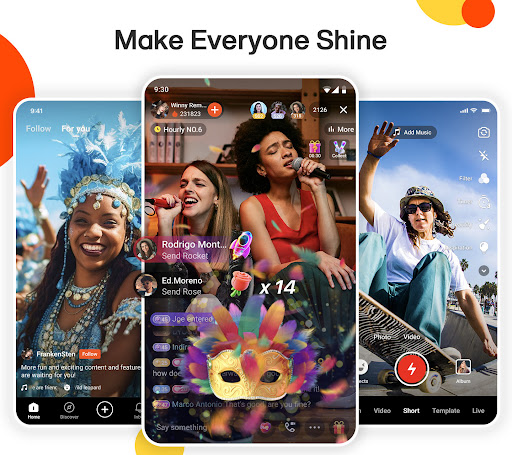
Kwai is a dynamic short video app that brings your creativity to life! Join a global community where you can discover, create, and share entertaining and inspirational videos. From funny clips to heartfelt moments, Kwai offers a platform for everyone to express themselves and connect with others. Whether you’re a casual viewer or a content creator, dive into endless possibilities and let your creativity shine on Kwai!
TikTok Style
Just like TikTok, Kwai offers an intuitive platform for users to express themselves and connect with others around the globe. Whether you're looking to entertain or be entertained like TikTok, Kwai is your go-to app for endless fun and creativity!
JOIN THE COMMUNITY
Find new friends and have fun with them. We have private messages. Enjoy the community and social network that has all the memes, trends and short videos that you could wish for.
TRENDS AND CHALLENGES!
Find the best trends from around world with challenges, challenges, and competitions every day. Who will be the most most? Follow your favorite creators. Everything funny, fun and cool is here.
SEE WHAT YOU LIKE MOST
Choose your favorite content: Memes, Dance, Music, Humor, Blog, Beauty, Makeup, Fashion, Sports, Pets and much more. Find new friends who like the same content.
FOLLOW YOUR FAVORITE CREATORS
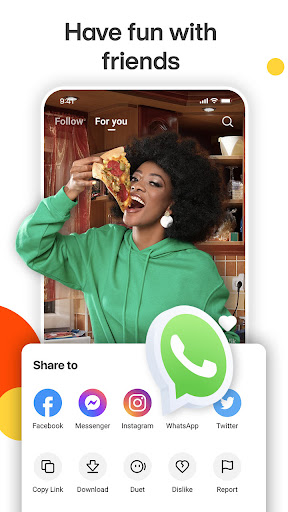
The best creators are in Kwai. Make a Duet with your favorite creator. Download and save your videos to watch them when you are offline. Share videos on other platforms such as WhatsApp, Instagram, Twitter among others.
CREATE ORIGINAL CONTENT ON KWAI
In Kwai you can both watch and create videos. Become a creator by producing and uploading your own content to our community. These can be funny videos, music videos, or anything else you can think of. In other words, this is your space to shine and set trends, all while making extra money while having fun.
THE BEST EFFECTS
Get creative and have fun. Kwai has the best magic effects to use in your short videos.
FOR LAUGHING
Have a happy time watching short videos, memes and the most popular trends in the world. The funniest are all in Kwai. Among the videos on the social network, there are all kinds of content to entertain you.
Mehr anzeigen

1. Laden das MEmu-Installationsprogramm herunter und beenden die Installation

2. MEmu starten und Google Play auf der Homepage öffnen

3. Suchen Kwai - download & share video in Google Play
Install
4. Herunterladen und Installieren Kwai - download & share video
5. Klicken nach Abschluss der Installation auf das Symbol, um es zu starten

6. Verwenden Sie MEmu, um Kwai - download & share video auf Ihrem PC zu nutzen
MEmu Play ist aktuell der beste kostenlose Android-Emulator und bietet 50 Millionen Nutzern ein überragendes Android-App-Erlebnis. Dank der Virtualisierungstechnologie von MEmu können Sie Tausende von Android-Apps problemlos auf Ihrem Computer nutzen, selbst solche mit hohen Grafikanforderungen.
BGrößeres Bild mit besserer Grafik; Keine unterbrechungen, keine sorgen um Akku
Komplette Tastenbelegung unterstützt mit Maus und Tastatur oder Controller
Mit dem „Multi-Instance-Manager“ können Sie mehrere Spielkonten oder Spiele gleichzeitig auf einem PC ausführen.
Use Kwai - download & share video on PC by following steps: