Musicboard: Music Reviews
Aktualisiert
Aktuelle Version
33.10
Angeboten von

Machen Sie sich keine Sorgen mehr über überhöhte Gebühren, wenn Sie Musicboard: Music Reviews auf Ihrem Mobiltelefon verwenden, befreien Sie sich von dem winzigen Bildschirm und genießen Sie die Nutzung der App auf einem viel größeren Display. Von nun an können Sie Ihre App mit Tastatur und Maus im Vollbildmodus nutzen. MEmu bietet Ihnen all die überraschenden Funktionen, die Sie erwartet haben: schnelle Installation und einfache Einrichtung, intuitive Steuerung, keine Einschränkungen mehr durch Batterie, mobile Daten und störende Anrufe. Der brandneue MEmu 9 ist die beste Wahl für die Nutzung von Musicboard: Music Reviews auf Ihrem Computer. Mit unserer Absorption kodiert, ermöglicht der Multi-Instanz-Manager die Eröffnung von 2 oder mehr Konten zur gleichen Zeit. Und das Wichtigste, unsere exklusive Emulations-Engine kann das volle Potenzial Ihres PCs freisetzen und alles reibungslos und angenehm gestalten.
Mehr anzeigen
Genieße Musicboard: Music Reviews auf deinem PC mit MEmu Play in einer fantastischen Version. Dieser leistungsstarke, kostenlose Android-Emulator bietet dir Zugriff auf Tausende von Android-Apps für deinen Desktop. Bleib mit Freunden in Kontakt und arbeite effizienter! Musicboard – The Ultimate Community for Music Lovers.
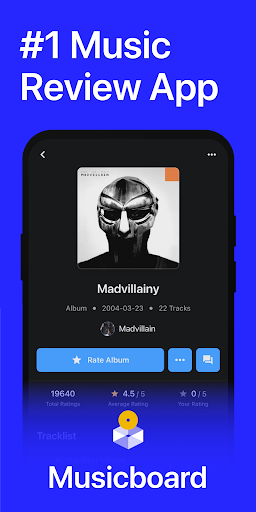
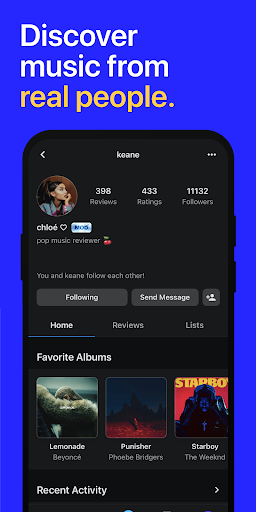
Musicboard – The Ultimate Community for Music Lovers
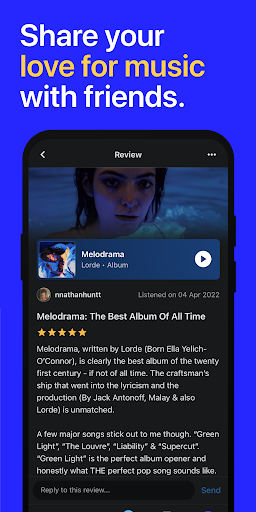
Musicboard is a vibrant social music platform where fans of all genres come together to share their passion for music. Whether you’re into pop music, country, rap, or indie gems, Musicboard lets you review, rate, and organize your favorite music while discovering what others love.
Love chart-topping superstars like SZA, Taylor Swift, Beyoncé, and Kendrick Lamar? Or are you more into underground lo-fi, emerging artists from Bandcamp, or old-school legends like Metallica and Madonna? No matter your taste, Musicboard makes it easy to track, discuss, and celebrate the music that moves you.
What You Can Do on Musicboard:
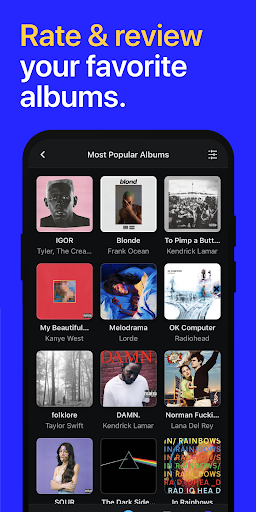
Write Reviews & Rate Albums
Your opinion matters! Whether you’re ranking your favorite albums, breaking down an artist’s discography, or highlighting hidden gems, Musicboard gives you a space to share your thoughts.
Write in-depth reviews on everything from Drake’s latest release to a deep-cut indie project you found on Discogs. Not sure what to listen to next? Browse thousands of user reviews, ratings, and rankings to see what’s trending.
Discover & Track Music Like Never Before
Musicboard isn’t just a place to rate music—it’s a curated hub of discovery. Explore a vast database of ratings, artist rankings, and genre-spanning reviews to help you find your next favorite album or artist.
Looking for pop beats, underground rap stars, or nostalgic throwbacks? From hip hop classics to movie soundtracks from IMDb’s top-rated films, Musicboard helps you find the music that fits your mood.
Create Custom Music Lists
Organizing your music has never been easier. Build custom lists to:
Rank your favorite albums of all time
Compare albums and artists
Showcase your personal top albums
Keep track of underrated indie releases
From Taylor Swift’s discography to underground gems from SoundCloud, Musicboard lets you curate your own musical universe.
Stay Updated with the Latest Releases
Keep track of upcoming albums, trending hits, and surprise drops from your favorite artists - an album from Travis Scott, an experimental project from Tyler, the Creator, or a nostalgic throwback from Rihanna, you’ll always be in the loop.
Upgrade to Musicboard PRO
Unlock Advanced Statistics – Get detailed insights into your listening habits, rating trends, and favorite genres. See how your taste evolves over time and compare with other users.
Customize Your Profile – Show off your top-rated albums, most-played genres, and must-listen lists. Add a custom backdrop featuring your favorite artists and make your profile a reflection of your music personality.
Join Thousands of Music Lovers Today
Musicboard is already home to tens of thousands of users who use it to discover, discuss, and organize their music experiences. Whether you’re a casual listener, a deep music critic, or a playlist curator, Musicboard is your ultimate music community.
Terms of Use: musicboard.app/terms
Feedback? Contact us at feedback@musicboard.app
Mehr anzeigen

1. Laden das MEmu-Installationsprogramm herunter und beenden die Installation

2. MEmu starten und Google Play auf der Homepage öffnen

3. Suchen Musicboard: Music Reviews in Google Play
Install
4. Herunterladen und Installieren Musicboard: Music Reviews
5. Klicken nach Abschluss der Installation auf das Symbol, um es zu starten

6. Verwenden Sie MEmu, um Musicboard: Music Reviews auf Ihrem PC zu nutzen
MEmu Play ist aktuell der beste kostenlose Android-Emulator und bietet 50 Millionen Nutzern ein überragendes Android-App-Erlebnis. Dank der Virtualisierungstechnologie von MEmu können Sie Tausende von Android-Apps problemlos auf Ihrem Computer nutzen, selbst solche mit hohen Grafikanforderungen.
BGrößeres Bild mit besserer Grafik; Keine unterbrechungen, keine sorgen um Akku
Komplette Tastenbelegung unterstützt mit Maus und Tastatur oder Controller
Mit dem „Multi-Instance-Manager“ können Sie mehrere Spielkonten oder Spiele gleichzeitig auf einem PC ausführen.
Use Musicboard: Music Reviews on PC by following steps: