
Plexamp
Aktualisiert
Aktuelle Version
4.11.5
Angeboten von

Machen Sie sich keine Sorgen mehr über überhöhte Gebühren, wenn Sie Plexamp auf Ihrem Mobiltelefon verwenden, befreien Sie sich von dem winzigen Bildschirm und genießen Sie die Nutzung der App auf einem viel größeren Display. Von nun an können Sie Ihre App mit Tastatur und Maus im Vollbildmodus nutzen. MEmu bietet Ihnen all die überraschenden Funktionen, die Sie erwartet haben: schnelle Installation und einfache Einrichtung, intuitive Steuerung, keine Einschränkungen mehr durch Batterie, mobile Daten und störende Anrufe. Der brandneue MEmu 9 ist die beste Wahl für die Nutzung von Plexamp auf Ihrem Computer. Mit unserer Absorption kodiert, ermöglicht der Multi-Instanz-Manager die Eröffnung von 2 oder mehr Konten zur gleichen Zeit. Und das Wichtigste, unsere exklusive Emulations-Engine kann das volle Potenzial Ihres PCs freisetzen und alles reibungslos und angenehm gestalten.
Mehr anzeigen
Laden Sie Play Plexamp auf dem PC mit MEmu Android Emulator. Viel Spaß beim Spielen auf großmundieren. ★★ You'll need a Plex Media Server and a Plex account to use this app ★★.
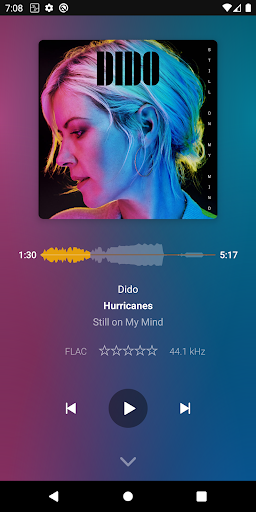
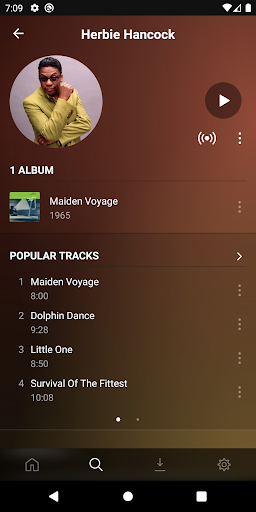
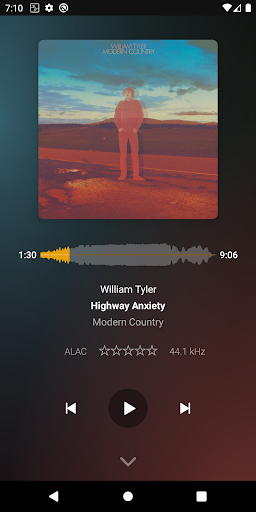
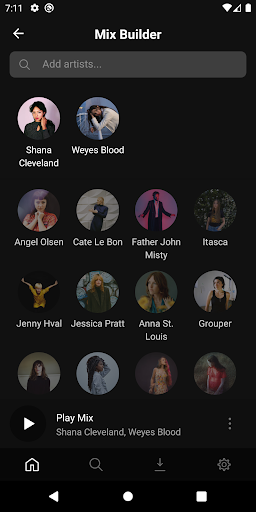
★★ You'll need a Plex Media Server and a Plex account to use this app ★★
★★ From the same people who brought you the Plex app ★★
Plexamp is the answer to the question "what would happen if you gave a handful of Plex music and pixel nerds a few cocktails and free rein to create the app of their dreams?"
Plexamp is a beautiful, dedicated Plex music player with tons of goodies for audiophile purists, music curators, and music fans of all ages looking for their next aural fix.
SUPER AUDIO PLAYER
Loudness leveling, true gapless playback, Sweet Fades™, soft transitions, a configurable preamp, a 7-band EQ, and more. Perfection for golden ears, buttery smooth touches for the rest of us. Custom pre-caching so your music keeps playing, because sometimes life brings you through tunnels.
MUSIC TO YOUR EYES
Experience your music collection like you’ve never seen it before, with our UltraBlur backgrounds, over a dozen hypnotic visualizers, and four visual themes to satisfy every taste.
FIND YOUR FIX
Radios built from your library and your cooler friends' collections. Travel through time, pick a style or mood, or listen album-by-album like the purist you are. Use the Mix Builder to explore and craft your perfect blend. Explore your personal charts and see what you were into last Fall or your top albums from the 60s.
OFFLINE BLISS
Grab a few hours of your favorite playlist or stations with just a few taps. Download a custom mix or artist radio for the plane. Simple but powerful offline support for when you’re in the woods or run out of cellular data.
IT’S THE LITTLE THINGS
Powerful search. Playback activity history. Swipe-up play queue peeking. Fun artist explorations. As many settings and tweaks as our resident UXpert let us add.
ENTERPRISE CLASS CUSTOMER RELATIONSHIP MANAGEMENT
Just kidding. It's a music player.
Follow us on Twitter @plexamp
Mehr anzeigen

1. Laden das MEmu-Installationsprogramm herunter und beenden die Installation

2. MEmu starten und Google Play auf der Homepage öffnen

3. Suchen Plexamp in Google Play
Install
4. Herunterladen und Installieren Plexamp
5. Klicken nach Abschluss der Installation auf das Symbol, um es zu starten

6. Verwenden Sie MEmu, um Plexamp auf Ihrem PC zu nutzen
MEmu Play ist aktuell der beste kostenlose Android-Emulator und bietet 50 Millionen Nutzern ein überragendes Android-App-Erlebnis. Dank der Virtualisierungstechnologie von MEmu können Sie Tausende von Android-Apps problemlos auf Ihrem Computer nutzen, selbst solche mit hohen Grafikanforderungen.
BGrößeres Bild mit besserer Grafik; Keine unterbrechungen, keine sorgen um Akku
Komplette Tastenbelegung unterstützt mit Maus und Tastatur oder Controller
Mit dem „Multi-Instance-Manager“ können Sie mehrere Spielkonten oder Spiele gleichzeitig auf einem PC ausführen.
Use Plexamp on PC by following steps: