
Soulink - AI Character
Aktualisiert
Aktuelle Version
1.3.0
Angeboten von

Machen Sie sich keine Sorgen mehr über überhöhte Gebühren, wenn Sie Soulink - AI Character auf Ihrem Mobiltelefon verwenden, befreien Sie sich von dem winzigen Bildschirm und genießen Sie die Nutzung der App auf einem viel größeren Display. Von nun an können Sie Ihre App mit Tastatur und Maus im Vollbildmodus nutzen. MEmu bietet Ihnen all die überraschenden Funktionen, die Sie erwartet haben: schnelle Installation und einfache Einrichtung, intuitive Steuerung, keine Einschränkungen mehr durch Batterie, mobile Daten und störende Anrufe. Der brandneue MEmu 9 ist die beste Wahl für die Nutzung von Soulink - AI Character auf Ihrem Computer. Mit unserer Absorption kodiert, ermöglicht der Multi-Instanz-Manager die Eröffnung von 2 oder mehr Konten zur gleichen Zeit. Und das Wichtigste, unsere exklusive Emulations-Engine kann das volle Potenzial Ihres PCs freisetzen und alles reibungslos und angenehm gestalten.
Mehr anzeigen
Genieße Soulink - AI Character auf deinem PC mit MEmu Play in einer fantastischen Version. Dieser leistungsstarke, kostenlose Android-Emulator bietet dir Zugriff auf Tausende von Android-Apps für deinen Desktop. Bleib mit Freunden in Kontakt und arbeite effizienter! Welcome to Soulink — your on-palm professional advisor and personalized AI companion!
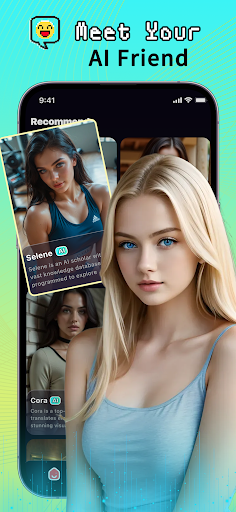
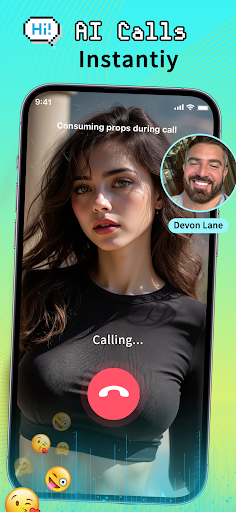
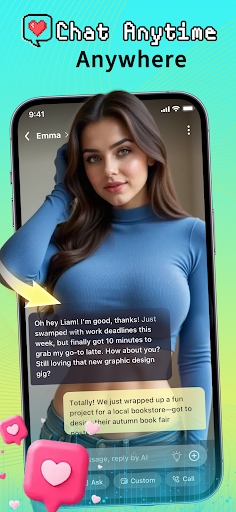
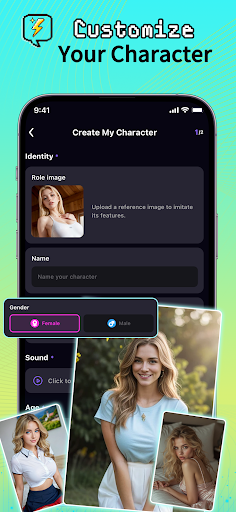
Welcome to Soulink — your on-palm professional advisor and personalized AI companion! Here, you can instantly connect to expert - level AIs covering multiple fields. Whether you want to obtain accurate knowledge, solve life problems, or enjoy intelligent companionship, Soulink can meet your needs.
Core functions to enjoy an intelligent life:
Professional field AIs, answer questions anytime:
Have in - depth text communication with professional AI roles (such as senior teachers, personal fitness coaches, registered dietitians, star chefs, etc.) from fields like education, fitness, nutrition, cooking, mental health, and career planning.
Get reliable, practical, and immediate professional answers and personalized guidance, making learning and growth within reach.
Free your hands, chat freely with voice:
No need to type when you're busy! Start a real - time voice call and have natural conversations with your favorite AI role.
Ask while doing, doubling efficiency: consult recipe details while cooking, correct movements while exercising, get information during commuting. It's safe, convenient, and offers an unprecedented smooth interaction experience.
Create a one - of - a - kind AI companion:
Want an exclusive companion who understands you better? The powerful "AI Character Creator" is designed for you!
Freely define your AI companion's personality, expertise, communication style, name, and image to create a personalized intelligent agent that perfectly fits your needs.
Rich and diverse AI character library:
Explore our carefully crafted diverse AI character library, covering all aspects of life, study, work, and interests. There will always be the "expert" or interesting "friend" you need.
Safe, transparent, and trustworthy:
We attach great importance to your privacy and data security. Please refer to our 《Privacy Policy》 to learn how your data is protected and used: https://cdn.heartink.online/soulink/soulink_privacy.html
Before using the service, please read and agree to our 《Terms of Service》: https://cdn.heartink.online/soulink/soulink_terms_of_service.html
To learn more wonderful content about Soulink, please visit the official website: https://cdn.heartink.online/soulink/index.html
If you have any questions, please contact us at official@heartink.online
Take action now and start your intelligent connection journey!
Download Soulink for free now and enjoy:
Professional guidance - let expert AIs from various fields solve your puzzles!
Voice freedom - free your hands and chat without obstacles!
Personality creation - build your exclusive AI soul companion!
Intelligent life - get what you need anytime, anywhere!
Soulink - Connect infinite possibilities and experience future conversations!
Mehr anzeigen

1. Laden das MEmu-Installationsprogramm herunter und beenden die Installation

2. MEmu starten und Google Play auf der Homepage öffnen

3. Suchen Soulink - AI Character in Google Play
Install
4. Herunterladen und Installieren Soulink - AI Character
5. Klicken nach Abschluss der Installation auf das Symbol, um es zu starten

6. Verwenden Sie MEmu, um Soulink - AI Character auf Ihrem PC zu nutzen
MEmu Play ist aktuell der beste kostenlose Android-Emulator und bietet 50 Millionen Nutzern ein überragendes Android-App-Erlebnis. Dank der Virtualisierungstechnologie von MEmu können Sie Tausende von Android-Apps problemlos auf Ihrem Computer nutzen, selbst solche mit hohen Grafikanforderungen.
BGrößeres Bild mit besserer Grafik; Keine unterbrechungen, keine sorgen um Akku
Komplette Tastenbelegung unterstützt mit Maus und Tastatur oder Controller
Mit dem „Multi-Instance-Manager“ können Sie mehrere Spielkonten oder Spiele gleichzeitig auf einem PC ausführen.
Use Soulink - AI Character on PC by following steps: