U Launcher
Aktualisiert
Aktuelle Version
6.3
Angeboten von

Machen Sie sich keine Sorgen mehr über überhöhte Gebühren, wenn Sie U Launcher auf Ihrem Mobiltelefon verwenden, befreien Sie sich von dem winzigen Bildschirm und genießen Sie die Nutzung der App auf einem viel größeren Display. Von nun an können Sie Ihre App mit Tastatur und Maus im Vollbildmodus nutzen. MEmu bietet Ihnen all die überraschenden Funktionen, die Sie erwartet haben: schnelle Installation und einfache Einrichtung, intuitive Steuerung, keine Einschränkungen mehr durch Batterie, mobile Daten und störende Anrufe. Der brandneue MEmu 9 ist die beste Wahl für die Nutzung von U Launcher auf Ihrem Computer. Mit unserer Absorption kodiert, ermöglicht der Multi-Instanz-Manager die Eröffnung von 2 oder mehr Konten zur gleichen Zeit. Und das Wichtigste, unsere exklusive Emulations-Engine kann das volle Potenzial Ihres PCs freisetzen und alles reibungslos und angenehm gestalten.
Mehr anzeigen
Laden Sie Play U Launcher auf dem PC mit MEmu Android Emulator. Viel Spaß beim Spielen auf großmundieren. All File Access permission .
All File Access permission
- This launcher includes a full fledged file manager that requires full access to file system.
- This launcher also includes a backup and restore function that also need all file access permissions.
About U Launcher
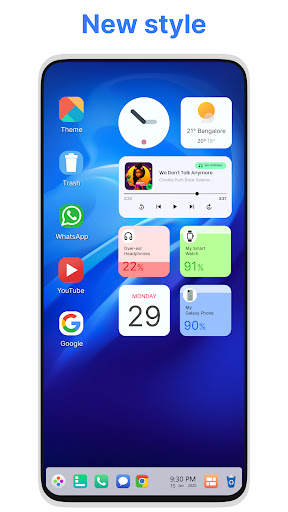
U Launcher is a new design for the Android mobile system launcher. It makes your phone better than before. It has a design similar of Ubuntu OS And now it opens up to amazing possibilities for launcher on your phone. With U Launcher your phone is the most powerful, personal, and intelligent devices they've ever been.
This Launcher sets a new standard for the Android mobile operating system. It makes your phone better than before. And now it opens up to amazing possibilities for launcher on your phone. With this Launcher, Your phone is the most powerful, personal, and intelligent devices they've ever been.
SUPPORTED FEATURES
File Manager
With built-in support of File Explore and File Manager you can search and explore your files and Folders, Copy, Paste, Zip/Unzip, RAR, Delete Files, Share Files and can do lot more...
Explore your file system with this simple and efficient file explorer and file manager in native desktop computer design. You will be amazed at the interface that resembles to Ubunut OS
- Built-In support of File Explorer
- Create Folders, Cut, Copy, Paste, Move, Share etc.
- Listing of all of your drives, SD Card, Storage, audio and video files and pictures in PC style.
- put the files to Recycle Bin and delete later in style
- Built-in ZIP support allows you to decompress or extract ZIP/RAR files
System Features
- Taskbar
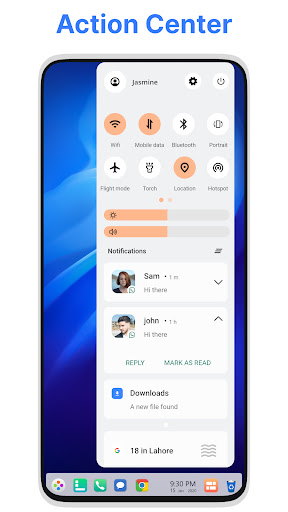
- Action Center. Notifier Center: You can check the notice of application or system with Notification Center.
- Android application in Stylish Tiles - In Start Menu
- Best application are available on One Click - Create Shortcuts of most used application on Desktop by press and Hold Feature.
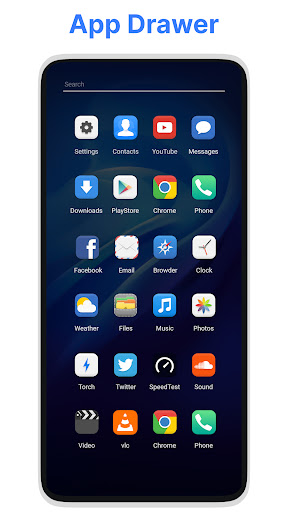
- Easy Navigation to the Apps
- Desktop Widgets
- Drag and drop Improved
- Clock Widget
- Weather Widget
- RAM info widget
- Changeable desktop folders
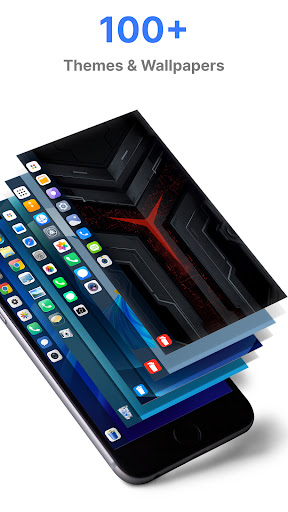
- Live Wallpapers
- Photo tiles changeable
- Task-bar icons removable
- Desktop App Folders
- Weather, Calendar and Photos tiles Added
- Task-bar Transparency option added
- Improved Themes Compatibility
- Multi Tasking Made optional (enable /disable from settings)
- Lock Screen
- Multi Color Support for Task bar and menu
- Themes and Icon Pack - Android TV /Tablet support
- Hide Applications
- Desktop Icons Removable
- Add Applications in Start Menu (Paid Only)
- Change the Start Menu Application (Press and Hold the app to change)
- Change applications in Task-bar (Press and Hold)
- Built-In Gallery Feature added
- Photo Tile changeable
- Widgets in desktop mode
- Built in apps (Photo viewer)
Mehr anzeigen

1. Laden das MEmu-Installationsprogramm herunter und beenden die Installation

2. MEmu starten und Google Play auf der Homepage öffnen

3. Suchen U Launcher in Google Play
Install
4. Herunterladen und Installieren U Launcher
5. Klicken nach Abschluss der Installation auf das Symbol, um es zu starten

6. Verwenden Sie MEmu, um U Launcher auf Ihrem PC zu nutzen
MEmu Play ist aktuell der beste kostenlose Android-Emulator und bietet 50 Millionen Nutzern ein überragendes Android-App-Erlebnis. Dank der Virtualisierungstechnologie von MEmu können Sie Tausende von Android-Apps problemlos auf Ihrem Computer nutzen, selbst solche mit hohen Grafikanforderungen.
BGrößeres Bild mit besserer Grafik; Keine unterbrechungen, keine sorgen um Akku
Komplette Tastenbelegung unterstützt mit Maus und Tastatur oder Controller
Mit dem „Multi-Instance-Manager“ können Sie mehrere Spielkonten oder Spiele gleichzeitig auf einem PC ausführen.
Use U Launcher on PC by following steps: