
VK Mail: Email App
Aktualisiert
Aktuelle Version
1
Angeboten von

Machen Sie sich keine Sorgen mehr über überhöhte Gebühren, wenn Sie VK Mail: Email App auf Ihrem Mobiltelefon verwenden, befreien Sie sich von dem winzigen Bildschirm und genießen Sie die Nutzung der App auf einem viel größeren Display. Von nun an können Sie Ihre App mit Tastatur und Maus im Vollbildmodus nutzen. MEmu bietet Ihnen all die überraschenden Funktionen, die Sie erwartet haben: schnelle Installation und einfache Einrichtung, intuitive Steuerung, keine Einschränkungen mehr durch Batterie, mobile Daten und störende Anrufe. Der brandneue MEmu 9 ist die beste Wahl für die Nutzung von VK Mail: Email App auf Ihrem Computer. Mit unserer Absorption kodiert, ermöglicht der Multi-Instanz-Manager die Eröffnung von 2 oder mehr Konten zur gleichen Zeit. Und das Wichtigste, unsere exklusive Emulations-Engine kann das volle Potenzial Ihres PCs freisetzen und alles reibungslos und angenehm gestalten.
Mehr anzeigen
Laden Sie Play VK Mail: Email App auf dem PC mit MEmu Android Emulator. Viel Spaß beim Spielen auf großmundieren. VK Mail: email client for Yandex, Gmail, Rambler, Mail.
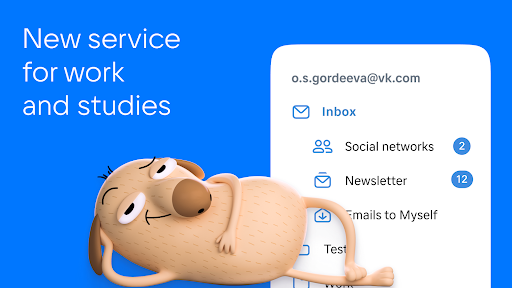
VK Mail: email client for Yandex, Gmail, Rambler, Mail.ru , Outlook.com and other email services. Nothing superfluous, just emails.
Minimalistic design. There is nothing superfluous in the VK Mail app, such as ads. Just what you need for comfortable work with emails.
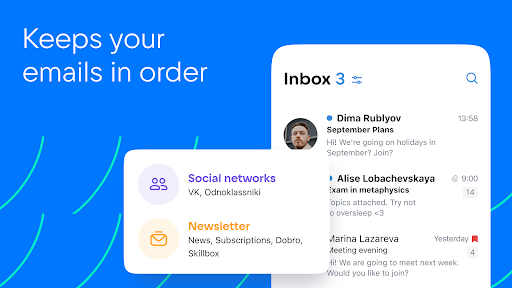
Smart sorting. VK Mail automatically sorts newsletters, notifications from social nets, news and emails to yourself into folders. Everything is neatly organized and easy to find.
Custom filters. Set your own filters for a clean and orderly inbox. You can set them so that emails from the selected senders are moved straight to dedicated folders or trash and are marked as read.
The unsubscribe wizard. All your newsletters are collected on one page to make it easy to unsubscribe from the ones you don't need. Go to your account settings, select "Manage Newsletters" and unsubscribe from those newsletters which you don't read.
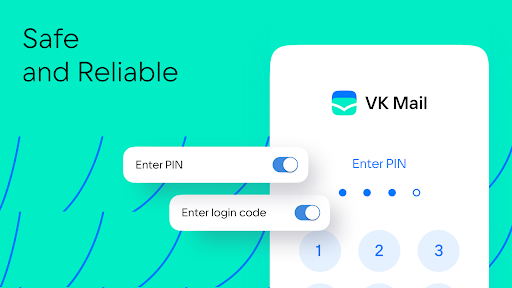
Reliable protection. Powerful spam filters and email login confirmation via SMS, PIN, Touch ID or Face ID. You can choose an access protection method in the app settings and settings for personal data.
All email accounts in one place. If you already have an account with Mail.ru, Gmail, Yahoo, Yandex or another service, connect them in the VK Mail app and switch between them in a couple of taps. To add an account, tap “”Account” and “+”.
Quick swipe actions. You can work with emails without even opening them! Swipe the message from left to right and select an action for this gesture: delete the message, mark it as read or move to spam.
Sending large files. You can attach an entire movie or all photos from your vacation to an email: VK Mail can send files up to 2GB without compressing them and turning them into links.
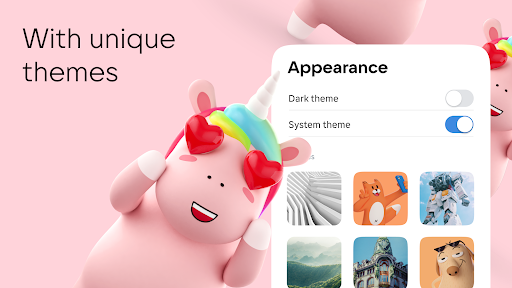
Cool themes from VK. Themes from VK will help you express your style and give your inbox an appealing look without distracting attention from emails. And there is also a dark theme to make reading emails at night more comfortable. You can choose a design in the account settings.
Catchy address. Come up with a terse and expressive name with the domain @vk.com, and your email will be easy to remember — both for you and your recipients.
Download VK Mail, configure it as you like, and use it as a single email client for accounts from any services: Gmail, Yandex, Rambler, Mail.ru and many others.
Mehr anzeigen

1. Laden das MEmu-Installationsprogramm herunter und beenden die Installation

2. MEmu starten und Google Play auf der Homepage öffnen

3. Suchen VK Mail: Email App in Google Play
Install
4. Herunterladen und Installieren VK Mail: Email App
5. Klicken nach Abschluss der Installation auf das Symbol, um es zu starten

6. Verwenden Sie MEmu, um VK Mail: Email App auf Ihrem PC zu nutzen
MEmu Play ist aktuell der beste kostenlose Android-Emulator und bietet 50 Millionen Nutzern ein überragendes Android-App-Erlebnis. Dank der Virtualisierungstechnologie von MEmu können Sie Tausende von Android-Apps problemlos auf Ihrem Computer nutzen, selbst solche mit hohen Grafikanforderungen.
BGrößeres Bild mit besserer Grafik; Keine unterbrechungen, keine sorgen um Akku
Komplette Tastenbelegung unterstützt mit Maus und Tastatur oder Controller
Mit dem „Multi-Instance-Manager“ können Sie mehrere Spielkonten oder Spiele gleichzeitig auf einem PC ausführen.
Use VK Mail: Email App on PC by following steps: