
Armed Heist: Shooting games
Actualizada
Versión actual
3.2.10
Ofrecida por

Con toda tu pasión para jugar Armed Heist: Shooting games, no se supone que tus manos estén limitadas en una pequeña pantalla de tu teléfono. Juega como un profesional y obtén el control total de tu juego con el teclado y el mouse. MEmu le ofrece todas las cosas que espera. Descargar y jugar Armed Heist: Shooting games en PC. Juega todo el tiempo que quieras, sin más limitaciones de batería, datos móviles y llamadas molestas. El nuevo MEmu 9 es la mejor opción para jugar Armed Heist: Shooting games en PC. Preparado con nuestra experiencia, el exquisito sistema de keymapping preestablecido convierte a Armed Heist: Shooting games en un verdadero juego de PC. Codificado con nuestra absorción, el administrador de instancias múltiples hace posible jugar 2 o más cuentas en el mismo dispositivo. Y lo más importante, nuestro exclusivo motor de emulación puede liberar todo el potencial de su PC, hacer que todo sea más fluido. Nos importa no solo cómo juegas, sino también todo el proceso de disfrutar de la felicidad de los juegos.
Más detalles
Descargar Armed Heist: Shooting games en PC con MEmu Android Emulador. Disfruta jugando en la pentalla grande. Time to get to work in Armed Heist – the action-packed third person shooter game that gets your heart pumping!
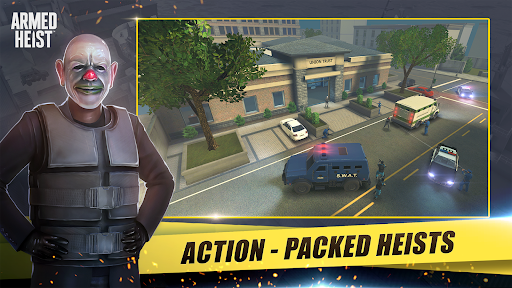
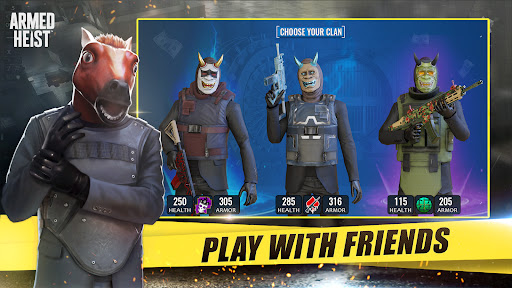
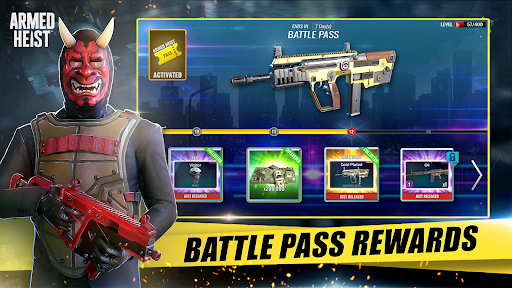
Time to get to work in Armed Heist – the action-packed third person shooter game that gets your heart pumping! Test your reflexes as you venture on your bank robbery spree. Robbing banks & armored trucks has never been more thrilling as you avoid flying bullets.
Looking for a great bank robbery third person shooter game? Welcome to the right place, where you face off against the cops in over 70 bank shooting challenges in the best tps game online!
Your mission: become a ruthless thug and bank robbing crime lord! Always be the first person shooting, or else you will end up six feet under.
Killer Game Features:
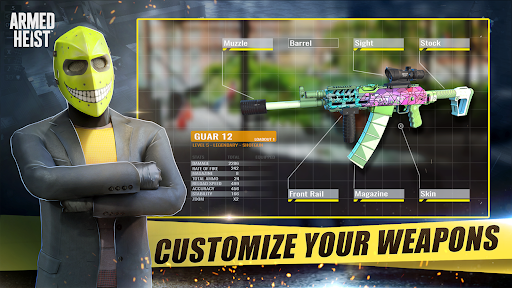
• Customizable Weapon System – build the wildest, modified guns you could ever imagine! Pistols, shotguns, snipers & assault rifles! Get your arsenal as deadly as possible for the next bank robbery!
Modify it with action-packed sights, suppressors, grips, barrels, stocks & killer skins! All of which will affect the performance of your weapon.
• 3D Crime Map – A dynamic job database crime map of low security banks and armored trucks, lets you pick and choose what heist you want to pull today!
• Dynamic Scenarios – Get ready for the thrill! In this tps online shooting game, no bank shooting challenge ever plays out the same way twice. Every single scenario will be different depending on your moves and gun skills.
• Pimp Your Character – Create your own ruthless bank robber! Want to be a killer clown? X special forces? Maybe a badass gangster? Earn skins, masks, bulletproof vests & awesome outfits. High-quality 3D graphics and immersive gameplay make this third person shooter into an action-packed shootout!
Armed Heist is one of the most intense third person shooter games online. Unlike fps games (first person shooter game), where all you see in the barrel of your gun, in tps games (third person shooter games) the camera rotates around your character in an active and dynamic way, making you feel like you are the one robbing banks and blazing bullets!
Grab your gear. You got a job to do.
Más detalles

1. Descargar el instalador de MEmu y finalice la instalación

2. Iniciar MEmu y abrir Google Play en la página de inicio

3. Buscar Armed Heist: Shooting games en Google Play
Install
4. Descargar y instalar Armed Heist: Shooting games
5. Hacer click al icono para iniciar

6. Disfruta jugando Armed Heist: Shooting games en PC con MEmu
MEmu App Player es el mejor emulador de Android gratuito y 50 millones de personas ya están disfrutando su magnífica experiencia jugando en Android. La tecnología de virtualización de MEmu te permite jugar a miles de juegos Android suavemente en tu PC, incluso los más intensivos gráficamente.
Pantalla más grande con mejores gráficos; Larga duración, sin limitación de batería o datos móviles.
Soporte completo de keymapping para un control preciso del teclado y el mouse o gamepad.
Múltiples cuentas de juegos o tareas en una sola PC a la vez con el administrador de instancias múltiples.
Play Armed Heist: Shooting games on PC by following steps: