Sneak Out
Actualizada
Versión actual
Ofrecida por

Con toda tu pasión para jugar Sneak Out, no se supone que tus manos estén limitadas en una pequeña pantalla de tu teléfono. Juega como un profesional y obtén el control total de tu juego con el teclado y el mouse. MEmu le ofrece todas las cosas que espera. Descargar y jugar Sneak Out en PC. Juega todo el tiempo que quieras, sin más limitaciones de batería, datos móviles y llamadas molestas. El nuevo MEmu 9 es la mejor opción para jugar Sneak Out en PC. Preparado con nuestra experiencia, el exquisito sistema de keymapping preestablecido convierte a Sneak Out en un verdadero juego de PC. Codificado con nuestra absorción, el administrador de instancias múltiples hace posible jugar 2 o más cuentas en el mismo dispositivo. Y lo más importante, nuestro exclusivo motor de emulación puede liberar todo el potencial de su PC, hacer que todo sea más fluido. Nos importa no solo cómo juegas, sino también todo el proceso de disfrutar de la felicidad de los juegos.
Más detalles
Descargar Sneak Out en PC con MEmu Android Emulador. Disfruta jugando en la pentalla grande. A Digital Playground for Reliving Childhood GamesA multiplayer, cross-platform digital playground has been created, allowing players to relive their childhood games.
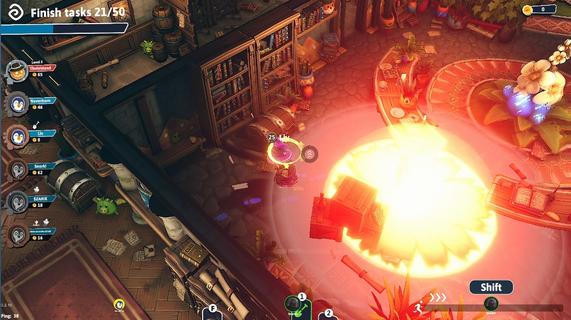
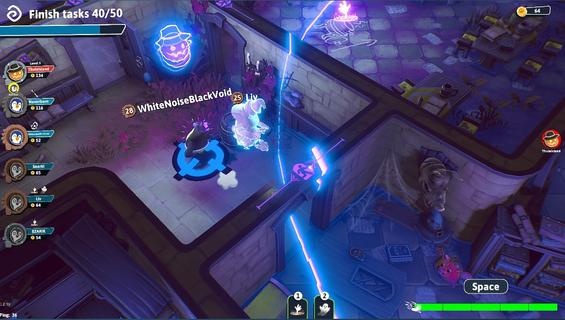
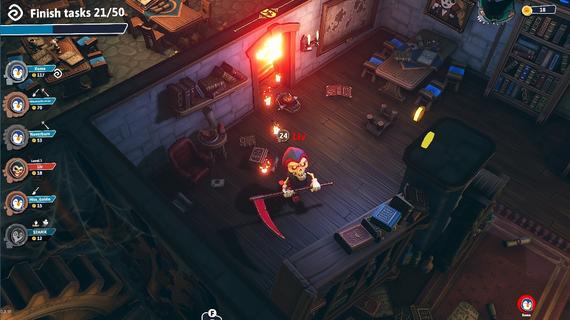
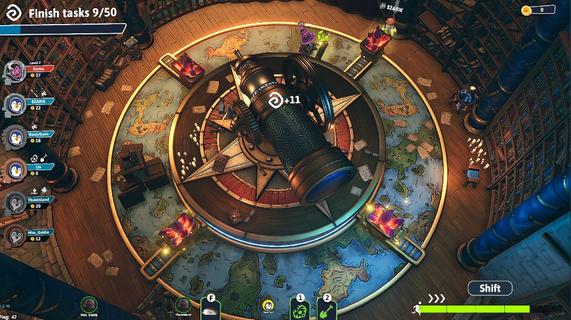
A Digital Playground for Reliving Childhood GamesA multiplayer, cross-platform digital playground has been created, allowing players to relive their childhood games. Upon entering the Theme Park, players can interact with others, ride wagons, complete tasks, and engage in various games. The central focus of this experience is a thrilling game of Hide & Seek set in a Haunted Castle. Hide & Seek in a Haunted CastleUp to six players can participate in the game, with one of them being randomly chosen as the Hunter. The remaining players, known as Hiders, must strive to survive within the Castle by solving tasks and evading the Hunter. Their objective is to hide and employ stealth tactics to ensure their survival until the escape portal opens. Online CoopPlayers can engage in thrilling 5 vs 1 gameplay, joining forces with friends or making new ones in the game. They can choose to cooperate with others or go solo as they navigate through the challenges. Even after becoming a ghost, players can enjoy the mischief of taunting the Hunter while providing support to their teammates. HidersAs a Hider, players have a variety of actions at their disposal: sneaking to stay hidden, finding clever hiding spots, setting up traps, taking flight on a broomstick, reviving fallen teammates, and even taunting the Hunter. It's up to them to choose whether to rely on their own skills or collaborate with others to outsmart the villain and secure victory. HunterPlayers can select a Hunter character with distinctive abilities and track down the Hiders in their preferred playstyle. Whether they prefer eliminating them directly or instilling fear to force them out of hiding, the clock is ticking, and time is on their side. They can embrace the thrill of the chase and showcase their skills as the ultimate hunter in this exciting game. Customization and Immersive GameplayPlayers can customize the appearance of their character to reflect their unique personality. Whether they're a Hunter or a Hider, they can embrace their individual style and make their character stand out in the game. Express themselves and enjoy the immersive experience with a character that truly represents them. Key Features- Multiplayer cross-platform gameplay- Theme Park hub- Hide & Seek in a Haunted Castle- Hider abilities (sneak, hide, build traps, fly on broomstick, resurrect friends, taunt Seeker)- Hunter role with unique skills- Cooperation or solo play- Ghost support- Customization- Immersive gameplay- Fun and nostalgia
Más detalles

1. Descargar el instalador de MEmu y finalice la instalación

2. Iniciar MEmu y abrir Google Play en la página de inicio

3. Buscar Sneak Out en Google Play
Install
4. Descargar y instalar Sneak Out
5. Hacer click al icono para iniciar

6. Disfruta jugando Sneak Out en PC con MEmu
MEmu App Player es el mejor emulador de Android gratuito y 50 millones de personas ya están disfrutando su magnífica experiencia jugando en Android. La tecnología de virtualización de MEmu te permite jugar a miles de juegos Android suavemente en tu PC, incluso los más intensivos gráficamente.
Pantalla más grande con mejores gráficos; Larga duración, sin limitación de batería o datos móviles.
Soporte completo de keymapping para un control preciso del teclado y el mouse o gamepad.
Múltiples cuentas de juegos o tareas en una sola PC a la vez con el administrador de instancias múltiples.
Play Sneak Out on PC by following steps: