
Dubbing AI - AI Voice Changer
Actualizada
Versión actual
1.0.2
Ofrecida por

Deje de preocuparse por los recargos cuando use Dubbing AI - AI Voice Changer en su teléfono celular, libérese de la pequeña pantalla y disfrute usando la aplicación en una pantalla mucho más grande. A partir de ahora, obtenga una experiencia de pantalla completa de su aplicación con teclado y mouse. MEmu le ofrece todas las características sorprendentes que esperaba: instalación rápida y configuración fácil, controles intuitivos, no más limitaciones de batería, datos móviles y llamadas molestas. El nuevo MEmu 9 es la mejor opción para usar Dubbing AI - AI Voice Changer en su computadora. Codificado con nuestra absorción, el administrador de instancias múltiples hace posible abrir 2 o más cuentas al mismo tiempo. Y lo más importante, nuestro exclusivo motor de emulación puede liberar todo el potencial de su PC, hacer que todo sea fluido y agradable.
Más detalles
Descargar Dubbing AI - AI Voice Changer en PC con MEmu Android Emulador. Disfruta jugando en la pentalla grande. With Dubbing AI on your mobile, sharing your transformed voice has never been easier.
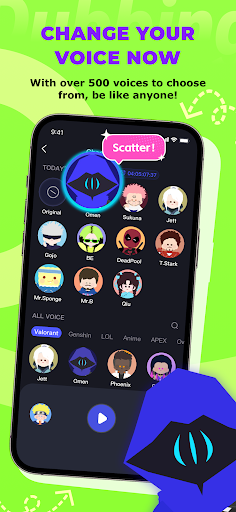
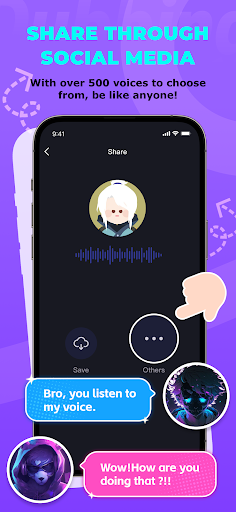
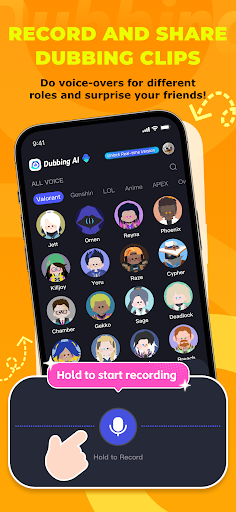
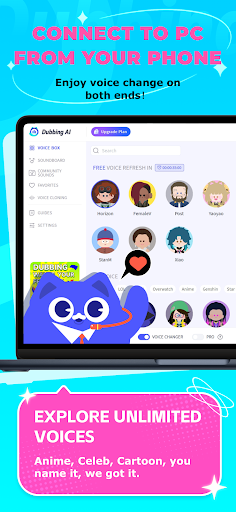
With Dubbing AI on your mobile, sharing your transformed voice has never been easier. Choose from countless voices—whether it's a deep tone, a playful anime character, or a movie hero—and send your altered voice to friends instantly. Unleash creativity and fun, all from the palm of your hand!
Real-Time Voice Changing
Dubbing AI delivers exceptional real-time voice transformations, letting you seamlessly switch between voices with ultra-low latency. Elevate your gaming, streaming, or chats with smooth, instant voice changes!
Extensive Voice Library
Dubbing AI boasts a vast voice library with hundreds of unique options, from realistic human tones to iconic characters. It unlocks limitless creativity, perfect for immersive gaming, streaming, or content creation.
Colorful Soundboard
With Dubbing AI, you can explore and upload their own colorful soundboards, adding dynamic audio effects to enhance gameplay, streams, or creative projects with personalized, engaging sound experiences.
With the Dubbing AI app, managing your subscription is effortless. Instantly explore and experiment with hundreds of voices directly from your smartphone.
Download and Start now!
Now, with the Dubbing AI app, you can easily manage your subscription and change your voice directly from your smartphone. Simply download the app, log in, and explore a wide variety of voice options at your fingertips. Whether you want to sound like a character from your favorite movie, anime, or game, Dubbing AI makes it effortless to switch voices in real-time. Perfect for gaming, streaming, or fun voiceovers, this app turns your mobile device into a powerful voice changer, making it easier than ever to personalize your voice on the go.
Más detalles

1. Descargar el instalador de MEmu y finalice la instalación

2. Iniciar MEmu y abrir Google Play en la página de inicio

3. Buscar Dubbing AI - AI Voice Changer en Google Play
Install
4. Descargar y instalar Dubbing AI - AI Voice Changer
5. Hacer click al icono para iniciar

6. Experiencia Dubbing AI - AI Voice Changer en PC con MEmu
MEmu App Player es el mejor emulador de Android gratuito y 50 millones de personas ya están disfrutando su magnífica experiencia de aplicación en Android. La tecnología de virtualización de MEmu te permite jugar a miles de aplicaciones Android suavemente en tu PC, incluso los más intensivos gráficamente.
Pantalla más grande con mejores gráficos; Larga duración, sin limitación de batería o datos móviles.
Soporte completo de keymapping para un control preciso del teclado y el mouse o gamepad.
Múltiples cuentas de juegos o tareas en una sola PC a la vez con el administrador de instancias múltiples.
Use Dubbing AI - AI Voice Changer on PC by following steps: