
HORUS SELECT POWER
Actualizada
Versión actual
1.5.4
Ofrecida por

Deje de preocuparse por los recargos cuando use HORUS SELECT POWER en su teléfono celular, libérese de la pequeña pantalla y disfrute usando la aplicación en una pantalla mucho más grande. A partir de ahora, obtenga una experiencia de pantalla completa de su aplicación con teclado y mouse. MEmu le ofrece todas las características sorprendentes que esperaba: instalación rápida y configuración fácil, controles intuitivos, no más limitaciones de batería, datos móviles y llamadas molestas. El nuevo MEmu 9 es la mejor opción para usar HORUS SELECT POWER en su computadora. Codificado con nuestra absorción, el administrador de instancias múltiples hace posible abrir 2 o más cuentas al mismo tiempo. Y lo más importante, nuestro exclusivo motor de emulación puede liberar todo el potencial de su PC, hacer que todo sea fluido y agradable.
Más detalles
Descargar HORUS SELECT POWER en PC con MEmu Android Emulador. Disfruta jugando en la pentalla grande. Horus Select Power app is the companion app specially designed for the HORUS AÍON , SW1456H and NX8-PRO Sport Watch.
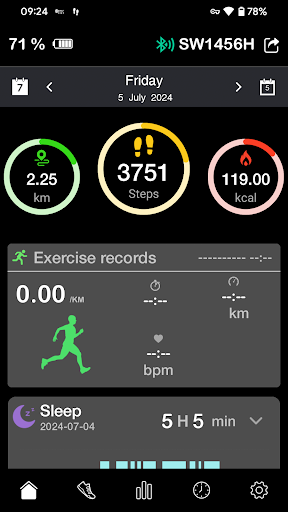
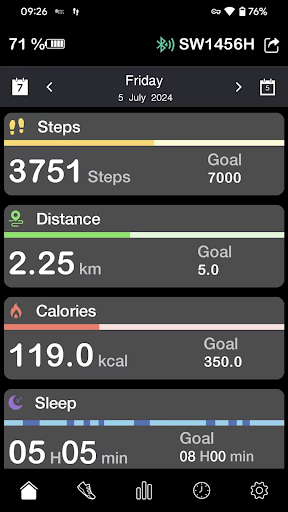
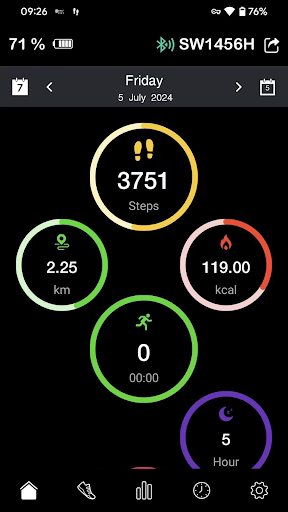
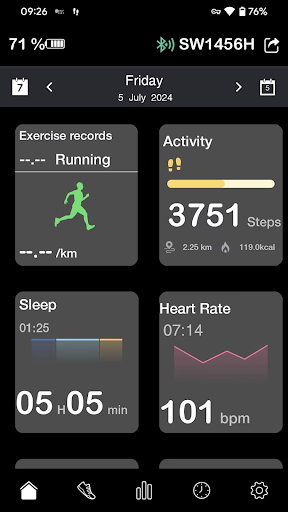
Horus Select Power app is the companion app specially designed for the HORUS AÍON , SW1456H and NX8-PRO Sport Watch.
One core functionality of our App and our smartwatch is to allow users to handle phone calls, SMS and other incoming messages directly from the smartwatch.
Horus Select Power App together with our sport smartwatch provides you with the best set of information straight from your wrist.
Without compromising your style, our sport smartwatch is not only a traditional smartwatch but a powerful sport computer to monitor your performance in real time, and also let you receive text message and notifications from your smartphone.
non-medical use, only for general fitness/wellness purpose
A built-in pedometer tracks your steps, distance, and calories burned.
A built-in sleep monitor tracks your quality of sleep.
A built-in heart rate sensor tracks your heart rate (please make sure your device has a built-in Heart Rate Sensor)
Powered with multi-sport functionality, our sport smartwatch lets you choose from a series of activity types such as running, biking, walking, hiking, trail run etc…
In addition to its training functions, our sport smartwatch will also notify you when receiving incoming calls, text messages or social networks notifications.
Más detalles

1. Descargar el instalador de MEmu y finalice la instalación

2. Iniciar MEmu y abrir Google Play en la página de inicio

3. Buscar HORUS SELECT POWER en Google Play
Install
4. Descargar y instalar HORUS SELECT POWER
5. Hacer click al icono para iniciar

6. Experiencia HORUS SELECT POWER en PC con MEmu
MEmu App Player es el mejor emulador de Android gratuito y 50 millones de personas ya están disfrutando su magnífica experiencia de aplicación en Android. La tecnología de virtualización de MEmu te permite jugar a miles de aplicaciones Android suavemente en tu PC, incluso los más intensivos gráficamente.
Pantalla más grande con mejores gráficos; Larga duración, sin limitación de batería o datos móviles.
Soporte completo de keymapping para un control preciso del teclado y el mouse o gamepad.
Múltiples cuentas de juegos o tareas en una sola PC a la vez con el administrador de instancias múltiples.
Use HORUS SELECT POWER on PC by following steps: