InstaWeather: Your Weathershot
Actualizada
Versión actual
6.4.6
Ofrecida por

Deje de preocuparse por los recargos cuando use InstaWeather: Your Weathershot en su teléfono celular, libérese de la pequeña pantalla y disfrute usando la aplicación en una pantalla mucho más grande. A partir de ahora, obtenga una experiencia de pantalla completa de su aplicación con teclado y mouse. MEmu le ofrece todas las características sorprendentes que esperaba: instalación rápida y configuración fácil, controles intuitivos, no más limitaciones de batería, datos móviles y llamadas molestas. El nuevo MEmu 9 es la mejor opción para usar InstaWeather: Your Weathershot en su computadora. Codificado con nuestra absorción, el administrador de instancias múltiples hace posible abrir 2 o más cuentas al mismo tiempo. Y lo más importante, nuestro exclusivo motor de emulación puede liberar todo el potencial de su PC, hacer que todo sea fluido y agradable.
Más detalles
Descargar InstaWeather: Your Weathershot en PC con MEmu Android Emulador. Disfruta jugando en la pentalla grande. This is not another boring weather forecast app ;)!


This is not another boring weather forecast app ;)!
Welcome to the best Weather Photo Editor, featuring weather overlay edit.
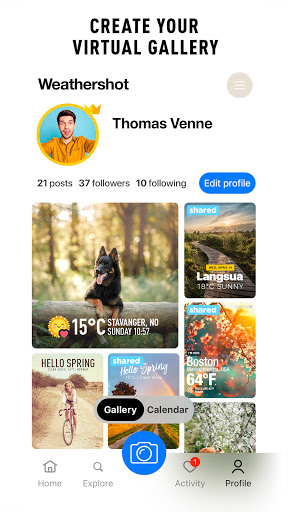
Create your own weather channel in your social network.
How does it work?
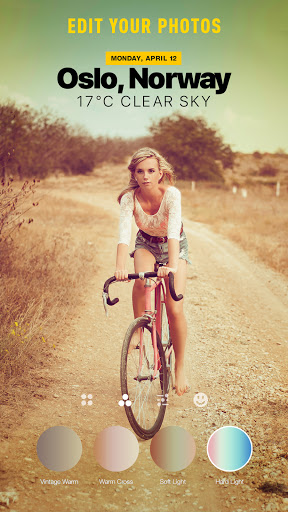
With Weathershot you can edit photo and share the weather report from the place where your are now – on top of your favorite photo that you have just snapped with your smartphone camera. Then you can use photo editor to crop, filter and apply weather text.
Edit inspirational & informational photos to share quickly and easily. In seconds you can check the weather edit weather overlay and talk about weather.
App knows where you are in certain moment and show it on overlay added to your photo!
Text editor - add your own text or comment to photo customized by Weathershot? No problem!
Photo editor - crop and apply camera photo filters.
Share it to any social channel in a flash or send it via SMS or e-mail.
Make your friends jealous, place a perfect weather report on top of your edited photo!
Use weather editor with over 100 different skins.
You can easily choose your favorite skin, various weather data: from current temperature and simple info about the location to very detailed forecast with air pressure, temperature, rain, wind strength and direction.
You can also choose the period of the displayed forecast: today, next few days or a whole week.
Photo editor with filters & weather overlay editor with custom skins for every weather situation.
Weather works in Celsius & Fahrenheit, kilometers, miles.
Install and share the weather with friends! Let the good weather be always good for you!
Más detalles

1. Descargar el instalador de MEmu y finalice la instalación

2. Iniciar MEmu y abrir Google Play en la página de inicio

3. Buscar InstaWeather: Your Weathershot en Google Play
Install
4. Descargar y instalar InstaWeather: Your Weathershot
5. Hacer click al icono para iniciar

6. Experiencia InstaWeather: Your Weathershot en PC con MEmu
MEmu App Player es el mejor emulador de Android gratuito y 50 millones de personas ya están disfrutando su magnífica experiencia de aplicación en Android. La tecnología de virtualización de MEmu te permite jugar a miles de aplicaciones Android suavemente en tu PC, incluso los más intensivos gráficamente.
Pantalla más grande con mejores gráficos; Larga duración, sin limitación de batería o datos móviles.
Soporte completo de keymapping para un control preciso del teclado y el mouse o gamepad.
Múltiples cuentas de juegos o tareas en una sola PC a la vez con el administrador de instancias múltiples.
Use InstaWeather: Your Weathershot on PC by following steps: