ITRACK: Phone Location Tracker
Actualizada
Versión actual
1.7.6
Ofrecida por

Deje de preocuparse por los recargos cuando use ITRACK: Phone Location Tracker en su teléfono celular, libérese de la pequeña pantalla y disfrute usando la aplicación en una pantalla mucho más grande. A partir de ahora, obtenga una experiencia de pantalla completa de su aplicación con teclado y mouse. MEmu le ofrece todas las características sorprendentes que esperaba: instalación rápida y configuración fácil, controles intuitivos, no más limitaciones de batería, datos móviles y llamadas molestas. El nuevo MEmu 9 es la mejor opción para usar ITRACK: Phone Location Tracker en su computadora. Codificado con nuestra absorción, el administrador de instancias múltiples hace posible abrir 2 o más cuentas al mismo tiempo. Y lo más importante, nuestro exclusivo motor de emulación puede liberar todo el potencial de su PC, hacer que todo sea fluido y agradable.
Más detalles
Descargar ITRACK: Phone Location Tracker en PC con MEmu Android Emulador. Disfruta jugando en la pentalla grande. ITrack is a user-friendly location tracker app that uses GPS technology to track the location of the person you are trying to find.
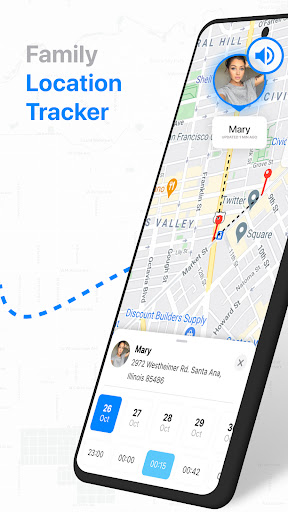
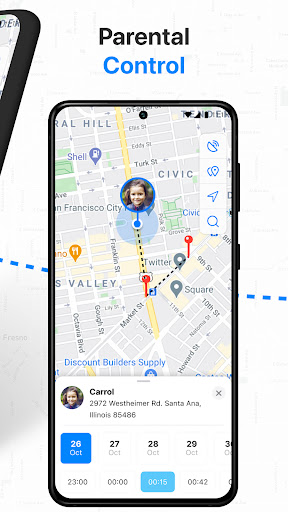
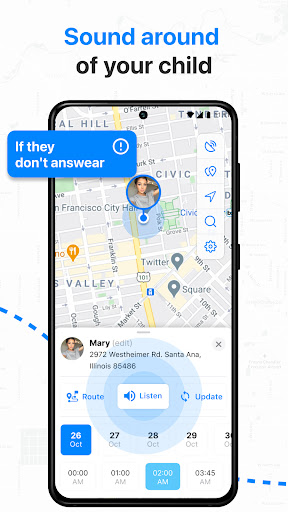
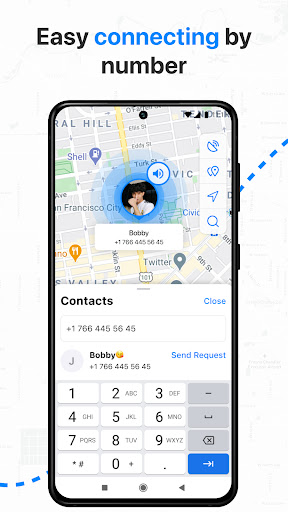
ITrack is a user-friendly location tracker app that uses GPS technology to track the location of the person you are trying to find. Compatible with both Android and Apple devices, this phone locator app allows you to share real time location with family and friends using their phone number. Whether you want to keep an eye on your children or elderly parents, ITrack: Phone Location Tracker is the most convinient cell phone finder and the tracking app to have.
ITrack is a phone location tracker, a simple way to control your friends and family members’ location by the phone number.
Main FEATURES are:
REAL TIME LOCATION
ITrack: Phone Location Tracker can show the geolocation of the person you are tracking on the map and your location on friends’ phones. Stay in touch and be connected 24/7!
HISTORY OF MOVEMENTS.
ITACK can show you step-by-step location history. So you can see what your friends or children were doing during the day.
SUPPORTS ANY DEVICE
The app is compatible with both ANDROID and APPLE devices, which makes it very versatile. This means that you can use it to track the location of anyone, regardless of what device they are using. All you need is their phone number, and you can start tracking their location.
LISTEN TO THE SOUND
One of the best features of the Location Tracker app is that you can listen to the sound around the device you are tracking. This feature can help you determine if the person is in danger or not if they don’t hear your calls. It can also give you peace of mind knowing that your loved one is safe.
Locating any phone has never been so easy. It's as simple as one two three.
All you need is the phone number, and you can start tracking your friends location.
1. Install the app and send invite request by phone number or email address
2. Approve requests from your child device and install the app.
3. Approve all needed permissions for tracking location and listening sound around your child's device.
The Location Tracker app is an excellent alternative to other tracking apps such as Find My Friends, Life360 or GPS Tracker. It is easy to use, convenient, and provides accurate location data.
So, if you are looking for a reliable and easy-to-use tracking app, then the ITracker: Phone Location Tracker is an excellent choice. Using this GPS tracker and cell phone finder you can share the real time location with your friends, find their location on a map, see the history of movements. Download ITrack phone locator today and start tracking your loved ones' locations with ease!
Más detalles

1. Descargar el instalador de MEmu y finalice la instalación

2. Iniciar MEmu y abrir Google Play en la página de inicio

3. Buscar ITRACK: Phone Location Tracker en Google Play
Install
4. Descargar y instalar ITRACK: Phone Location Tracker
5. Hacer click al icono para iniciar

6. Experiencia ITRACK: Phone Location Tracker en PC con MEmu
MEmu App Player es el mejor emulador de Android gratuito y 50 millones de personas ya están disfrutando su magnífica experiencia de aplicación en Android. La tecnología de virtualización de MEmu te permite jugar a miles de aplicaciones Android suavemente en tu PC, incluso los más intensivos gráficamente.
Pantalla más grande con mejores gráficos; Larga duración, sin limitación de batería o datos móviles.
Soporte completo de keymapping para un control preciso del teclado y el mouse o gamepad.
Múltiples cuentas de juegos o tareas en una sola PC a la vez con el administrador de instancias múltiples.
Use ITRACK: Phone Location Tracker on PC by following steps: