
MyMCash
Actualizada
Versión actual
4.5.34
Ofrecida por

Deje de preocuparse por los recargos cuando use MyMCash en su teléfono celular, libérese de la pequeña pantalla y disfrute usando la aplicación en una pantalla mucho más grande. A partir de ahora, obtenga una experiencia de pantalla completa de su aplicación con teclado y mouse. MEmu le ofrece todas las características sorprendentes que esperaba: instalación rápida y configuración fácil, controles intuitivos, no más limitaciones de batería, datos móviles y llamadas molestas. El nuevo MEmu 9 es la mejor opción para usar MyMCash en su computadora. Codificado con nuestra absorción, el administrador de instancias múltiples hace posible abrir 2 o más cuentas al mismo tiempo. Y lo más importante, nuestro exclusivo motor de emulación puede liberar todo el potencial de su PC, hacer que todo sea fluido y agradable.
Más detalles
Descargar MyMCash en PC con MEmu Android Emulador. Disfruta jugando en la pentalla grande. Introducing MCash Wallet.
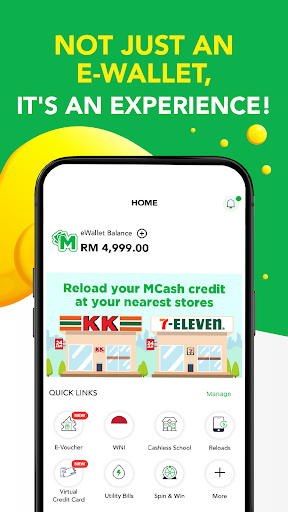
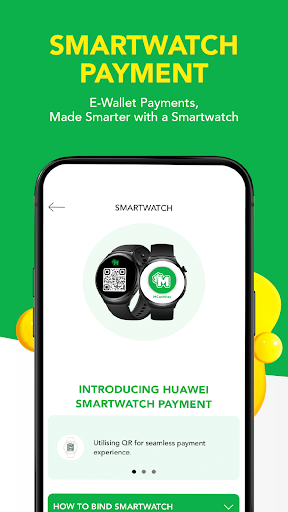
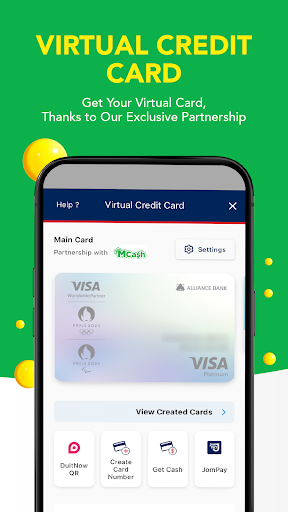
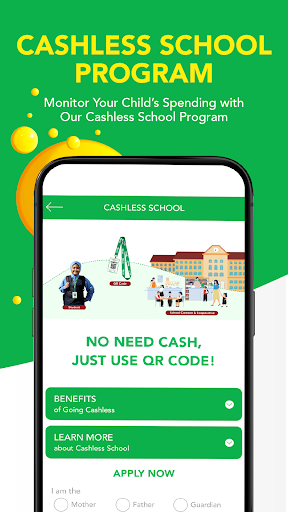
Introducing MCash Wallet
1. FUN E-WALLET
Definitely not just a boring payment channel. Everyone can stand a chance to win prizes with our daily Spin & Win feature!
2. SCAN & PAY
Payment made easy with QR Code! Either you or merchant scan the QR Code. Your shopping experience will be faster and convenient.
3. SAFE & SECURE
No need to worry and make payment transactions in peace with our secure 6-digit transaction pin feature.
4. PREPAID RELOAD
Reload your mobile prepaid, game credit, internet and others from the tip of your finger, anytime, anywhere!
5. BILL PAYMENT
Stop wasting time for physical stores and long queues! Settle your mobile, water, electric & other bills in your own convenient time.
6. INVESTMENT
Gold trading through the wallet! A convenient way to start your investment!
7. E-PARKING
Say goodbye to coins & malfunctioning parking machines with our E-Parking feature. Just pay and extend the time period on your phone.
8. E-TICKETING
No time to go to physical ticketing counter? No worries! Transportation & Events, we’ve got it covered!
9. FINANCING
Managing your finances is now easier. From PTPTN and Courts loan repayment loan to SSPN-i account deposits, all can be settled with MCash Wallet!
10.E-VOUCHERS
Enjoy amazing deals and offers on selected participating merchants. Hurry and snap up an amazing deal now!
11.AWESOME REWARDS
We appreciate our loyal fans, so we’re giving MPoints as reward. MPoint can be collected through MCash credit reload and also Spin & Win.
12.ONLINE SHOPPING
No need to go to the mall. Just select your desired shopping platform and shop effortlessly!
Más detalles

1. Descargar el instalador de MEmu y finalice la instalación

2. Iniciar MEmu y abrir Google Play en la página de inicio

3. Buscar MyMCash en Google Play
Install
4. Descargar y instalar MyMCash
5. Hacer click al icono para iniciar

6. Experiencia MyMCash en PC con MEmu
MEmu App Player es el mejor emulador de Android gratuito y 50 millones de personas ya están disfrutando su magnífica experiencia de aplicación en Android. La tecnología de virtualización de MEmu te permite jugar a miles de aplicaciones Android suavemente en tu PC, incluso los más intensivos gráficamente.
Pantalla más grande con mejores gráficos; Larga duración, sin limitación de batería o datos móviles.
Soporte completo de keymapping para un control preciso del teclado y el mouse o gamepad.
Múltiples cuentas de juegos o tareas en una sola PC a la vez con el administrador de instancias múltiples.
Use MyMCash on PC by following steps: