
MyMCash
อัปเดตเมื่อ
เวอร์ชันปัจจุบัน
4.5.34
ให้บริการโดย

เมื่อใช้ MyMCash บนโทรศัพท์ของคุณไม่ต้องกังวลกับการชาร์จไฟมากเกินไปปลดปล่อยตัวคุณเองจากหน้าจอขนาดเล็กและสนุกกับการใช้แอพนี้บนหน้าจอขนาดใหญ่ จากนี้ไปรับประสบการณ์เต็มหน้าจอของแอปพลิเคชันของคุณด้วยคีย์บอร์ดและเมาส์ MEmu มีคุณสมบัติที่น่าแปลกใจที่คุณคาดหวัง: การติดตั้งที่รวดเร็วและการตั้งค่าที่ง่ายควบคุมได้ง่ายไม่ จำกัด แบตเตอรี่ข้อมูลมือถือและการโทรที่รบกวน MEmu 9 ใหม่ล่าสุดเป็นตัวเลือกที่ดีที่สุดสำหรับการใช้ Meitu – โปรแกรมแก้ไขภาพแนวธรรมชาติ บนคอมพิวเตอร์ของคุณ ด้วยรหัสการดูดซึมของเราผู้จัดการหลายอินสแตนซ์ทำให้สามารถเปิดบัญชี 2 บัญชีขึ้นไปในเวลาเดียวกันได้ และที่สำคัญที่สุดเอ็นจิ้นจำลองพิเศษของเราสามารถปลดปล่อยศักยภาพของPCของคุณและทำให้ทุกอย่างราบรื่นและสนุกสนาน
แสดงเพิ่มเติม
ดาวน์โหลด MyMCash บน PC ด้วย MEmu Android Emulator สนุกกับการเล่นบนหน้าจอขนาดใหญ่ Introducing MCash Wallet.
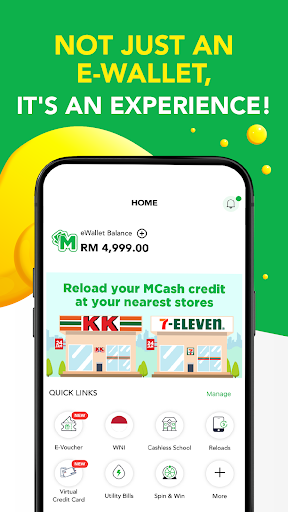
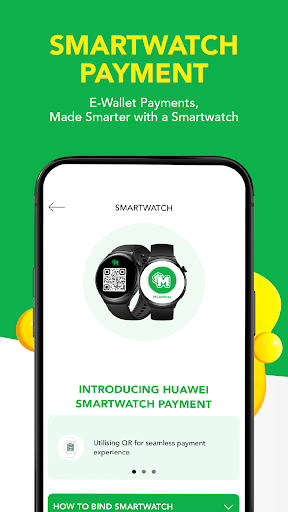
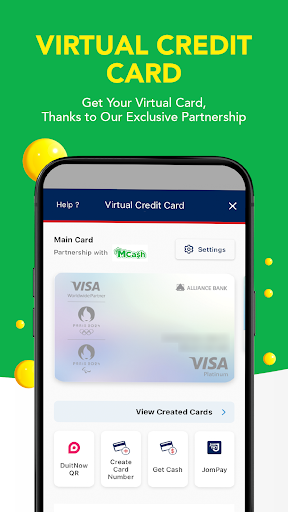
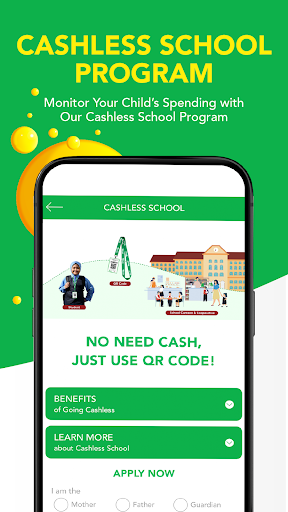
Introducing MCash Wallet
1. FUN E-WALLET
Definitely not just a boring payment channel. Everyone can stand a chance to win prizes with our daily Spin & Win feature!
2. SCAN & PAY
Payment made easy with QR Code! Either you or merchant scan the QR Code. Your shopping experience will be faster and convenient.
3. SAFE & SECURE
No need to worry and make payment transactions in peace with our secure 6-digit transaction pin feature.
4. PREPAID RELOAD
Reload your mobile prepaid, game credit, internet and others from the tip of your finger, anytime, anywhere!
5. BILL PAYMENT
Stop wasting time for physical stores and long queues! Settle your mobile, water, electric & other bills in your own convenient time.
6. INVESTMENT
Gold trading through the wallet! A convenient way to start your investment!
7. E-PARKING
Say goodbye to coins & malfunctioning parking machines with our E-Parking feature. Just pay and extend the time period on your phone.
8. E-TICKETING
No time to go to physical ticketing counter? No worries! Transportation & Events, we’ve got it covered!
9. FINANCING
Managing your finances is now easier. From PTPTN and Courts loan repayment loan to SSPN-i account deposits, all can be settled with MCash Wallet!
10.E-VOUCHERS
Enjoy amazing deals and offers on selected participating merchants. Hurry and snap up an amazing deal now!
11.AWESOME REWARDS
We appreciate our loyal fans, so we’re giving MPoints as reward. MPoint can be collected through MCash credit reload and also Spin & Win.
12.ONLINE SHOPPING
No need to go to the mall. Just select your desired shopping platform and shop effortlessly!
แสดงเพิ่มเติม

1. ดาวน์โหลดตัวติดตั้ง MEmu และสิ้นสุดการติดตั้ง

2. เริ่ม MEmu จากนั้นเปิด Google Play บนหน้าแรก

3. ค้นหา MyMCash ใน Google Play
Install
4. ดาวน์โหลดและติดตั้ง MyMCash
5. เมื่อติดตั้งเสร็จให้คลิกที่ไอคอนเพื่อเริ่มใช้งาน

6. ใช้ MEmu เพื่อสัมผัสประสบการณ์ MyMCash บนคอมพิวเตอร์ของคุณ
MEmu Play คือโปรแกรมจำลอง Android ที่ดีที่สุด มีผู้ใช้มากกว่า 50 ล้านคน มอบประสบการณ์การใช้งานแอป Android ขั้นสุดยอดให้กับคุณ เทคโนโลยีจำลองเสมือนของ MEmu ช่วยให้คุณรันแอป Android หลายพันแอปบนคอมพิวเตอร์ได้อย่างราบรื่น แม้แอปที่กินทรัพยากรเครื่องสูงที่สุด
จอใหญ่และกราฟฟิกสวยกว่า; เล่นได้นาน, ไม่ต้องใช้แบตเตอรี่โทรศัพท์หรือเน็ตโทรศัพท์.
ระบบปรับแต่งปุ่มคีย์บอร์ดและเม้าส์ตามที่คุณเลือก
เล่นมากกว่าหนึ่งเกมบน PC ในเวลาเดียวกันด้วยระบบหลายจอหรือ Multi-Instance manager.
Use MyMCash on PC by following steps: