Pixilart - Make Pixel Art
Actualizada
Versión actual
1.7.0
Ofrecida por

Deje de preocuparse por los recargos cuando use Pixilart - Make Pixel Art en su teléfono celular, libérese de la pequeña pantalla y disfrute usando la aplicación en una pantalla mucho más grande. A partir de ahora, obtenga una experiencia de pantalla completa de su aplicación con teclado y mouse. MEmu le ofrece todas las características sorprendentes que esperaba: instalación rápida y configuración fácil, controles intuitivos, no más limitaciones de batería, datos móviles y llamadas molestas. El nuevo MEmu 9 es la mejor opción para usar Pixilart - Make Pixel Art en su computadora. Codificado con nuestra absorción, el administrador de instancias múltiples hace posible abrir 2 o más cuentas al mismo tiempo. Y lo más importante, nuestro exclusivo motor de emulación puede liberar todo el potencial de su PC, hacer que todo sea fluido y agradable.
Más detalles
Descargar Pixilart - Make Pixel Art en PC con MEmu Android Emulador. Disfruta jugando en la pentalla grande. Create pixel art on the go.
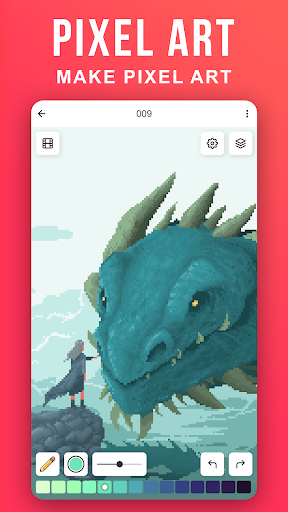
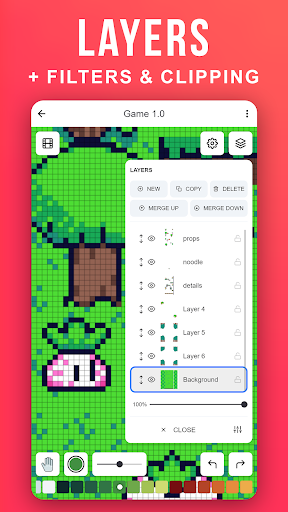
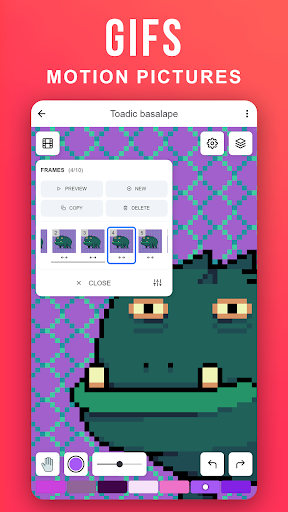
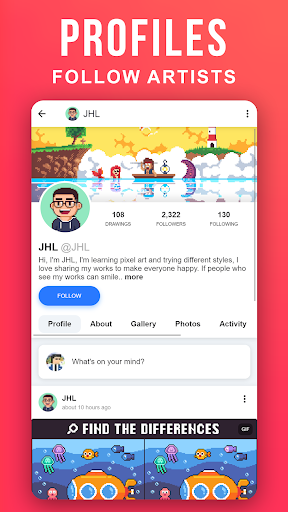
Create pixel art on the go. Pixilart is a community of passionate art enthusiasts who enjoy pixels. Easily make pixel art, and then share your art and even follow others who have created their own pixel art creations.
Become part of the largest pixel art community and understand why Pixilart is a growing community for feedback, sharing, art and more! It's fun and easy to create pixel art on the go with Pixilart. Simply move your finder across the screen to move the cursor and click on draw to lay pixels. Use blank canvases or choose from a variety of bases created by other users.
KEY FEATURES
• Create pixel art on the go with our easy-to-use drawing feature
• Create from bases or blank canvases
• Create profiles to upload drawings in the cloud for easier access on different devices
• Upload drawings in private, or in public so others can see
• Share drawings with others for feedback or simply to show off!
• Receive notifications from likes, comments, mentions, and new followers
• Follow your favorite artists on activity feeds
PARENT INFORMATION
Pixilart is a social platform for all ages. There is no private messaging system. All conversations are public. Swearing filters are enabled by default. Spam filters are enabled by default. Users can easily block/un-follow others. All drawings are monitored.
SUBSCRIPTIONS
There are no subscriptions
Más detalles

1. Descargar el instalador de MEmu y finalice la instalación

2. Iniciar MEmu y abrir Google Play en la página de inicio

3. Buscar Pixilart - Make Pixel Art en Google Play
Install
4. Descargar y instalar Pixilart - Make Pixel Art
5. Hacer click al icono para iniciar

6. Experiencia Pixilart - Make Pixel Art en PC con MEmu
MEmu App Player es el mejor emulador de Android gratuito y 50 millones de personas ya están disfrutando su magnífica experiencia de aplicación en Android. La tecnología de virtualización de MEmu te permite jugar a miles de aplicaciones Android suavemente en tu PC, incluso los más intensivos gráficamente.
Pantalla más grande con mejores gráficos; Larga duración, sin limitación de batería o datos móviles.
Soporte completo de keymapping para un control preciso del teclado y el mouse o gamepad.
Múltiples cuentas de juegos o tareas en una sola PC a la vez con el administrador de instancias múltiples.
Use Pixilart - Make Pixel Art on PC by following steps: