
Tevi
Actualizada
Versión actual
3.36.4
Ofrecida por

Deje de preocuparse por los recargos cuando use Tevi en su teléfono celular, libérese de la pequeña pantalla y disfrute usando la aplicación en una pantalla mucho más grande. A partir de ahora, obtenga una experiencia de pantalla completa de su aplicación con teclado y mouse. MEmu le ofrece todas las características sorprendentes que esperaba: instalación rápida y configuración fácil, controles intuitivos, no más limitaciones de batería, datos móviles y llamadas molestas. El nuevo MEmu 9 es la mejor opción para usar Tevi en su computadora. Codificado con nuestra absorción, el administrador de instancias múltiples hace posible abrir 2 o más cuentas al mismo tiempo. Y lo más importante, nuestro exclusivo motor de emulación puede liberar todo el potencial de su PC, hacer que todo sea fluido y agradable.
Más detalles
Descargar Tevi en PC con MEmu Android Emulador. Disfruta jugando en la pentalla grande. Ready to take control of your digital world?
Ready to take control of your digital world? Dive into an exciting new era of online content with Tevi!
Tevi empowers creators to build communities, monetize their moments, and connect viewers with personalized feeds. We offer innovative tools and direct support for exclusive creator-viewer connections, serving as a versatile toolbox and stage in one space.
—-Why Tevi?----
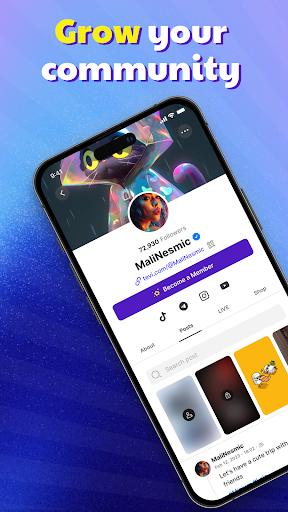
Grow community in your own space
Share your content, be it blogs, images, videos, or random updates, and keep the fun rolling.
Interact with viewers through the replies, live stream, and many other activities
Sell your products worldwide
Maximize your monetization strategies with product selling
Smooth interface for you and your consumers
Provide exclusive content for your Members
Multi-tier membership for your audiences to choose based on their desire
Provide exclusive perks and content to your Members while creating a steady income stream
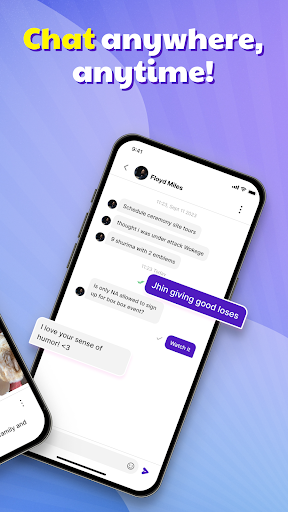
Chat anywhere, anytime
Real time 1 on 1 chat with your audience
24/7 customer support chat 1:1
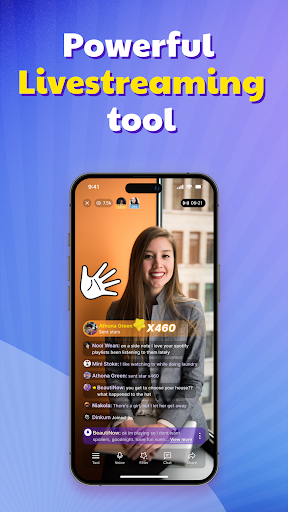
Play interactive games while streaming
Connect with your audiences in real-time
Need help figuring out what to talk about or have no topic ideas? Diverse interactive games are ready to support you.
Once you join Tevi as a creator, you are free to take home 100% of your donations from your audiences.
Tevi is more than just a platform. It's a dynamic community designed with your growth in mind and earnings.
If you want to delete your Tevi account, access Settings on the app, then click ‘Delete account.’ Please note that all your data will be permanently removed after 30 days.
For more information, you can access this link: https://support.tevi.com/portal/en/kb/articles/can-i-delete-my-account
Any questions? Don't hesitate to get in touch with us at support.tevi.com
We are always here to help.
Más detalles

1. Descargar el instalador de MEmu y finalice la instalación

2. Iniciar MEmu y abrir Google Play en la página de inicio

3. Buscar Tevi en Google Play
Install
4. Descargar y instalar Tevi
5. Hacer click al icono para iniciar

6. Experiencia Tevi en PC con MEmu
MEmu App Player es el mejor emulador de Android gratuito y 50 millones de personas ya están disfrutando su magnífica experiencia de aplicación en Android. La tecnología de virtualización de MEmu te permite jugar a miles de aplicaciones Android suavemente en tu PC, incluso los más intensivos gráficamente.
Pantalla más grande con mejores gráficos; Larga duración, sin limitación de batería o datos móviles.
Soporte completo de keymapping para un control preciso del teclado y el mouse o gamepad.
Múltiples cuentas de juegos o tareas en una sola PC a la vez con el administrador de instancias múltiples.
Use Tevi on PC by following steps: